Advance Care Directive
Overview
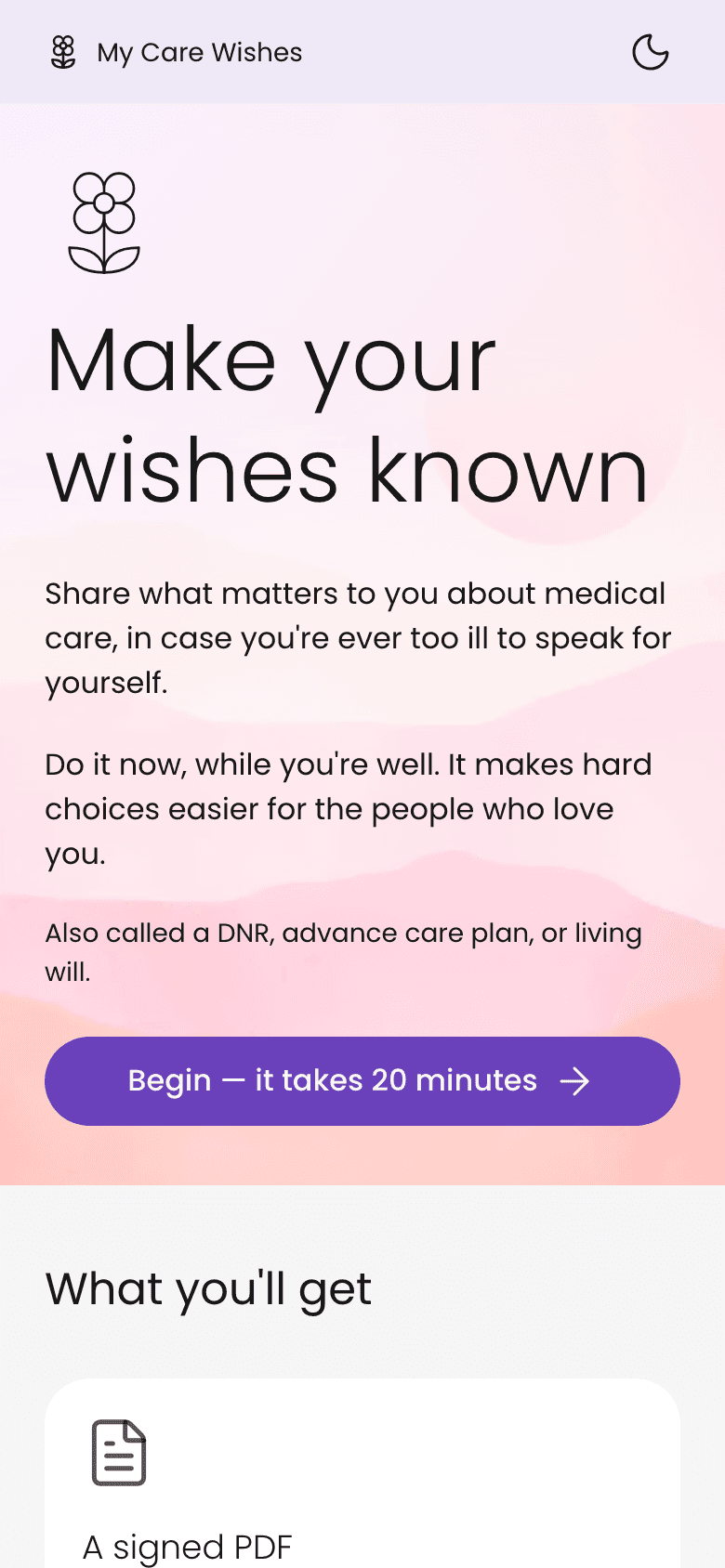
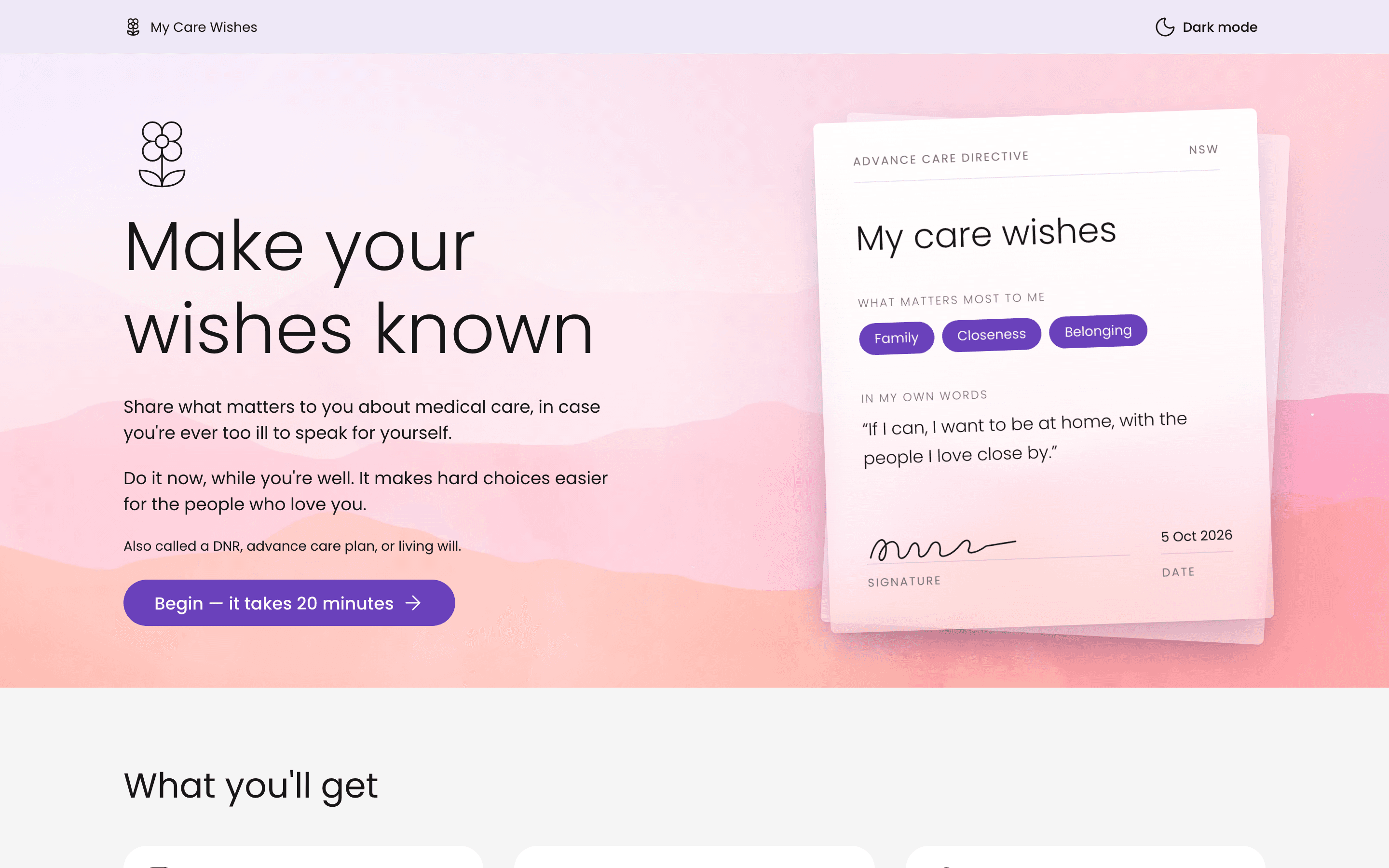
This is a free web app that helps you write an advance care directive: a document that says what medical care you would want if you were ever too ill to speak for yourself. People often call it a DNR or a living will.
You answer a short set of gentle, picture-led questions, then walk away with a signed PDF, a private link to share with family, and a way for a witness to sign online.
- Role
- Product designer and developer, end to end. Designed, wrote and built it solo
- Platform
- Responsive web app (phone, tablet, desktop), built in Next.js with a Supabase backend, hosted on Vercel
- Status
- Live, free to use, follows the NSW Health advance care planning framework

The problem
Most people mean to write down their wishes, and most never do.
The rule
A calm conversation you could finish in about 20 minutes
Most people mean to write down their wishes, and most never do. The official forms are long, legal and cold. They ask about CPR and life support on page one, before you've had a moment to think about what you actually value.
The research showed the real cost of putting it off. In dementia and Alzheimer's communities, carers kept saying the same thing: “I wish we'd done it at diagnosis, not at the hospital.” By the time a family feels ready, the person may no longer be able to decide. A post titled simply “Too late” summed it up.
There was a language gap too. Nobody searches for “advance care directive”. People say “DNR”, “who speaks for you” or “just in case something happens”. So I set myself one rule. It had to feel like a calm conversation you could finish in about 20 minutes, with no account and no legal words standing in the way.
“I wish we'd done it at diagnosis, not at the hospital.”

Core features
The journey runs in one straight line: think about what matters, answer the questions, then sign and share.
Values warm-up
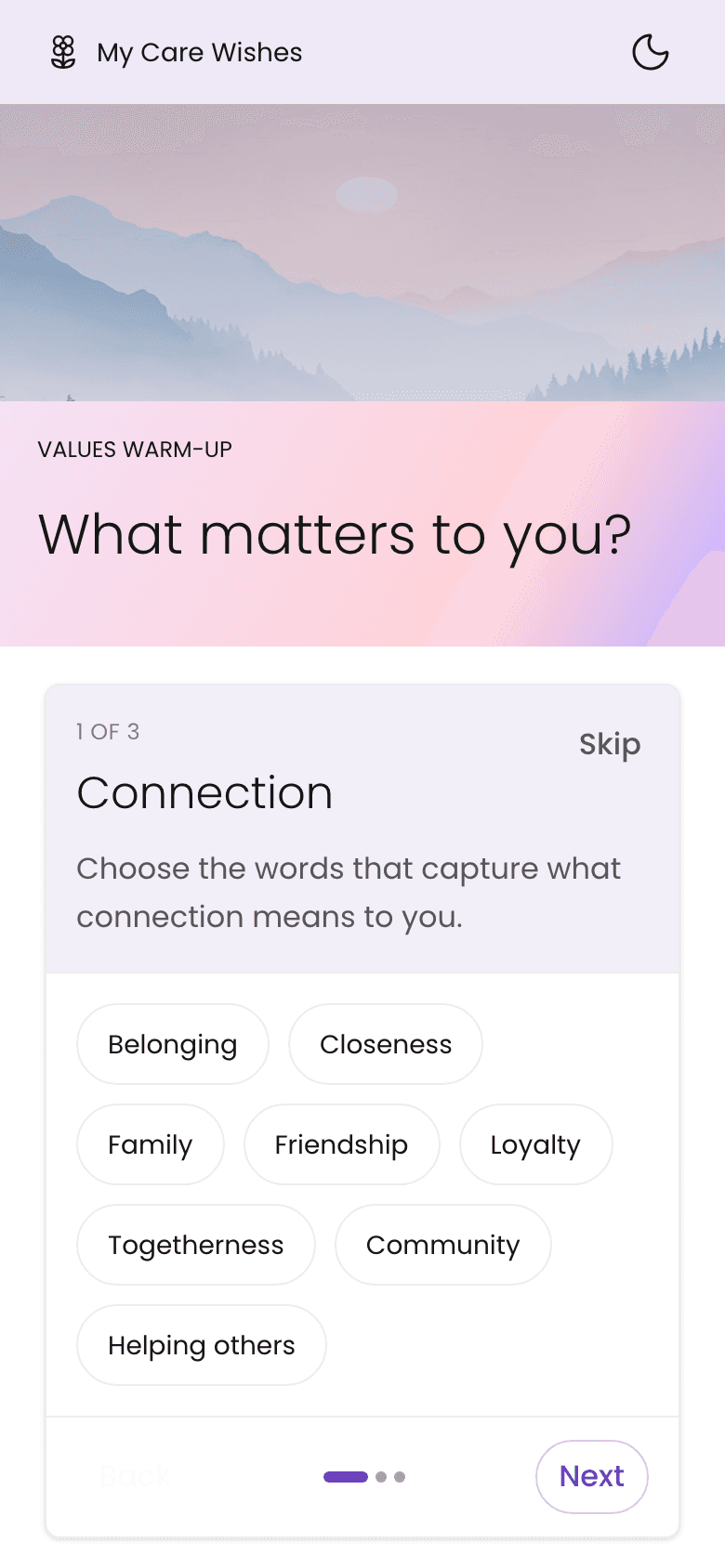
Before any medical question, you pick the words that matter most to you, like Dignity, Family or Stillness.
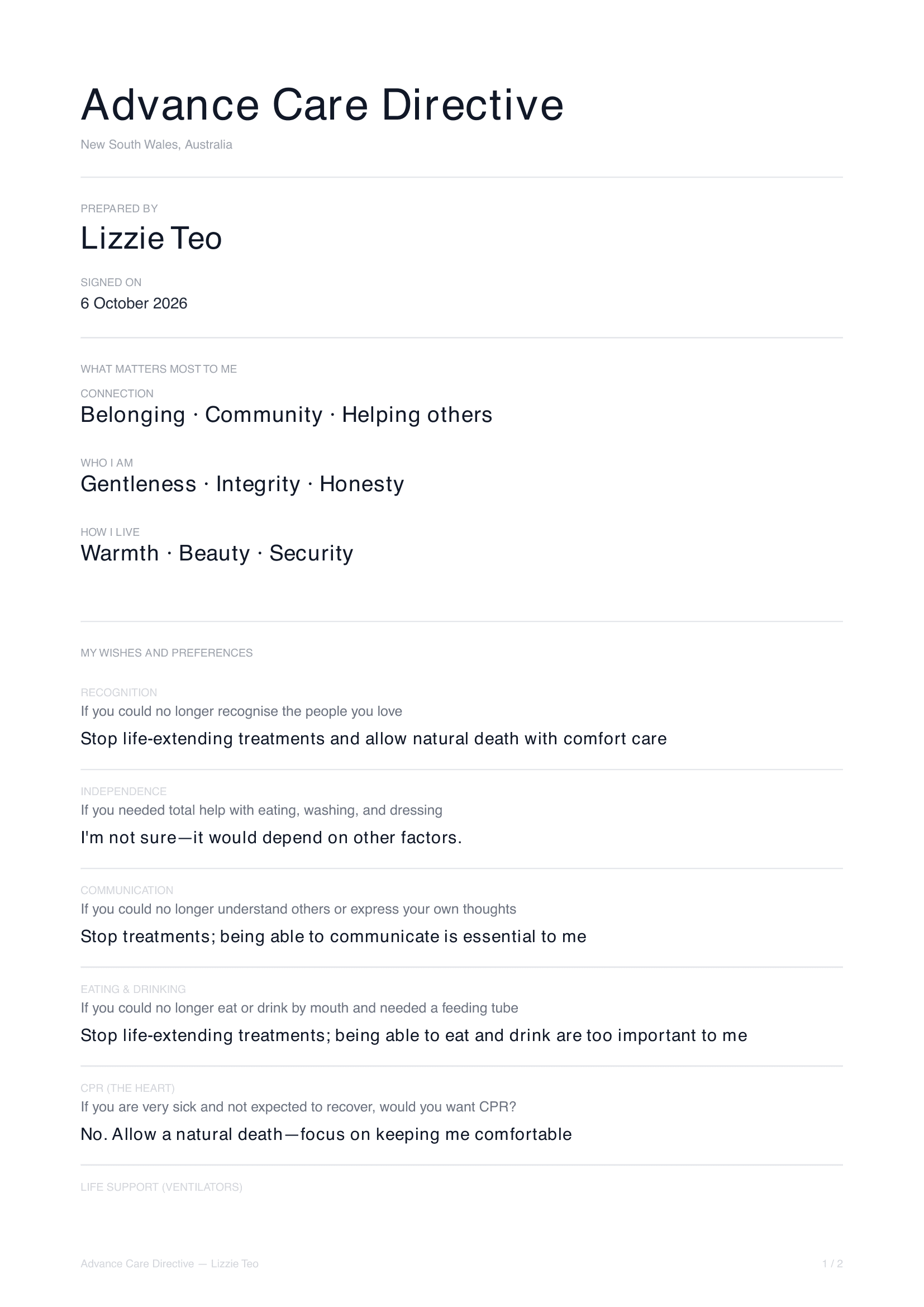
Starting with who you are makes the hard questions easier. Your words then appear at the top of your PDF as "What matters most to me".
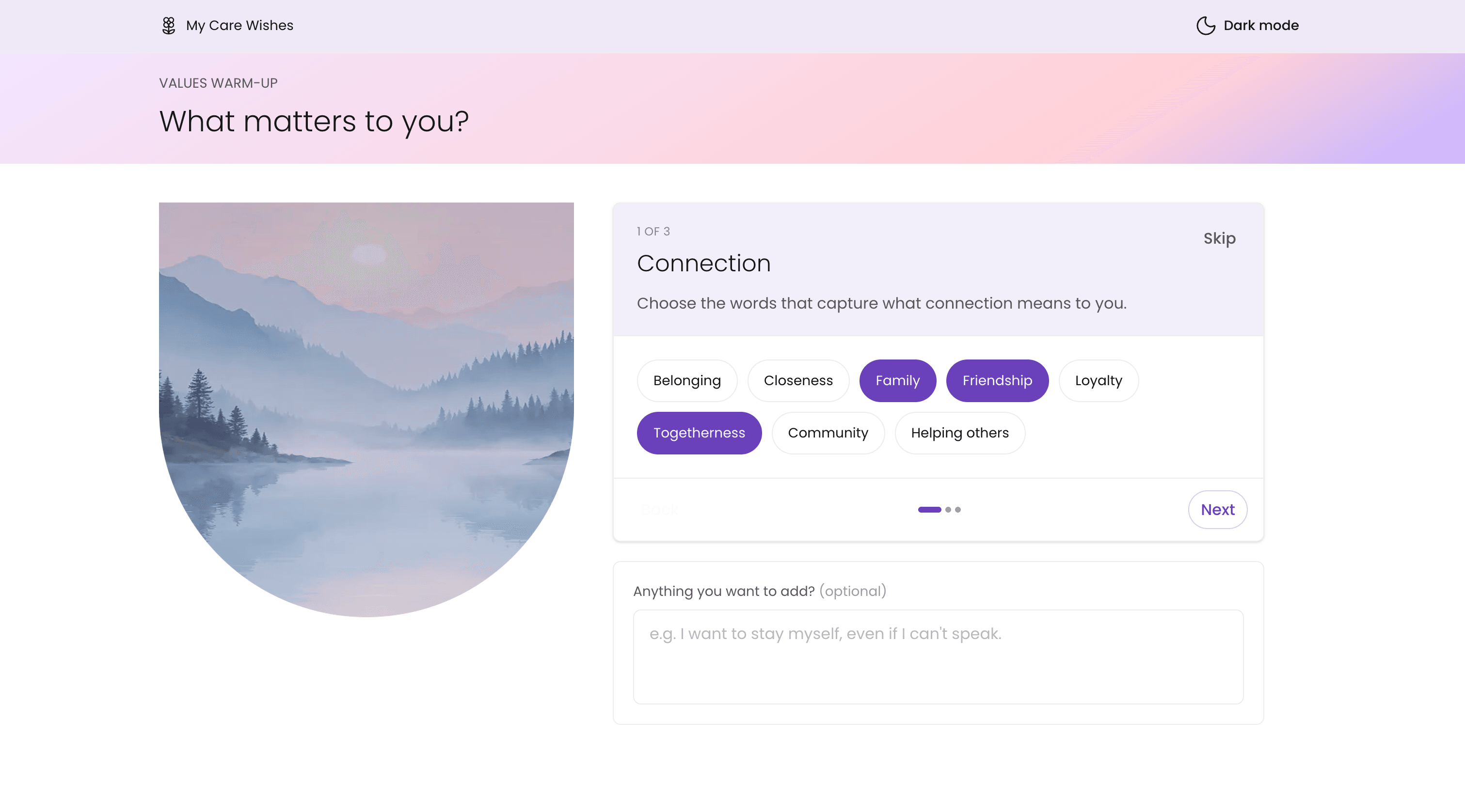
- The values warm-up on desktop: the Connection group with Family, Friendship and Togetherness picked, and an optional box below asking Anything you want to add?
- The values warm-up on a phone, with plain words in groups to pick from.
Picture-led questions
One question per screen, each with a soft illustration, covering things like recognising loved ones, eating, CPR and life support.
One idea at a time, so nobody is hit with a wall of legal text. You can swipe between questions on a phone.
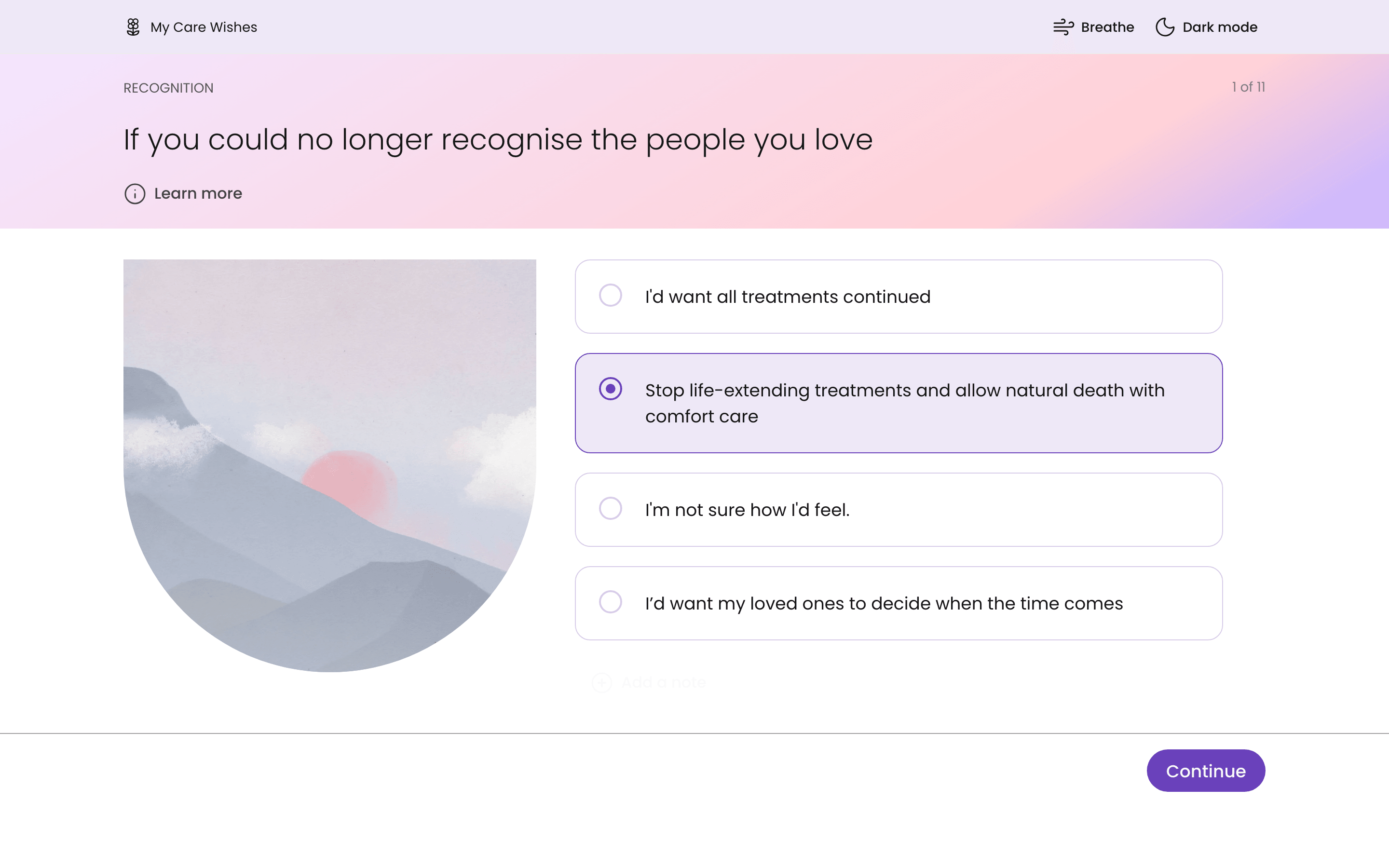
- The first question on desktop, about no longer recognising the people you love, with a soft mountain illustration beside four answers and one picked.
- The first question on a phone, with a picture above four answers.
Learn more
A short, plain-language explainer behind every question.
You get the facts if you want them, without them crowding the screen for people who don't.
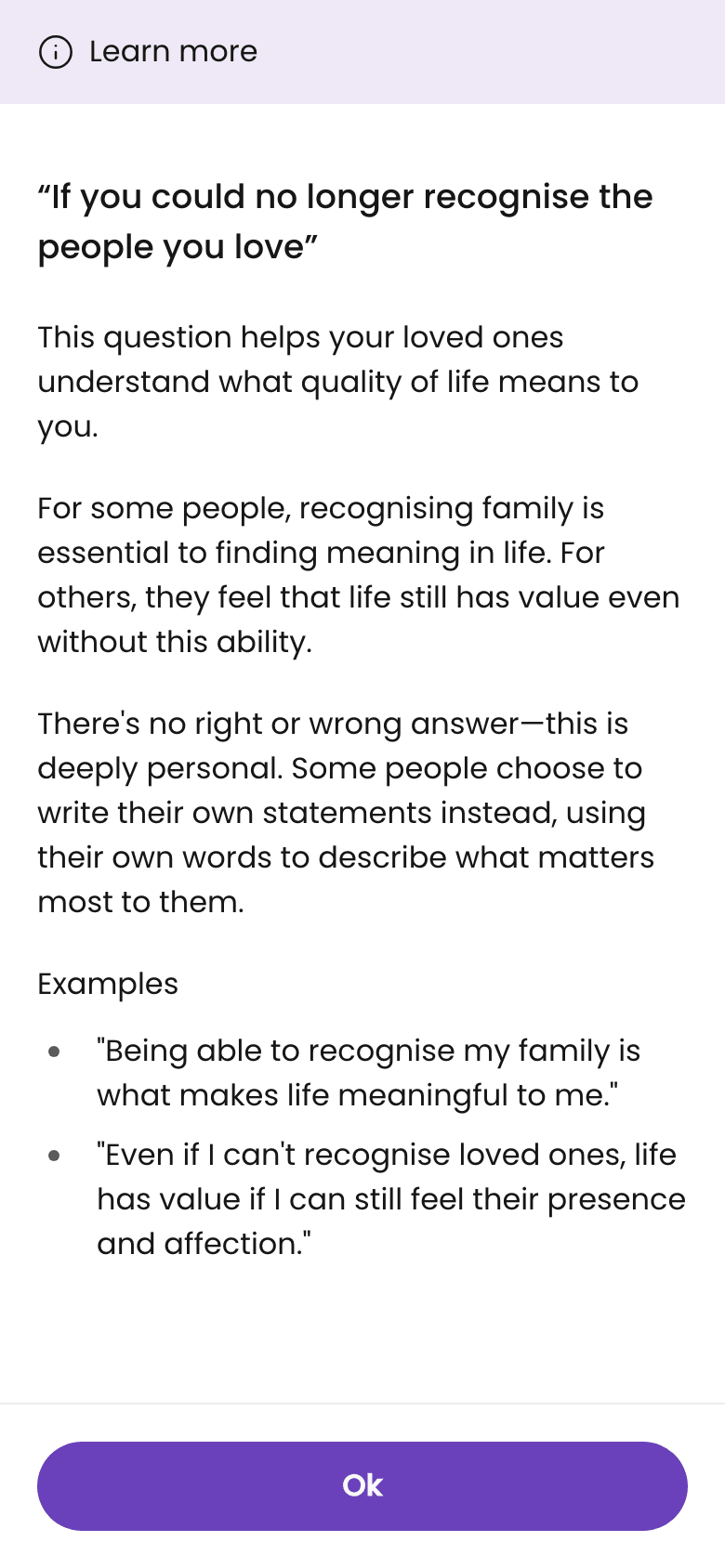
- The Learn more explainer behind the first question, open on a phone.
Breathe
A breathing exercise, always one tap away in the top bar, with three patterns to pick from.
These questions can bring up grief. A way to pause and calm down is always within reach.
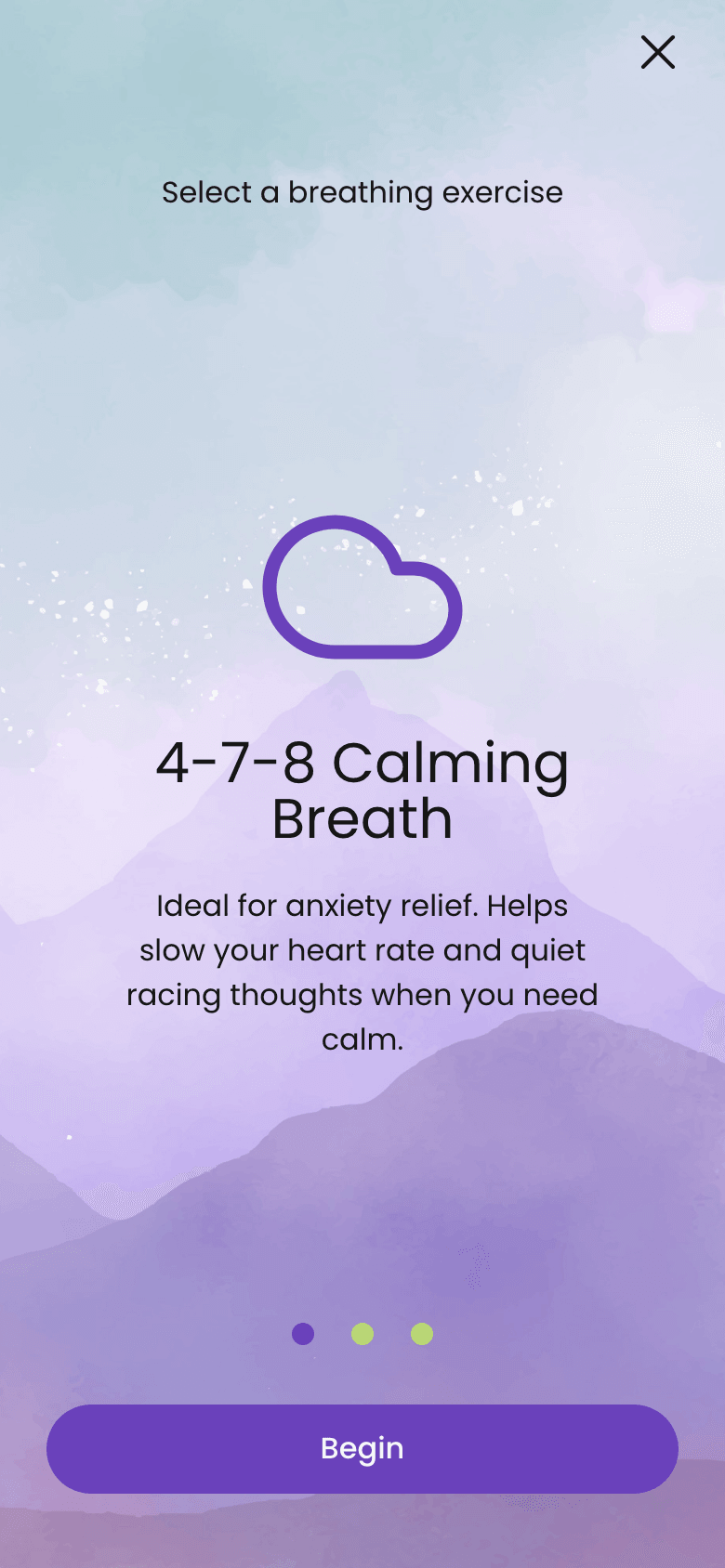
- The breathing exercise on a phone, opened from Breathe in the top bar, with three patterns to pick from.
Your own words
An optional note on any question, saved as you go.
Real wishes rarely fit a multiple-choice answer.
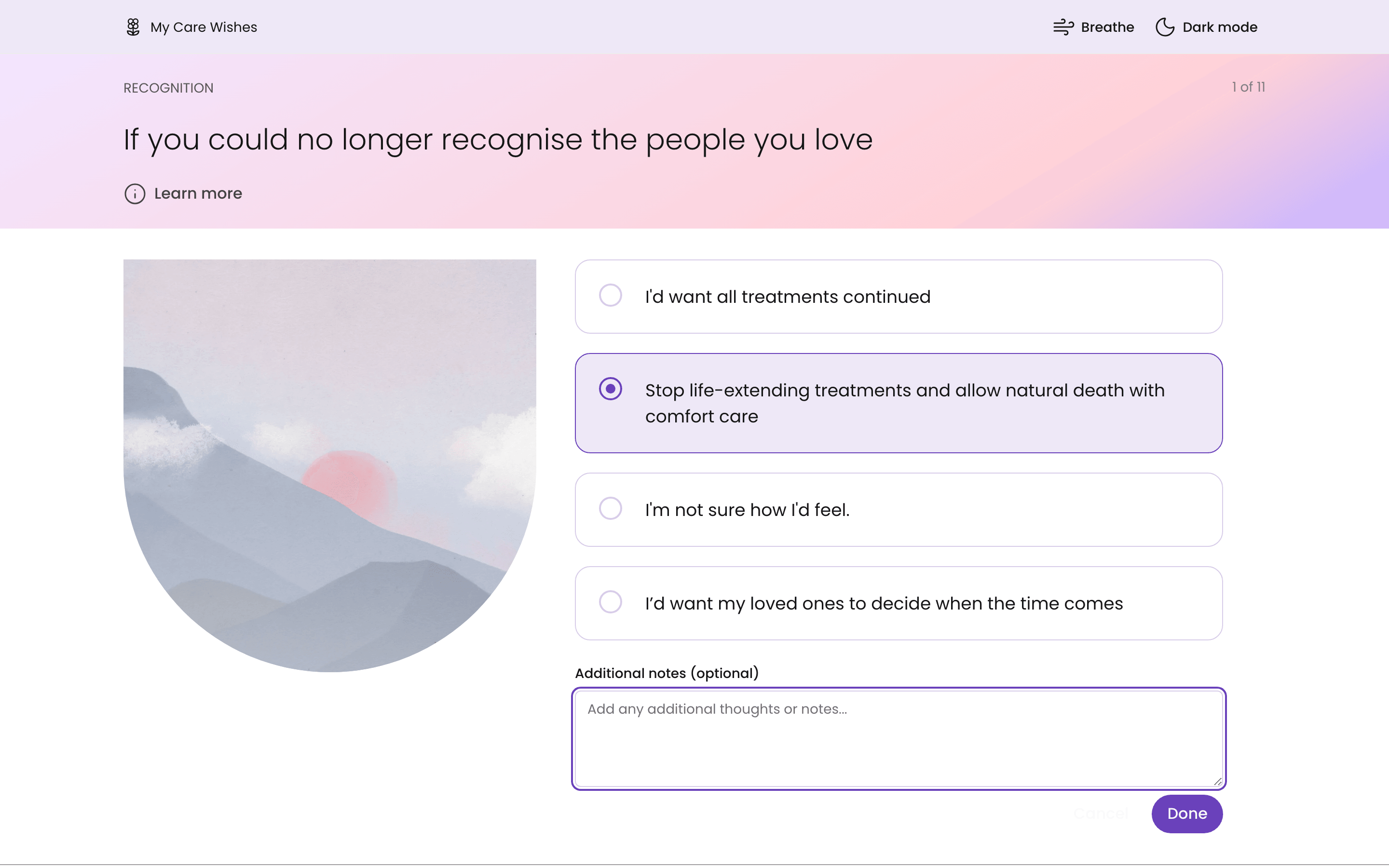
- The first question on desktop with an answer picked and the Additional notes box open below the answers.
- The first question on a phone after Add a note is tapped.
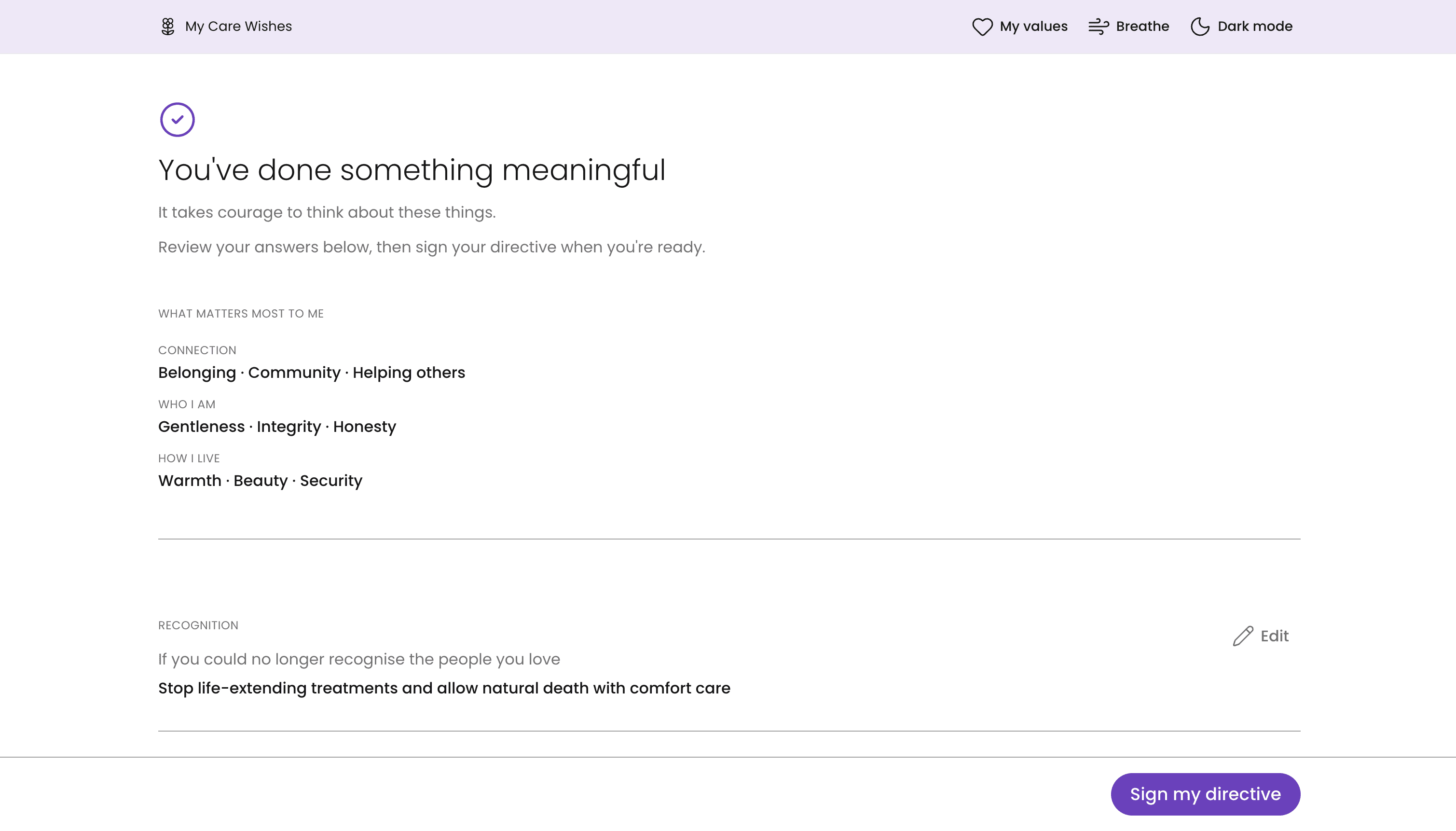
Sign, witness and share
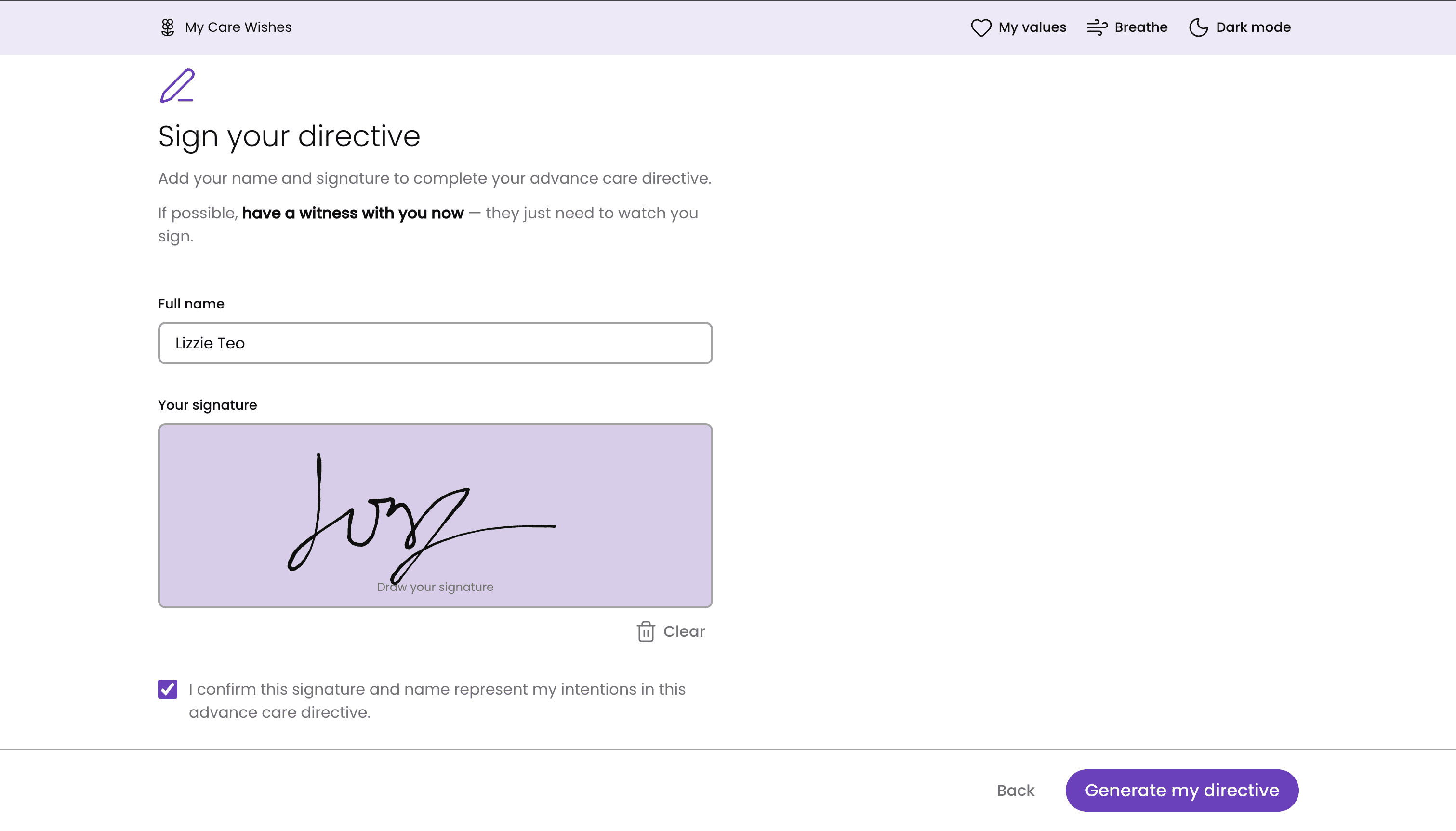
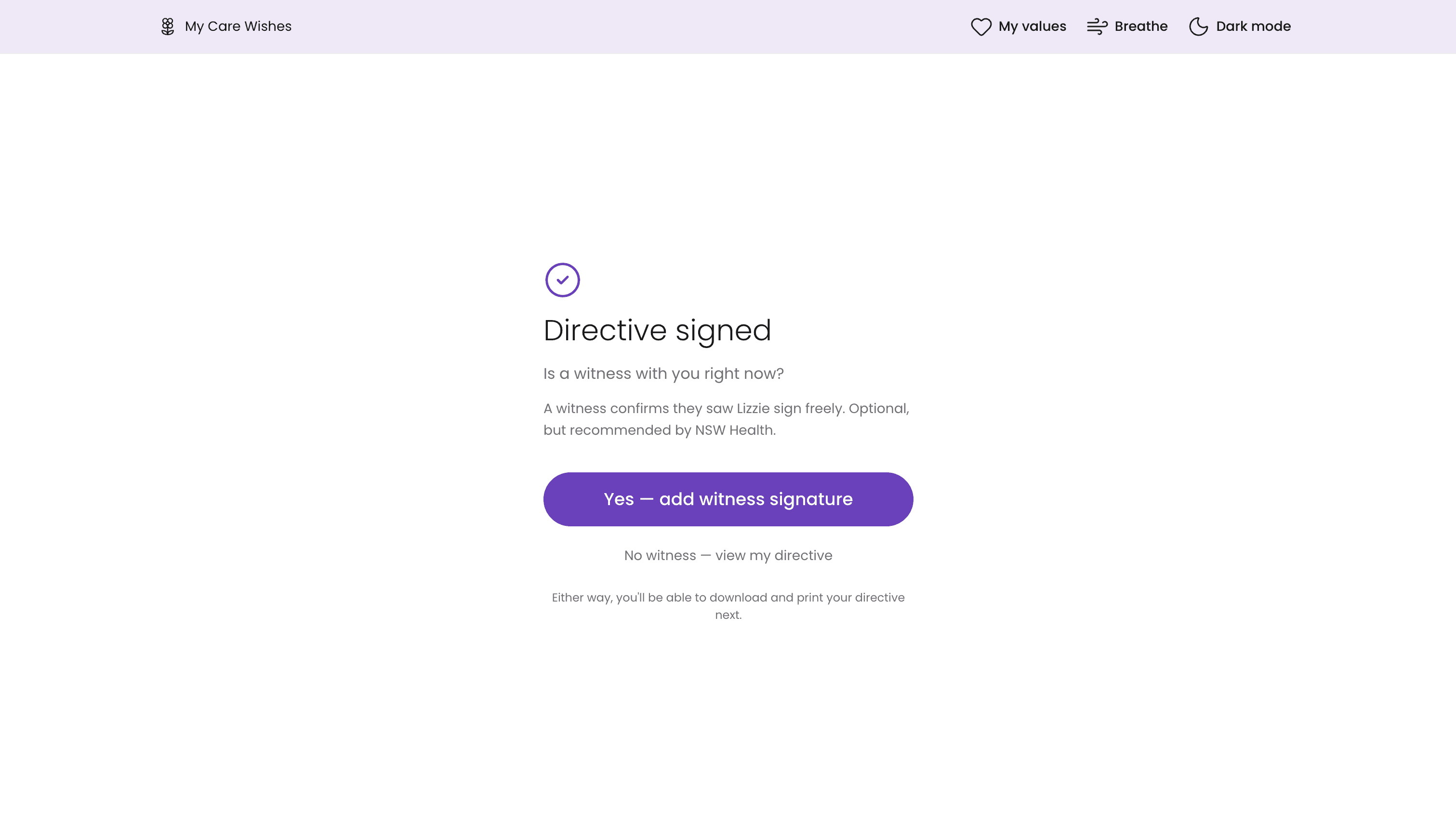
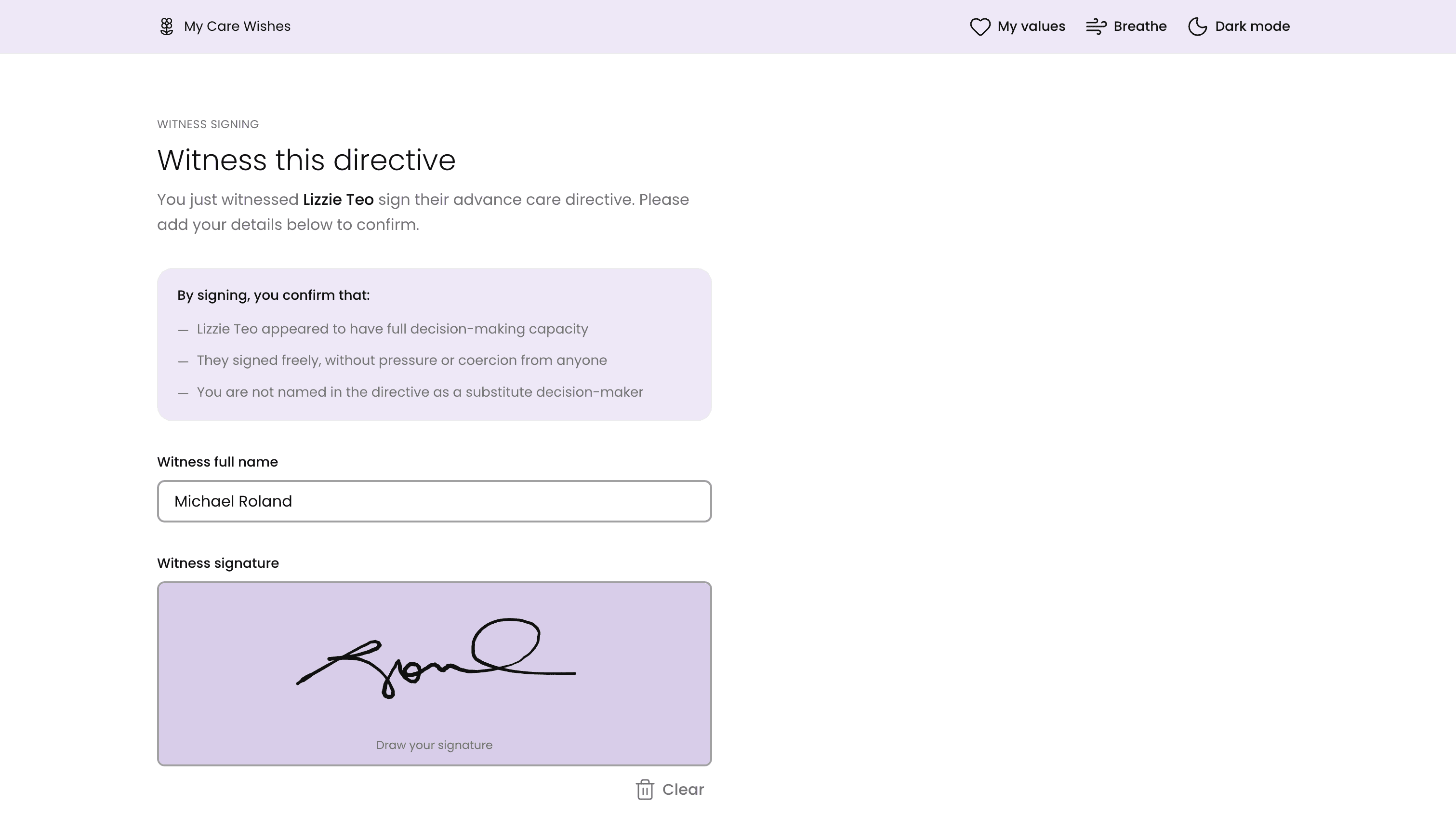
Sign on screen, get a PDF and a private link, and send a link so a witness can sign from their own device.
Why I made it this way
NSW Health strongly recommends a witness. You see a live alert the moment they sign.

Key design decisions
Most of the big choices came from listening to real people, or from noticing where the official form made things harder than they needed to be.
Values before medicine
The first thing you see is not CPR. It's a simple question: "What matters to you?" You pick a few words from a small list. I chose the words with care: plain, not medical, and fair to every culture and faith. Some pairs pull against each other on purpose, like Independence and Togetherness, so that choosing actually means something.
Key design decisions
Speaking people's language
Research in Australian Reddit communities showed people say "DNR" or "living will", not "advance care directive". So the home page now says, in one line, that these are all the same thing.
Following the official form, but softer
I reordered the questions to match the NSW Health form, and added two it covers that I'd missed: bladder and bowels, and being moved in bed. Then I rewrote every explainer to sound warm and personal, not like instructions.
No sign-up wall
You start straight away. Your answers save to a private session link, so you can come back later without ever making an account.

The hard parts
The trickiest work was making a serious legal document feel light, and making sure nothing was lost along the way.
A research loop that keeps listening
I set up a weekly loop in Claude Code that searches Redditfor posts about advance care directives: Australian communities, plus groups for Alzheimer's, dementia, palliative care and cancer support.
A small AI model sums up the pain points and the words people really use, then adds them to a running research log. The first run found the “Too late” post and the mix of names people use for the same document.
“When my dad still had his mind, he was kind enough to draw up an advance directive. I cannot stress how much of a gift that AD has been to me.”
r/dementia “I'm wondering at what point is it too late in the diagnosis to be able to get them to sign the document.”
r/dementia “Seriously, how do you bring up POA, assisted living, or Advanced Directives to stubborn people?”
r/dementia “I'm not sure how to word this so forgive me if it sounds silly.”
r/AusLegalAdvice
Turning answers into a real document
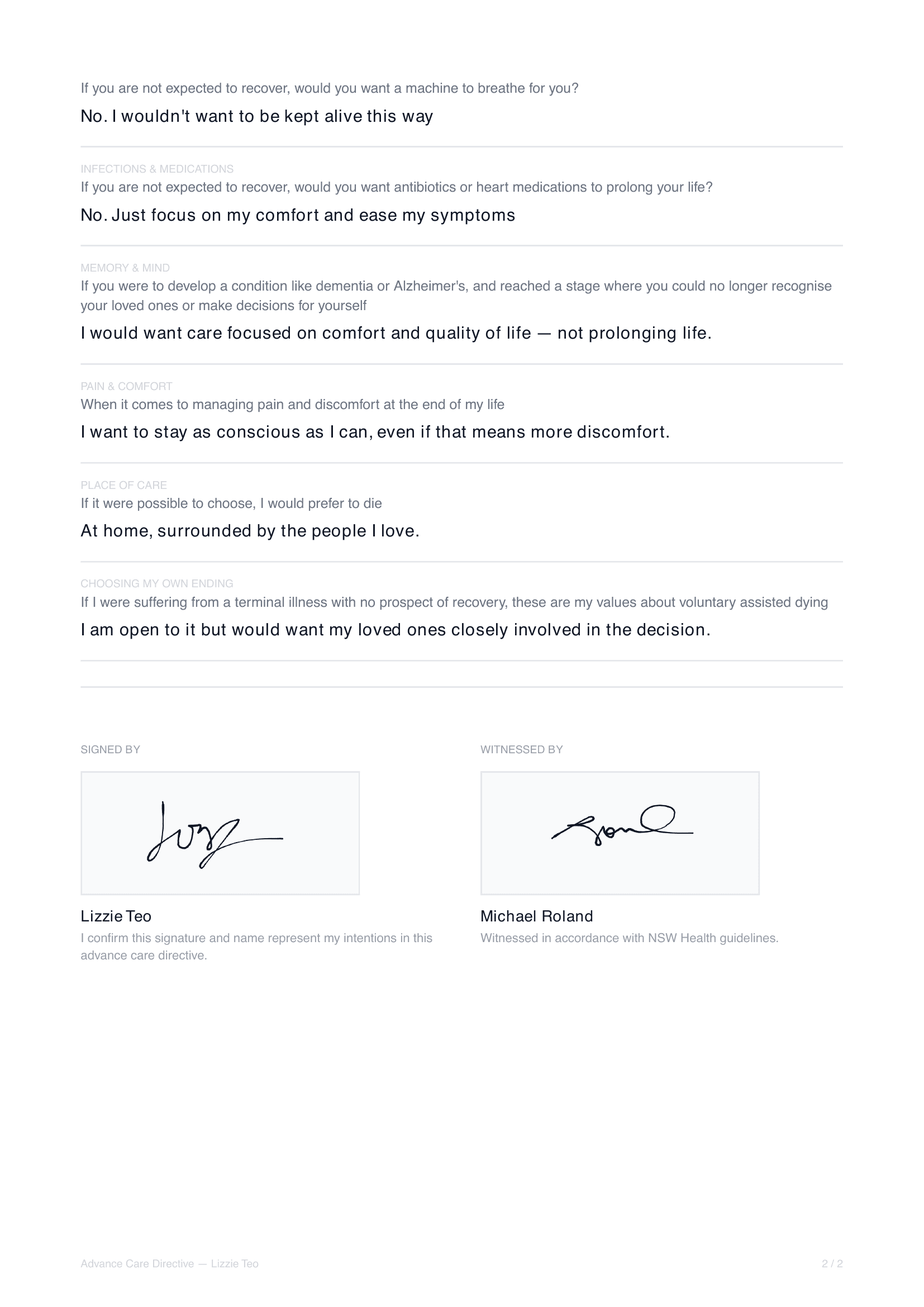
Your answers, notes, values and signature all become a formal PDF, built on the server. Tests check that every answer and note lands in the PDF, and that the file is named after you.
A witness on another device
The witness opens a link, signs on their own phone, and you see a pop-up the moment they finish. That needed a live connection to the database, so your page listens for the new signature.
Tests at every step
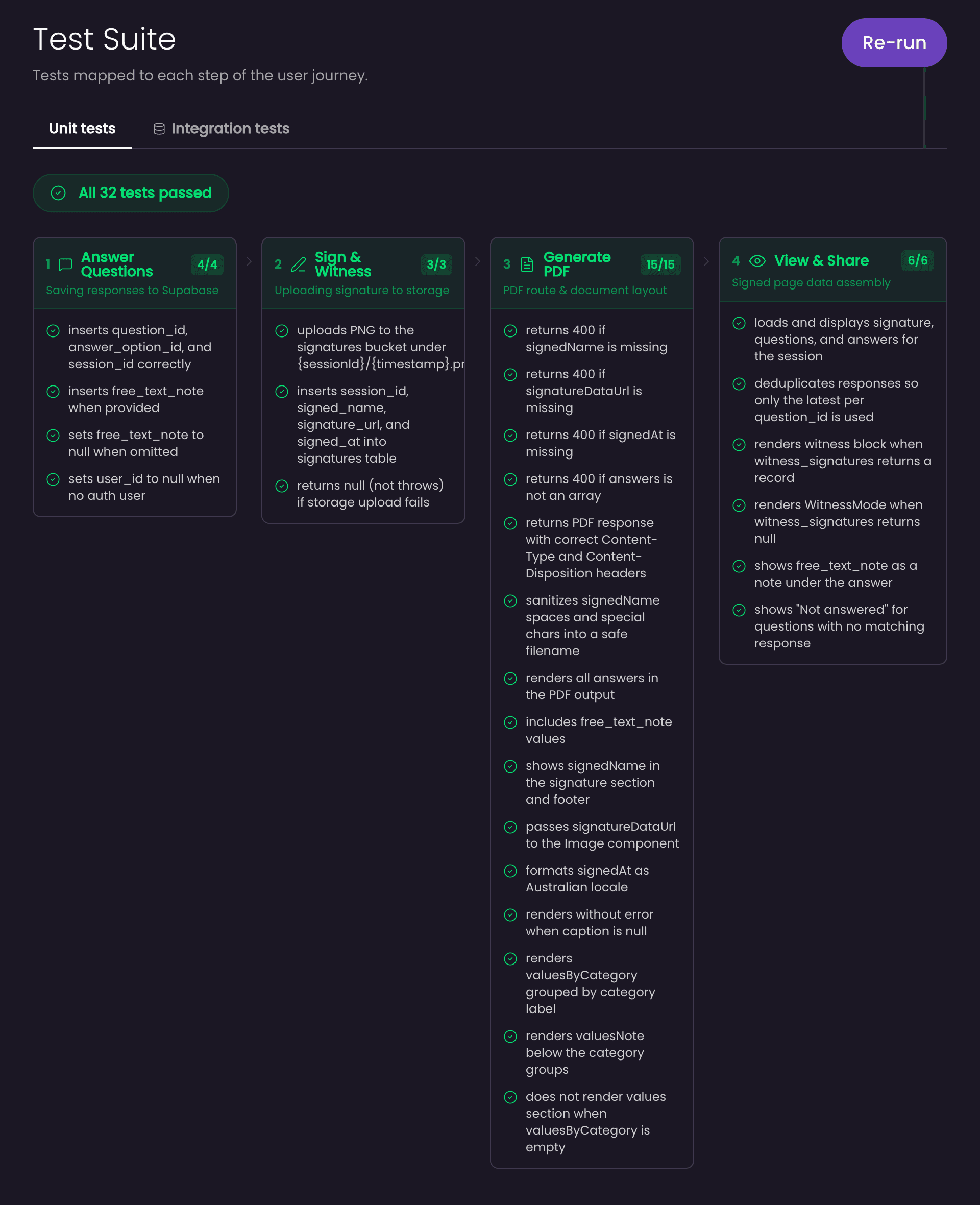
Tests are small programs that check the app does what it should. Unit tests check one piece at a time, like every answer reaching the PDF, or the PDF refusing to build without a signature. Integration tests save real answers, values and signatures to a local copy of the database, then read them back. A page in the app shows the results step by step along the journey, so a break is easy to spot.
Where it is now, and what I learned
The app is live and free
Where it is now
The app is live and free, from the values warm-up all the way to a signed, witnessed PDF. Two research routines run on their own each week: one reads Australian Reddit communities for new pain points, and one watches for changes to advance care laws in each state. Next up is support for states beyond NSW, starting with South Australia's new rules.
The free database plan pauses after about a week with no visitors. A small daily check-in now keeps it running, so the app never goes dark on someone who needs it.
What I learned
The first screen sets the mood for everything after it
Moving CPR off the first screen and starting with values changed how the whole form feels.
Real words beat official words
Listening to how people actually talk ("DNR", "too late") shaped the copy more than any style guide.
Research is never done
Laws change and people's worries change. Setting up routines that keep listening was worth more than one big study.
Small things carry big weight
A button cut off on an iPhone, or a database that falls asleep, can stop someone finishing the most important form of their life.