BRDT MVP at Amazon Innovation EBA
Overview
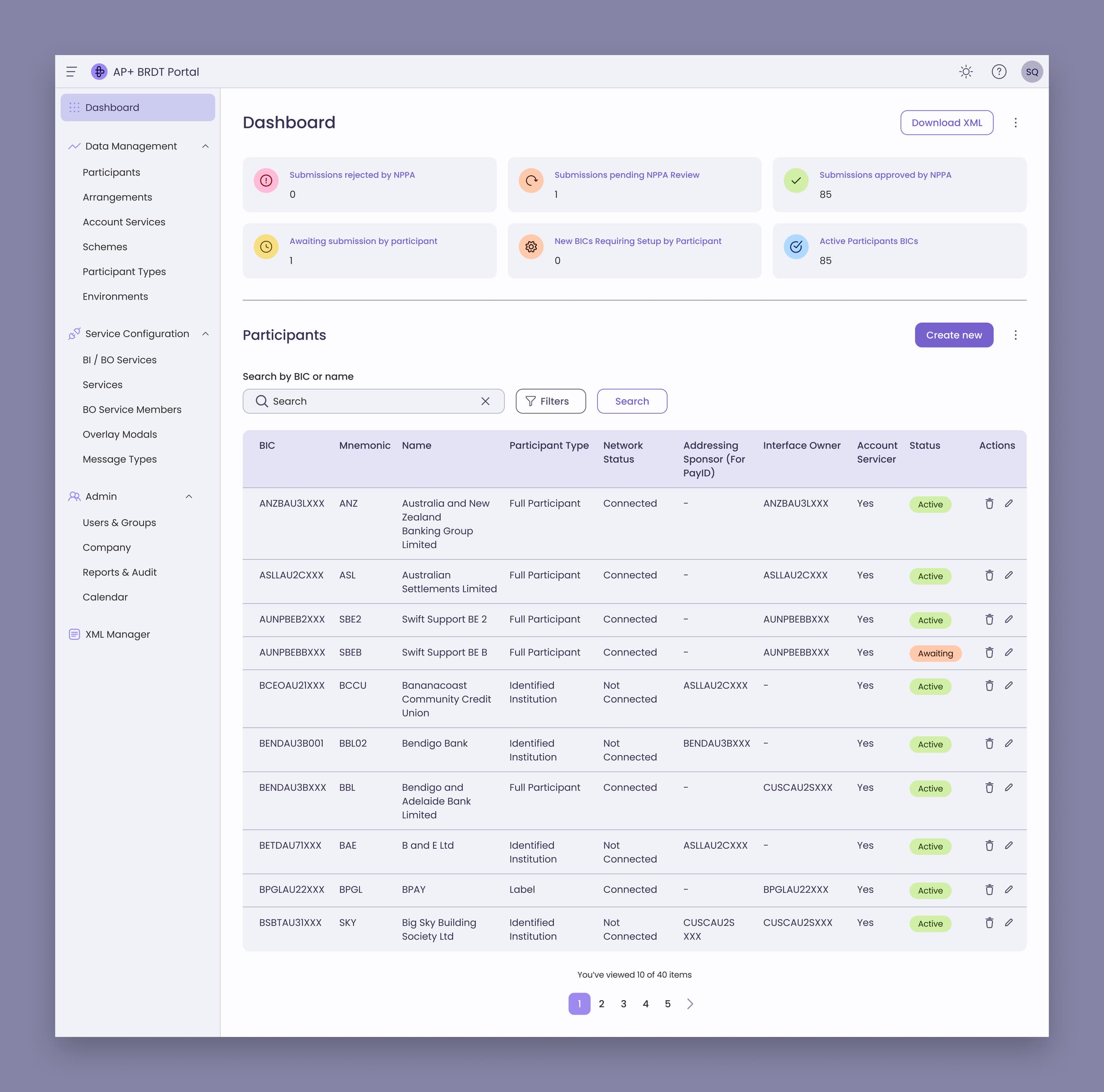
Over a three day hackathon hosted by Amazon, a team from Australian Payments Plus set out to deliver a working MVP of the Business Requirements Data Table (BRDT) Portal for NPP admins.
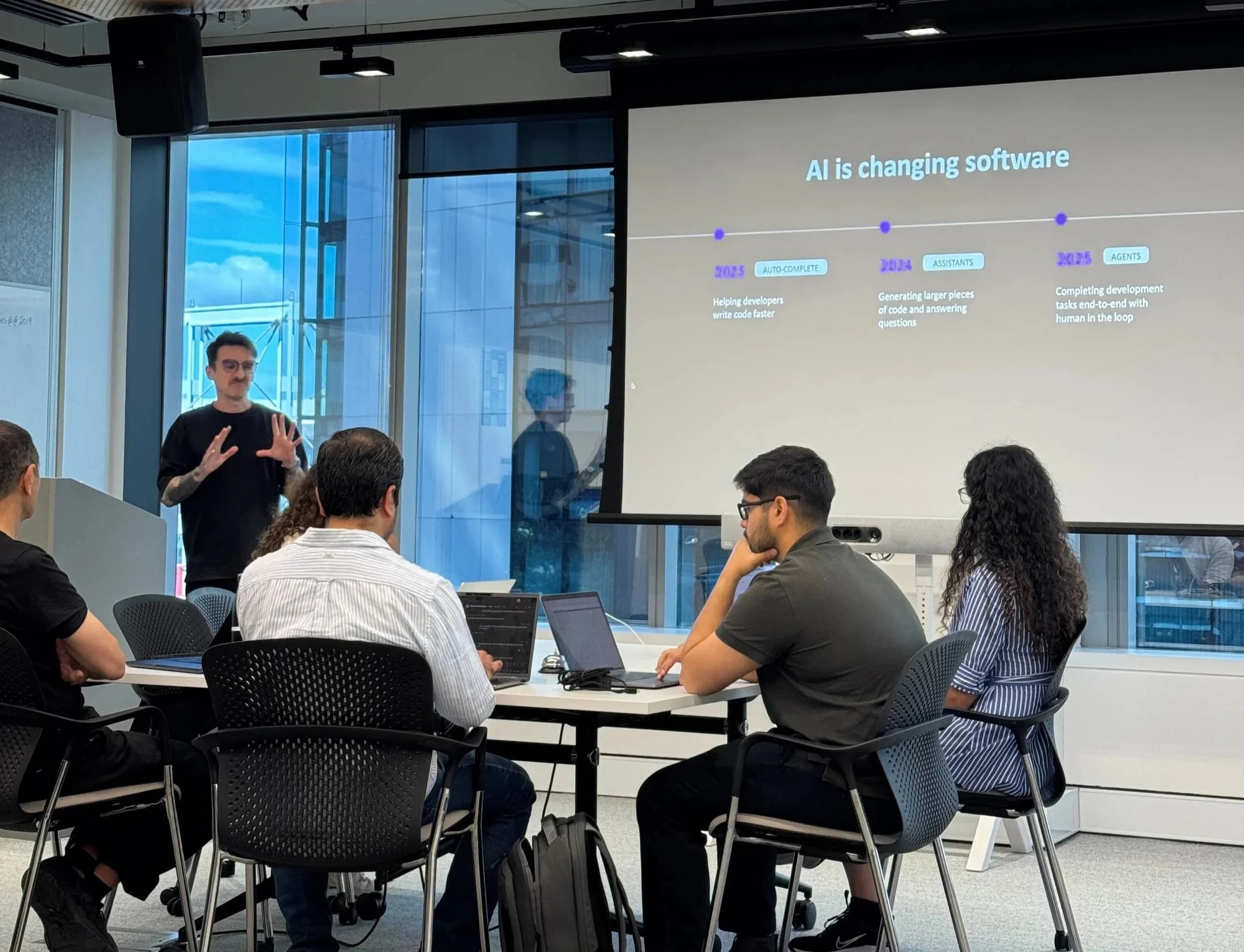
Engineers, product managers, business analysts and engineering leaders worked with AWS specialists, building with Kiro.
- Event
- Innovation EBA, hosted by Amazon, October 2025
- Focus
- Translated design intent into actionable specs for implementation.
- Built rapid prototypes in Figma aligned with the component library.
- Used Kiro to refine UI components, fix styling issues, and improve accessibility.
- Facilitated alignment across teams through quick visual prototypes.
A working BRDT portal in three days

Overview
Exploring how human and AI workflows can work in tandem
In October 2025 I joined the Australian Payments Plus team at the Innovation EBA. We had three days to define and deliver a minimum viable product (MVP), and to explore how building with Kiro could speed up software delivery.
I worked directly with engineers, product managers, business analysts, engineering leaders and AWS specialists, and saw how human and AI workflows could run side by side on enterprise software.

The problem
Each legacy system gave
customers its own way in
The problem we were trying to solve
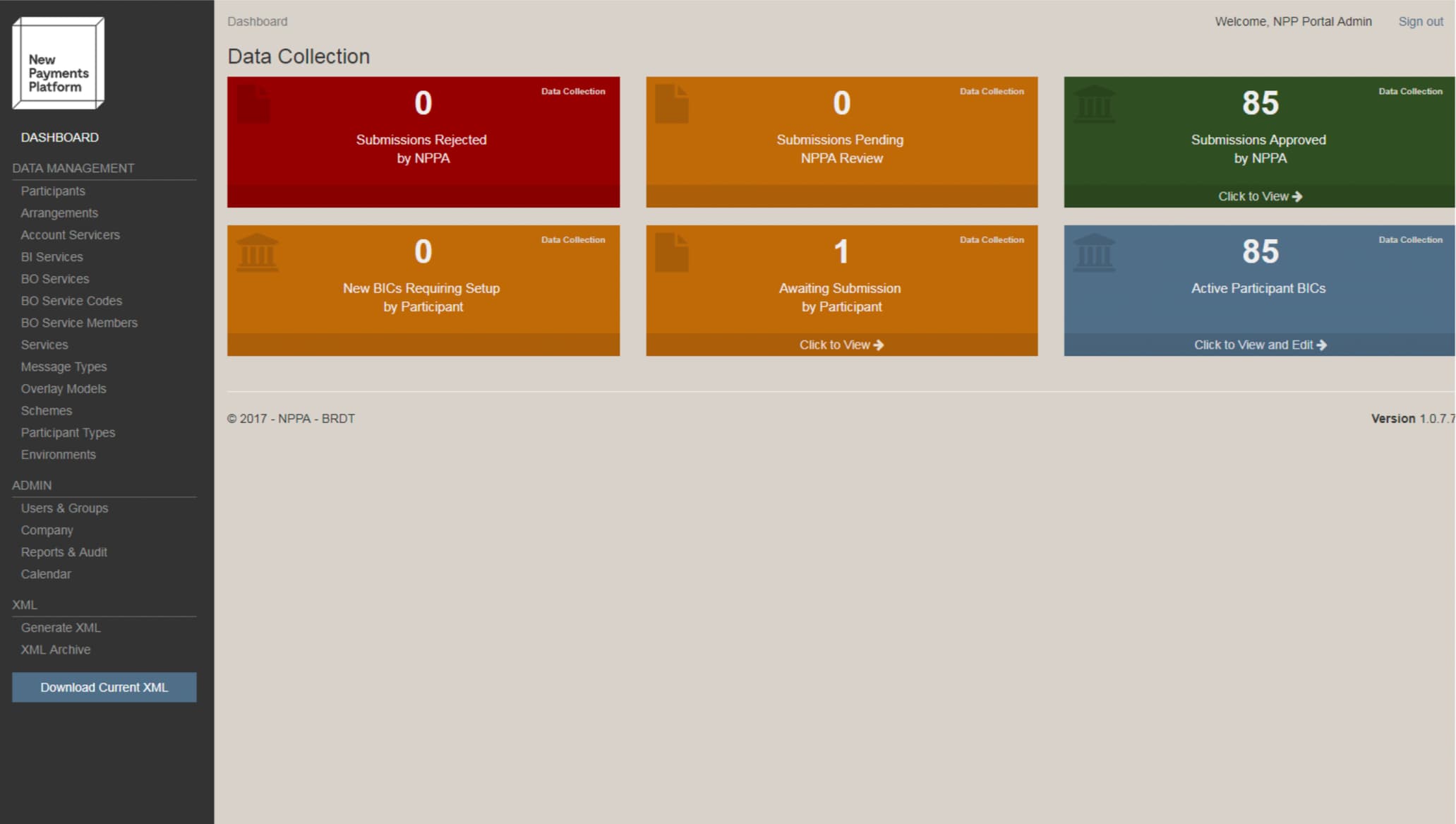
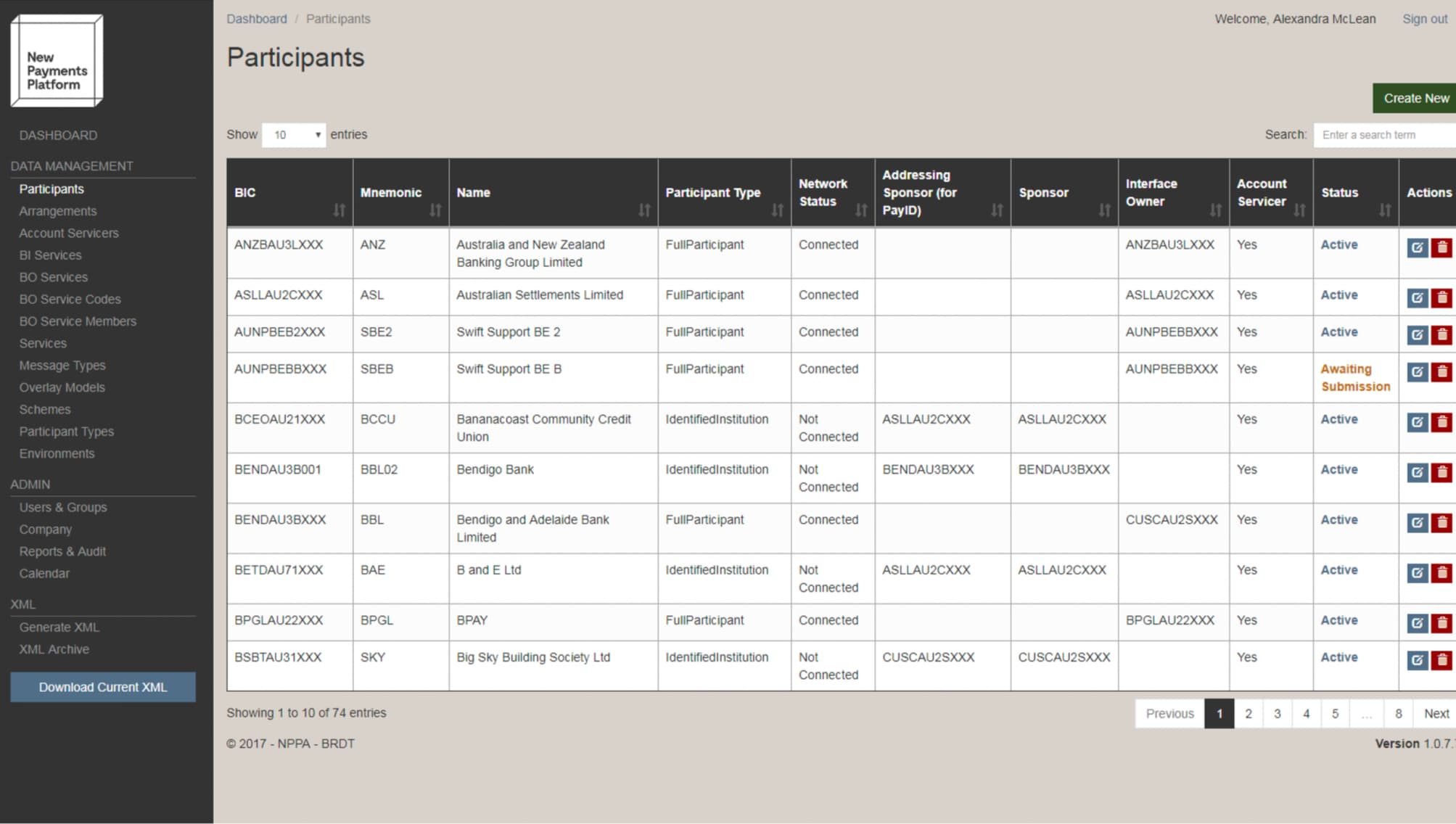
A patchwork of legacy systems
AP+ had grown over time through several legacy systems. Users found the patchwork confusing, our teams found it inefficient, and it added security risks we didn’t need.
We aimed to bring the applications our customers use into a single, secure platform.
Examples of the legacy designs
The challenge
The invite came a day before the hackathon, so there was no formal UX brief and no time set aside for research.
There was plenty of documentation, but it was scattered across slide decks, meeting videos, transcripts and technical user guides.
With so little time, I knew we had to understand how people actually used BRDT, or our design and build would lack grounding.
The targets
We went in with these two targets. Neither is a reported result. We wanted to deliver a working MVP of the BRDT portal for NPP admins and retire the old one.
- Participants and XML
- Implement participant CRUD operations and XML generation
- Sprint cycles
- Demonstrate how Kiro could compress sprint cycles into hours

The approach
Research wasn't part of my assigned tasks, but I knew a clear picture of the user journey would help us work together.
Research and synthesis
I had one weekend before the event, so I set up a custom OpenAI ChatGPT agent as a research assistant.
I asked it targeted research questions, which let me draft the key artefacts quickly.
What I went through
- PowerPoint decks and system walkthroughs
- Previous meeting recordings and transcripts
- BRDT user guides and admin documentation
Custom OpenAI ChatGPT agent
A research assistant, asked targeted research questions
Rules
- No assumptions
- Nothing beyond the configured knowledge base
I checked each response against where the information came from.
- Detailed definitions of external and internal user types and their use cases
- A user journey map for NPP admins and participants
- An operational life cycle overview
- An information architecture (IA) for the MVP scope
- An analysis of stakeholder input to uncover unaddressed user pain points, with the gaps mapped against existing data to refine research objectives and guide design decisions
- Rapid prototypes built on the Figma design system I had created for the Testing Portal
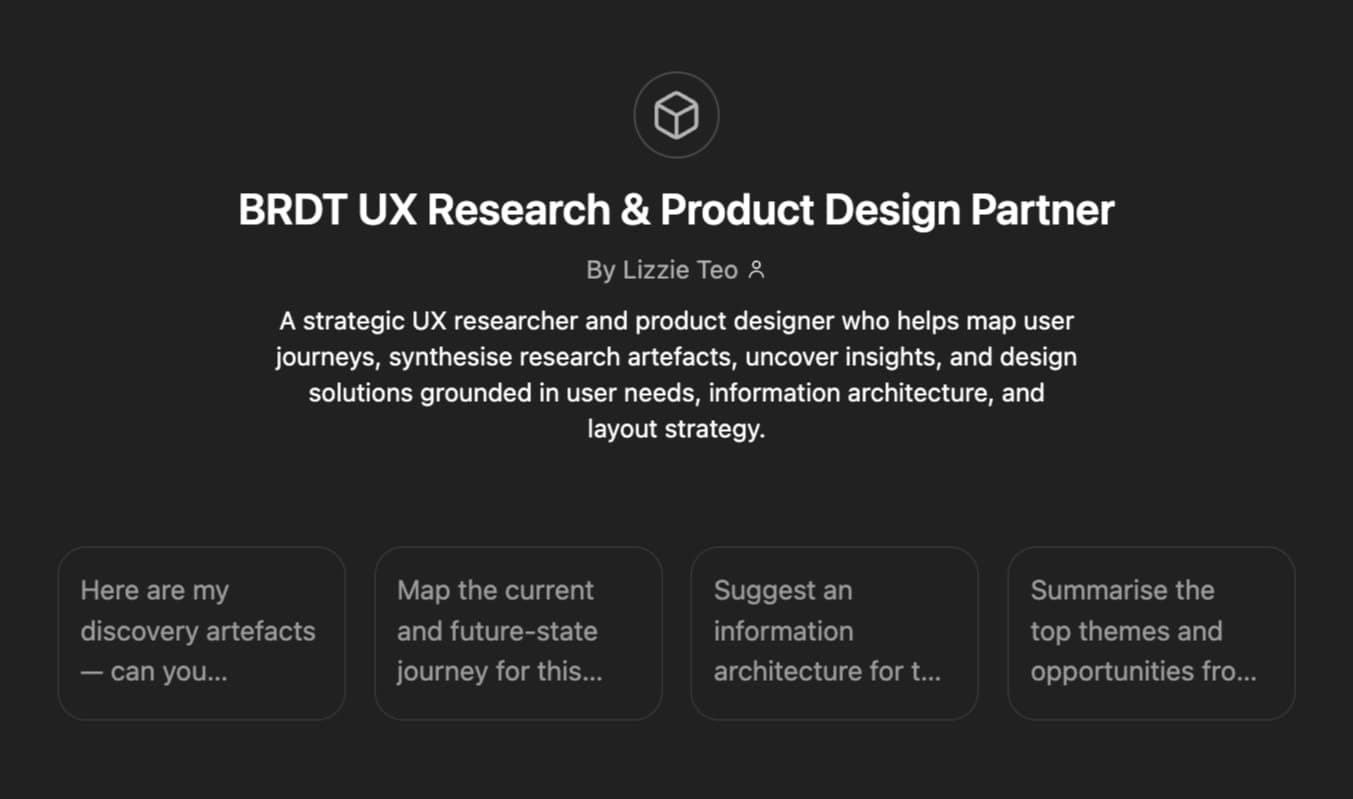
Examples of the synthesis
These artefacts helped inform the design and support discussions at the event.
Internal users
NPPA / AP+ Operations Team
- Primary Organisation
- AP+ (formerly NPPA)
- Main Responsibilities
- Own and govern the BRDT system.
- Approve participant submissions.
- Generate and distribute monthly BRDT XML to SWIFT.
- Maintain version control and industry communications.
- Tools / Applications Used
- BRDT Admin Portal, XML Generator, Data Management
- Access Scope
- Full administrative access across all environments (Prod + Test).
AP+ User Administration Team
- Primary Organisation
- AP+
- Main Responsibilities
- Manage user provisioning and permissions for both internal staff and external participants.
- Oversee user onboarding/offboarding and access control policies.
- Audit user activity and permissions.
- Tools / Applications Used
- User Management Application (Azure Entra ID integrated)
- Access Scope
- Create/edit/delete users and groups across TST01, F1, F2, SW, MMS00, and Prod.
Bridge Digital (Development Partner)
- Primary Organisation
- The Bridge Digital Solutions
- Main Responsibilities
- Technical development, maintenance, and deployment of BRDT applications.
- Manage releases across Azure environments.
- Troubleshoot, support, and implement enhancements.
- Tools / Applications Used
- Azure App Services, Function Apps, SQL Databases, Deployment Pipelines
- Access Scope
- Apps, SQL Databases, Deployment Pipelines; Development & UAT environments; elevated permissions for application-level fixes.
AP+ Technical Operations / Infrastructure Team
- Primary Organisation
- AP+
- Main Responsibilities
- Oversee hosting environments and Azure tenant management.
- Ensure application uptime, backups, and disaster recovery.
- Manage environment configurations and infrastructure security.
- Tools / Applications Used
- Azure Portal, Function Apps, Logging and Monitoring tools
- Access Scope
- Infrastructure-level admin access (read/write for all instances).
AP+ Governance & Compliance (Regulatory Oversight)
- Primary Organisation
- AP+
- Main Responsibilities
- Ensure BRDT processes adhere to NPP Regulations and NPP Procedures.
- Review data integrity and participant compliance with update timelines.
- Validate change control process for new participants or service capabilities.
- Tools / Applications Used
- BRDT Admin Reporting, Audit Logs, XML Archive
- Access Scope
- Read/reporting access to production environment.
Testing & QA (AP+ + Bridge)
- Primary Organisation
- Shared
- Main Responsibilities
- Conduct regression testing of BRDT enhancements in TST01, F1, F2, SW, MMS environments.
- Validate XML schema compliance and BRDT data propagation.
- Tools / Applications Used
- Test Environments (tst01-bradmin.nppaustralia.com.au, etc.)
- Access Scope
- Test-level admin rights for validation and QA workflows.
Service Desk / Support Analysts
- Primary Organisation
- AP+ / Bridge Digital
- Main Responsibilities
- Respond to participant issues or incidents logged via NPPA Operations.
- Manage support tickets and troubleshoot login or submission problems.
- Provide onboarding assistance for external users.
- Tools / Applications Used
- BRDT Admin Dashboard, User Management, ServiceNow or support email channels
- Access Scope
- Limited admin access for participant support and triage.
AP+ Management / Business Owners
- Primary Organisation
- AP+
- Main Responsibilities
- Oversee the overall performance and usage of BRDT.
- Approve significant updates or schema changes.
- Coordinate industry communications regarding new releases.
- Tools / Applications Used
- Reports, Dashboards, XML Distribution Logs
- Access Scope
- Read-only and approval rights for production releases.
Information architecture
New features that address user pain points are shown in purple.
User Administrator
Manage NPPA and participant users, groups, and access permissions. Current state; the core is documented.
- New feature
- Screen
- Branch point
- Result
- Document
Start
Summaries/ quick links
- Count:Submissions rejected by NPPA
- Count:Submissions pending NPPA Review
- Count:Awaiting submission by participant
- Count:Submissions Approved by NPPA
- Count:View BICs Requiring setup by participant
- Count:Active participant BICs
Filtered list to relevant summaryParticipants listin Data management
Data management
- Participants
- Participants list
- Create newAdd participant:BICNameMnemonicParticipant type
- Save,Save and edit,Reset,Delete
- SelectSingle participant details. E.g. ANZ
- Show changesAccount Servicers list:Scheme, issuer added.e.g. BBAN, 585021
- Show changesBO Service Codes table (Clearing and settlement arrangements)
- DeleteDeleted
- Add new arrangementAdded to list
- Delete
- BO Services table
- Subscribed or unsubscribedMessage services get generated in “Services” list
- Subscribed or unsubscribed
- Show changes
- Bulk import BSBNew
- Bulk subscribe members to a serviceNew
- Create new
- Arrangements
- Account Servicers
- BBAN ranges a member has:Bpay, Pay ID etc
- BI Services
- BI services list
- list of BIC dependencies
- Deleted
All dependencies need to be removed before the BI Service can be deleted.
- Select and EditSingle BI Service
- Create newModal
- BO Services
- BO Services and Overlay Models
- list of BIC dependencies
- Deleted
All dependencies need to be removed before the BI Service can be deleted.
- Select and EditSingle BO Service
- Create newModal
- BO Service Codes
- BO Service Members
- Services
- Message Types
- Message types list
- deleteDeleted
- EditMessage type Description
- Saved or reset
- Create newMessage type Description
- delete
- Overlay Models
- Overlay models list
Osko is an overlay of NPP. Type 1 and type 3 etc are variants.
- deleteDeleted
- EditDetails
- delete
- Schemes
- Account service information:AIN: cardsBBAN: Australian BSBCBSB: subscribed as a COP data holder in the BRDT
E.g. Westpac Bank ready to receive COP request
- EditDetails
- Edit
- Participant Types
- Full participantClearing participantSettlement participantConnected institutionIdentified institution
- EditDetails
- Edit
- Environments
- Prod environment
- MMS Capabilities
- participants participating in MMS as initiator:create mandatesVSdebtor: their customers are payers of mandates…
Admin
- Users and groups
- Company
- Participant mapping list
- Edit company:shows a list of organisations a single company sponsorShows their users.
related to Data collection from participant POV
- Reports & Audit
- Modal:Select categoriesSelect from dropdowns
- ExportDocument
- Export
- Calendar
XML
- Generate XML
- XML Archive
- Download Current XML
- Compare to current file with previous fileNew

How we built it
Reusing my Testing Portal design system helped keep the build visually consistent
The three days
Day 1
Setup, alignment and an introduction to Kiro, then ways of working and collaborative coding
Day 2
Two teams worked on collaborative prompting and frontend fixes
Day 3
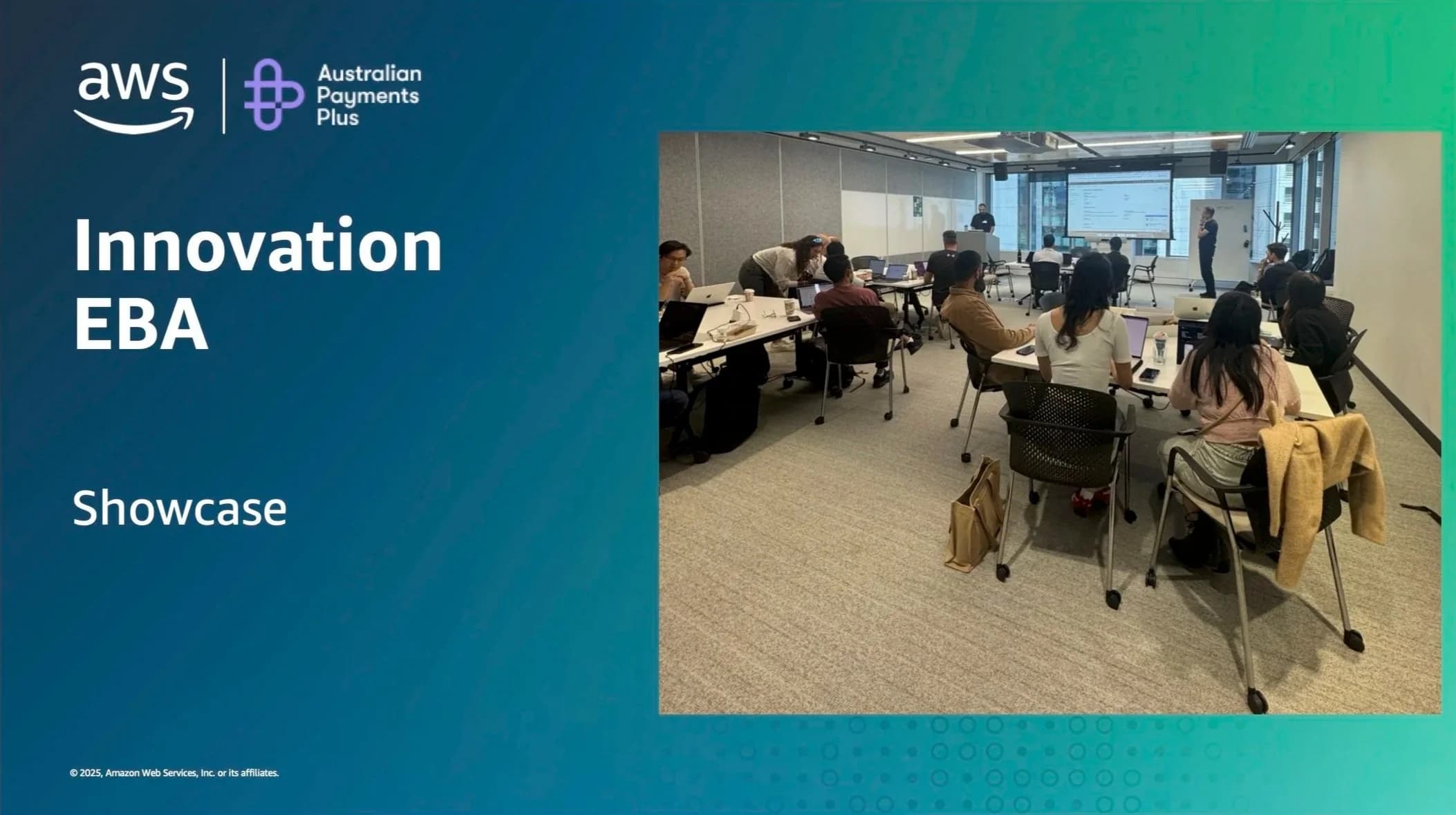
Integration, polish, and a demo showcase to our CTO
Kiro's spec-driven cycle
We structured our work around Kiro's cycle, from a written spec through to review.
Spec
Capture user needs in natural language.
Requirements
Convert them into user stories and acceptance criteria.
Design
Generate and refine technical design documentation.
Tasks
Create front end and back end components and test cases.
Review
Test, refine, and deploy working software.
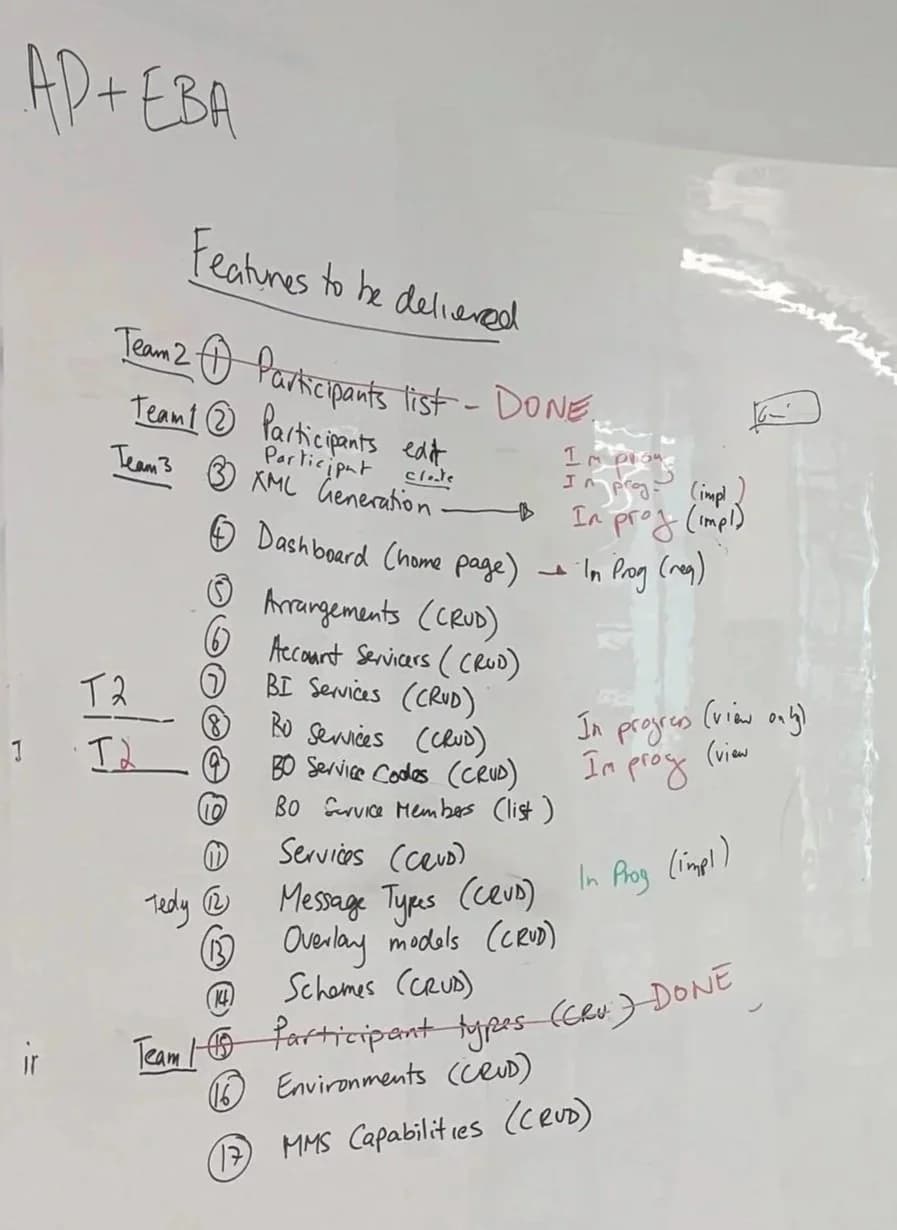
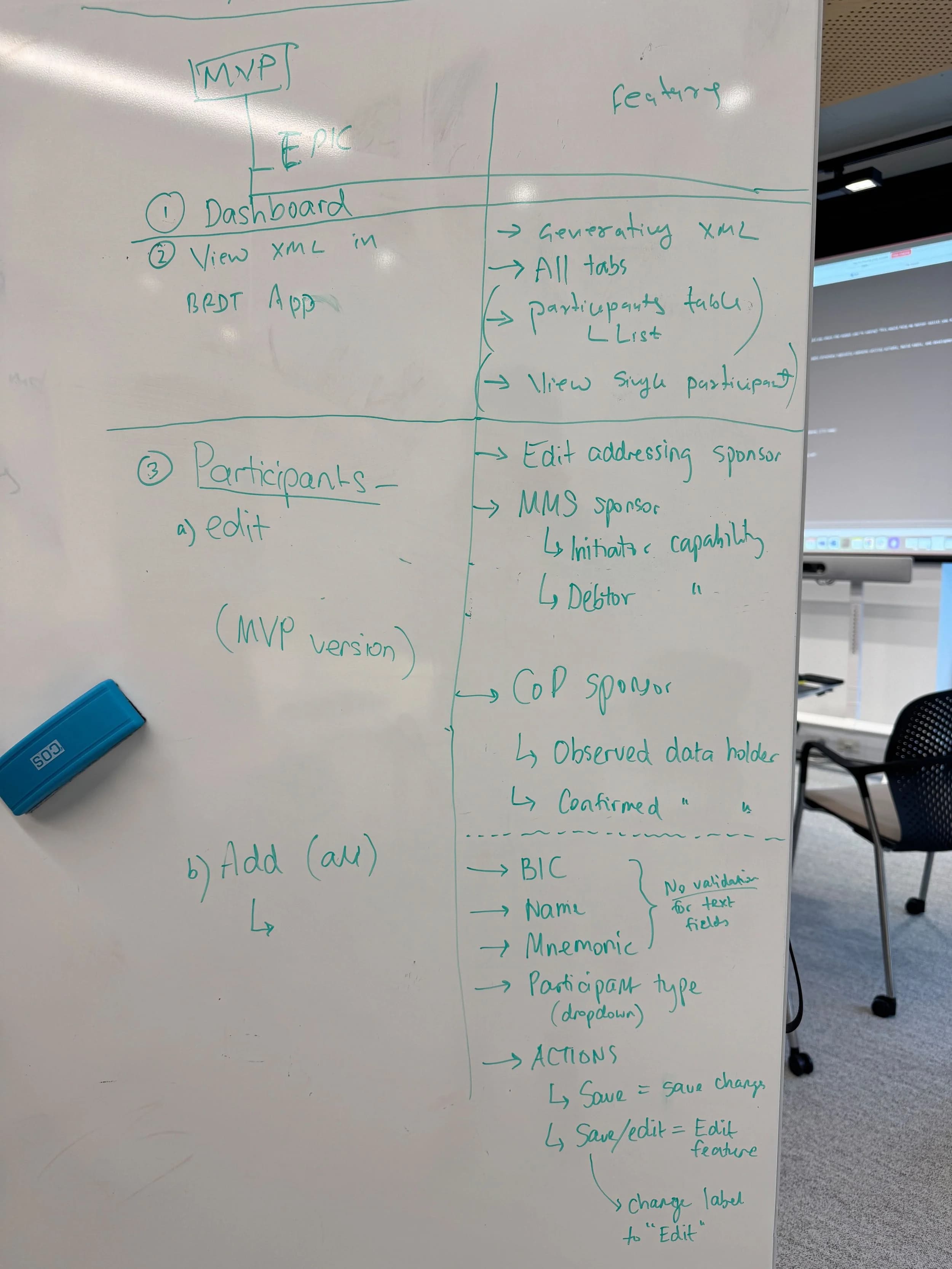
We split into teams and used this cycle to build each feature end to end.
My role
I paired closely with a backend engineer, who focused on the backend logic while I refined the frontend UI and user flows.
I created new components through prompting and the Figma MCP Server, and applied tips from an AWS specialist to work more efficiently.
We reviewed progress as we went, checking what worked and what needed changing. I also worked with architect engineers to improve the Figma designs for the next phase, so the information architecture was ready for deeper refinement later.
We validated changes in real time and merged branches as we went, so every update stayed true to the design intent and kept the code production ready.
Key contributions
- Translated design intent into actionable specs for implementation.
- Built rapid prototypes in Figma aligned with the component library.
- Used Kiro to refine UI components, fix styling issues, and improve accessibility.
- Facilitated alignment across teams through quick visual prototypes.
Design system to code
I made sure we used the Figma design system I had built for the Testing Portal. Its variables matched the global.css in our repository, which helped speed up frontend development and keep the screens visually consistent.
Figma
Design system variables
From the design system I built for the AP+ Testing Portal
Code
global.css
In our repository
The outcome
A working MVP at the end of day three
What we delivered
Our working MVP rebuilt the functions of the old BRDT system as a modern web application. The old tool was tied to SharePoint, and the MVP ran on AWS Aurora PostgreSQL.
- Participants
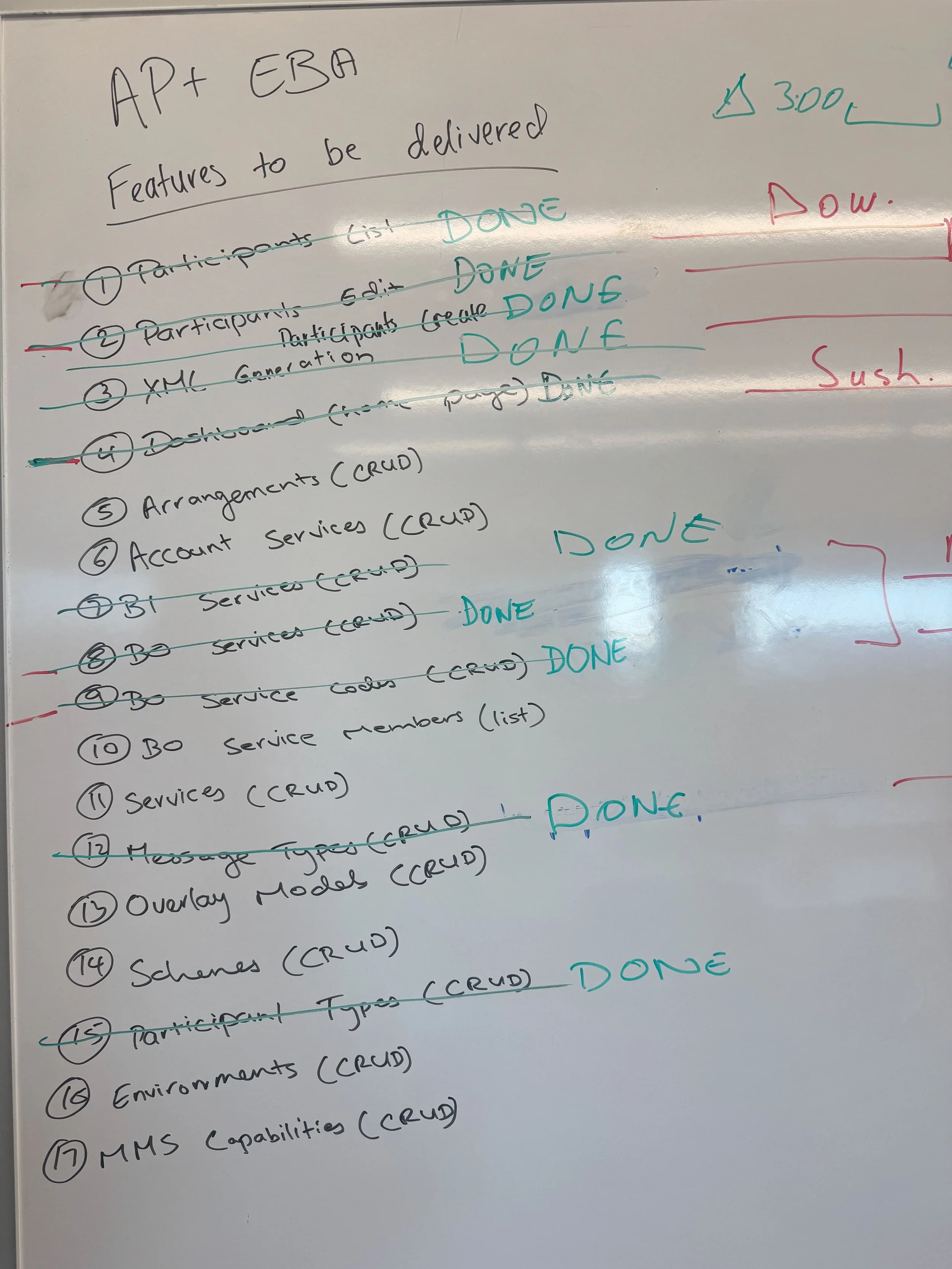
- Completed full CRUD operations for Participants and Participant Types
- Modules
- Built and tested Arrangements, Account Services, and BO Services modules
- XML generation
- Implemented XML generation that matched outputs from the legacy system
- Dashboard
- Created a modern dashboard with live refresh and optimistic updates
- APIs and tests
- Integrated APIs and automation testsusing Kiro’s spec driven workflow
- Pairing
- Connected front end and back end by pairing with engineers in real time
- Design system
- Delivered a user experience aligned with the AP Plus design systemRead the AP+ Testing Portal case study
- Deployment
- Deployed the working prototype on AWS infrastructure, connected to Aurora PostgreSQL
The XML screens
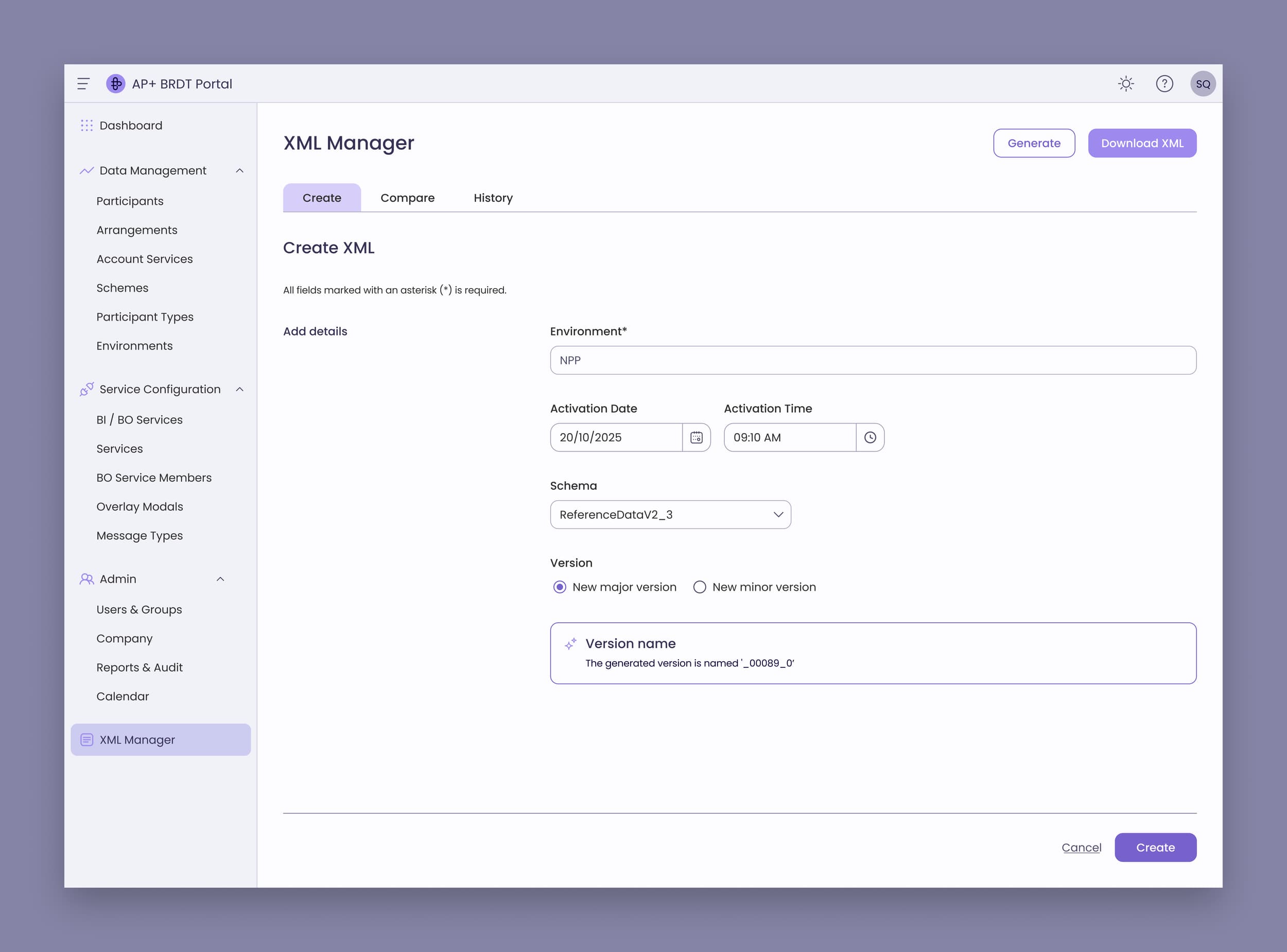
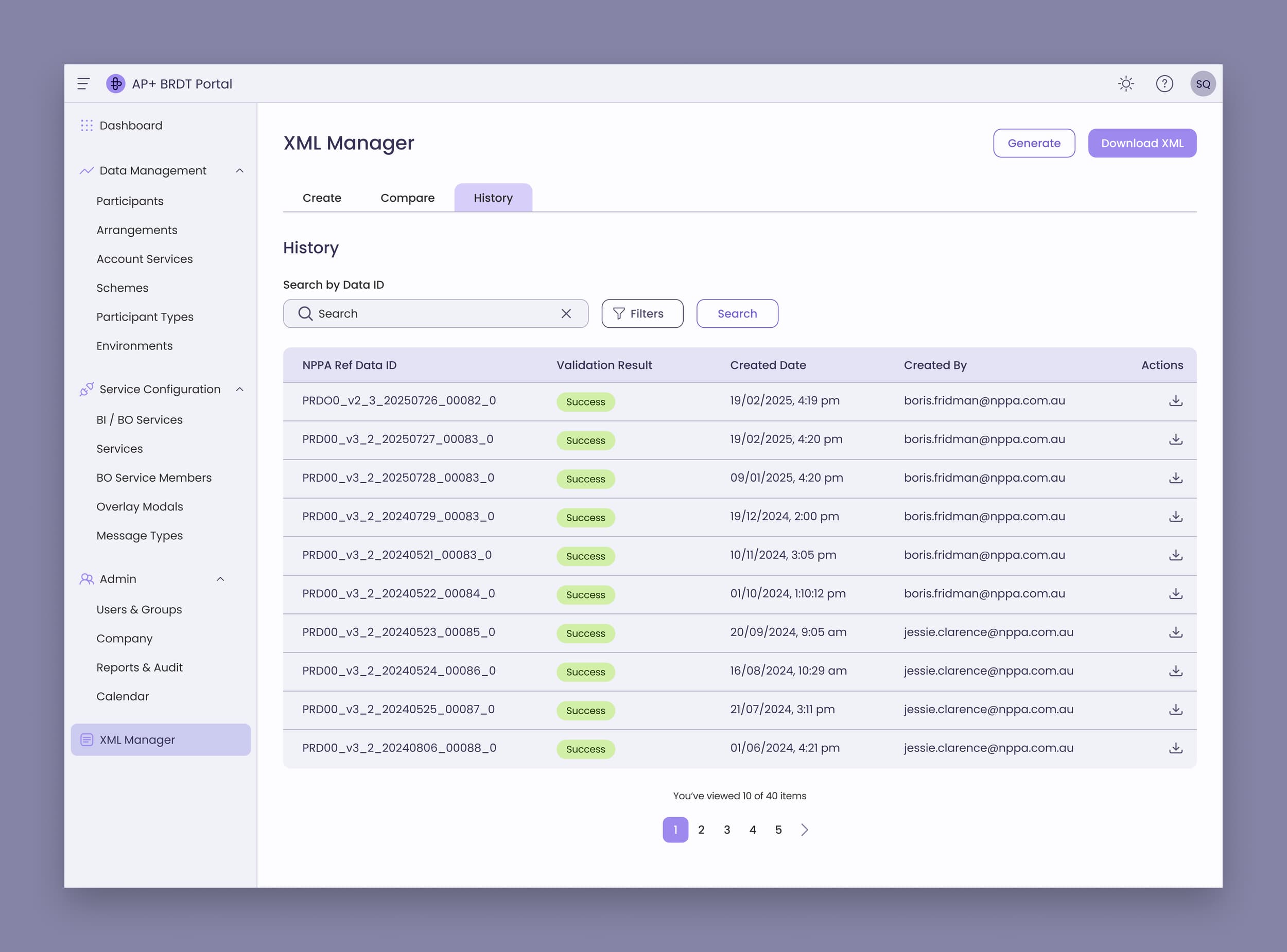
The showcase
We ended day three with a demo showcase to our CTO.
What it was meant to enable
These are what the working prototype was meant to make possible, and none of them was measured.
- Automation
- Turn manual steps into smooth, automated flows
- Migration
- Move core functionality from the old SharePoint system onto AWS
- Foundation
- Lay a modern foundation for continuous updates and faster releases
- Collaboration
- Get design and engineering working together instead of in sequence
- Speed
- Show how curiosity and collaboration, powered by AI, can turn ideas into results in days
Further reading
I wrote a two part series about shipping production frontend code as a designer.
- Substack
A designer's first time shipping Production Code with Kiro (I)
How a mob session with Kiro taught me to ship code for the first time at work
Read on Substack(opens in a new tab) - Substack
A designer's first time shipping Production Code with Kiro (II)
Between what we gain and what we lose
Read on Substack(opens in a new tab)