Australian Payment Plus
BRDT MVP at Amazon Innovation EBA
Overview
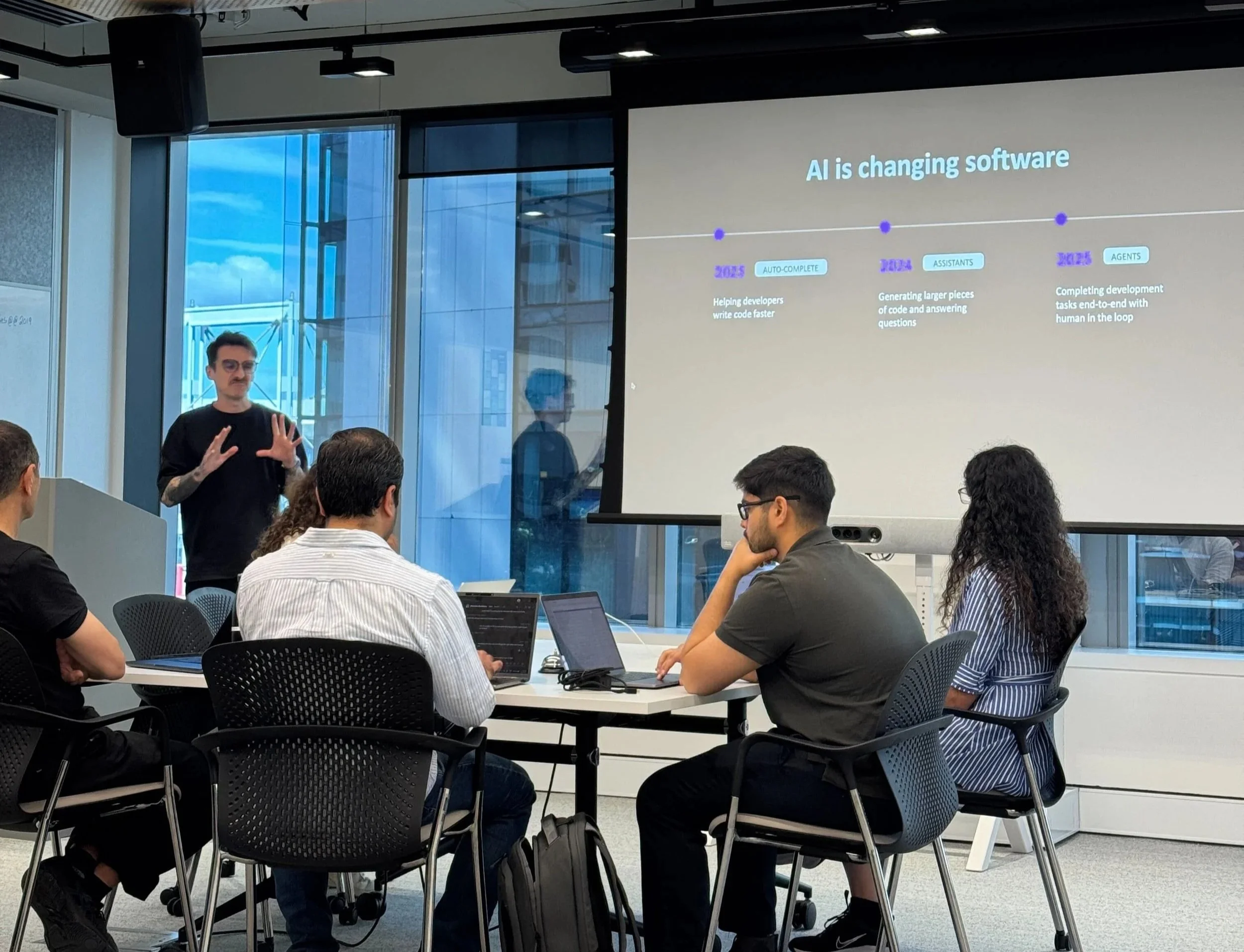
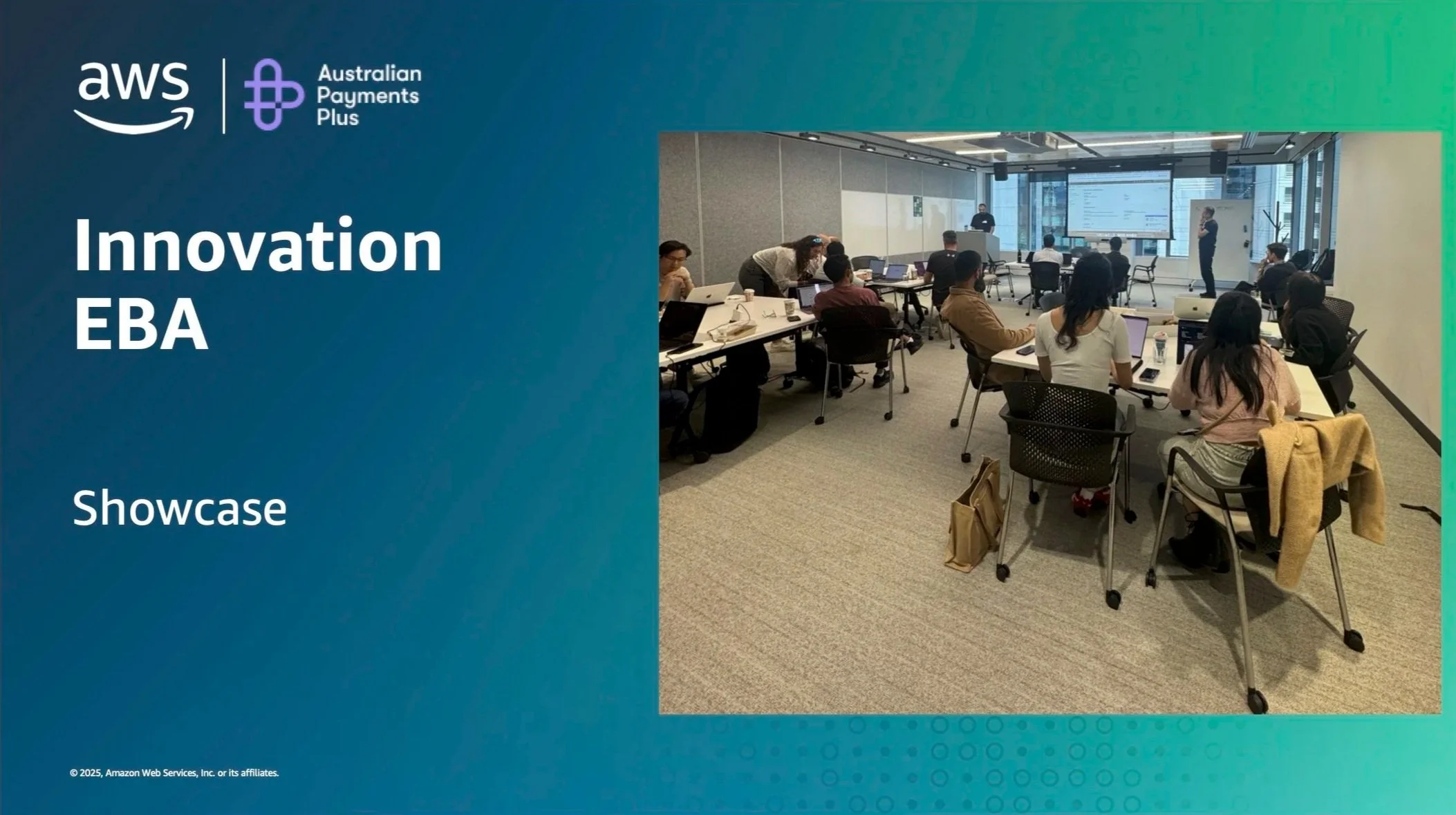
This October 2025, I had the opportunity to participate in an Amazon-hosted hackathon alongside a cross-functional team from Australian Payments Plus, focused on delivering the Business Requirements Data Table (BRDT) Portal.
Over three intensive days, our goal was to define and deliver a minimum viable product (MVP) while exploring how AI-driven development using Kiro could accelerate software delivery.
This experience was a unique opportunity to collaborate directly with engineers, product managers, business analysts, and engineering leaders, together with AWS specialists to explore how human and AI workflows can work in tandem to accelerate enterprise software development.

The 3-Day Build
Day 1: Setup, alignment, and Kiro introduction; ways of working; collaboration coding
Day 2: Two teams worked on collaborative prompting and frontend fixes
Day 3: Integration, polish, and demo showcase to our CTO
Problem we were trying to solve
Over time, AP+ had grown through multiple legacy systems, each offering its own way for customers to access our services.
This patchwork created confusion for users, inefficiencies for our teams, and unnecessary security risks.
The desired solution
We aim to streamline and unify our external-facing applications into a single, secure platform.
This reduced the number of entry points, improved consistency across customer experiences, and strengthened our overall security posture.
Examples of the legacy designs
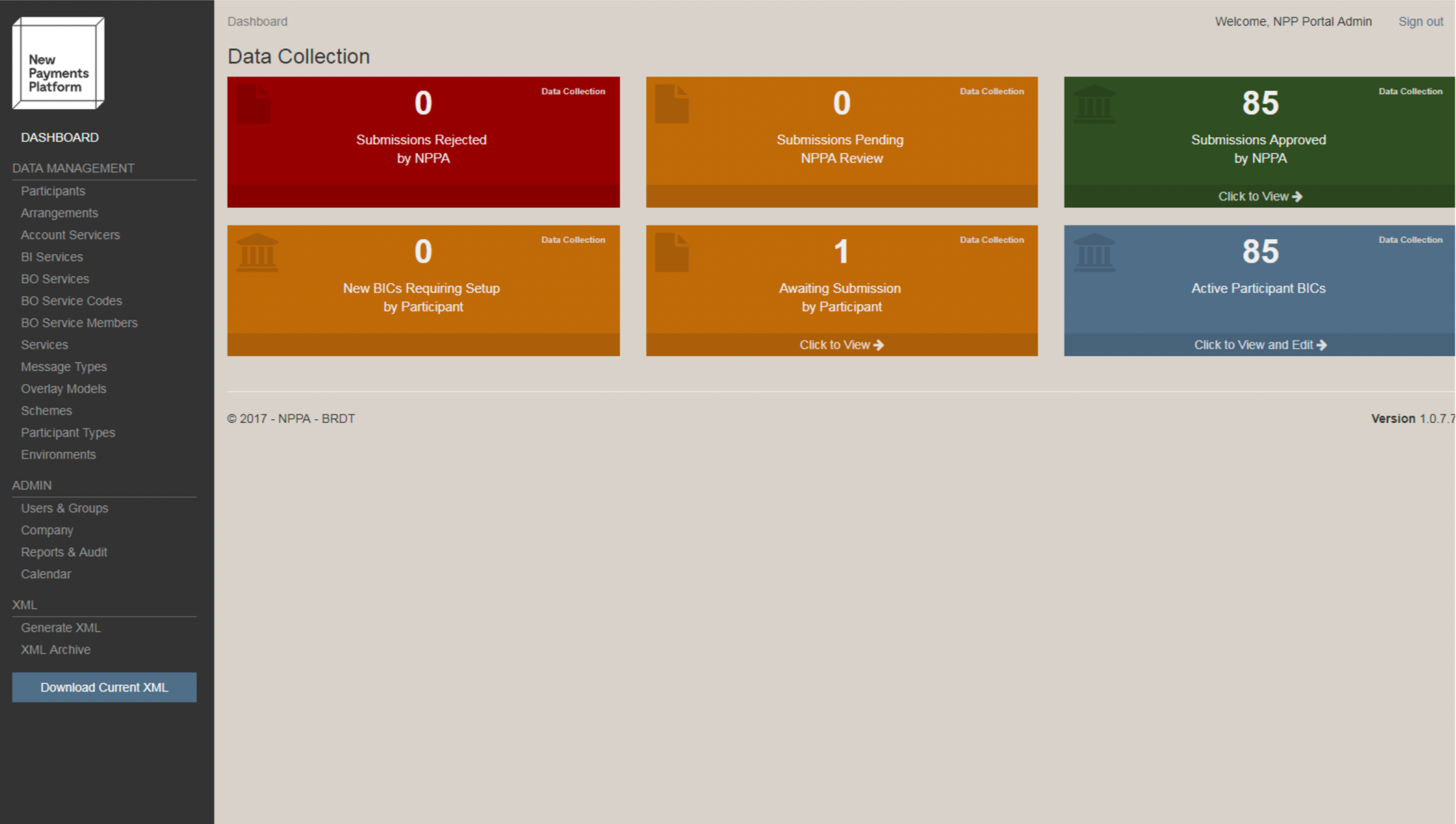
The legacy designs
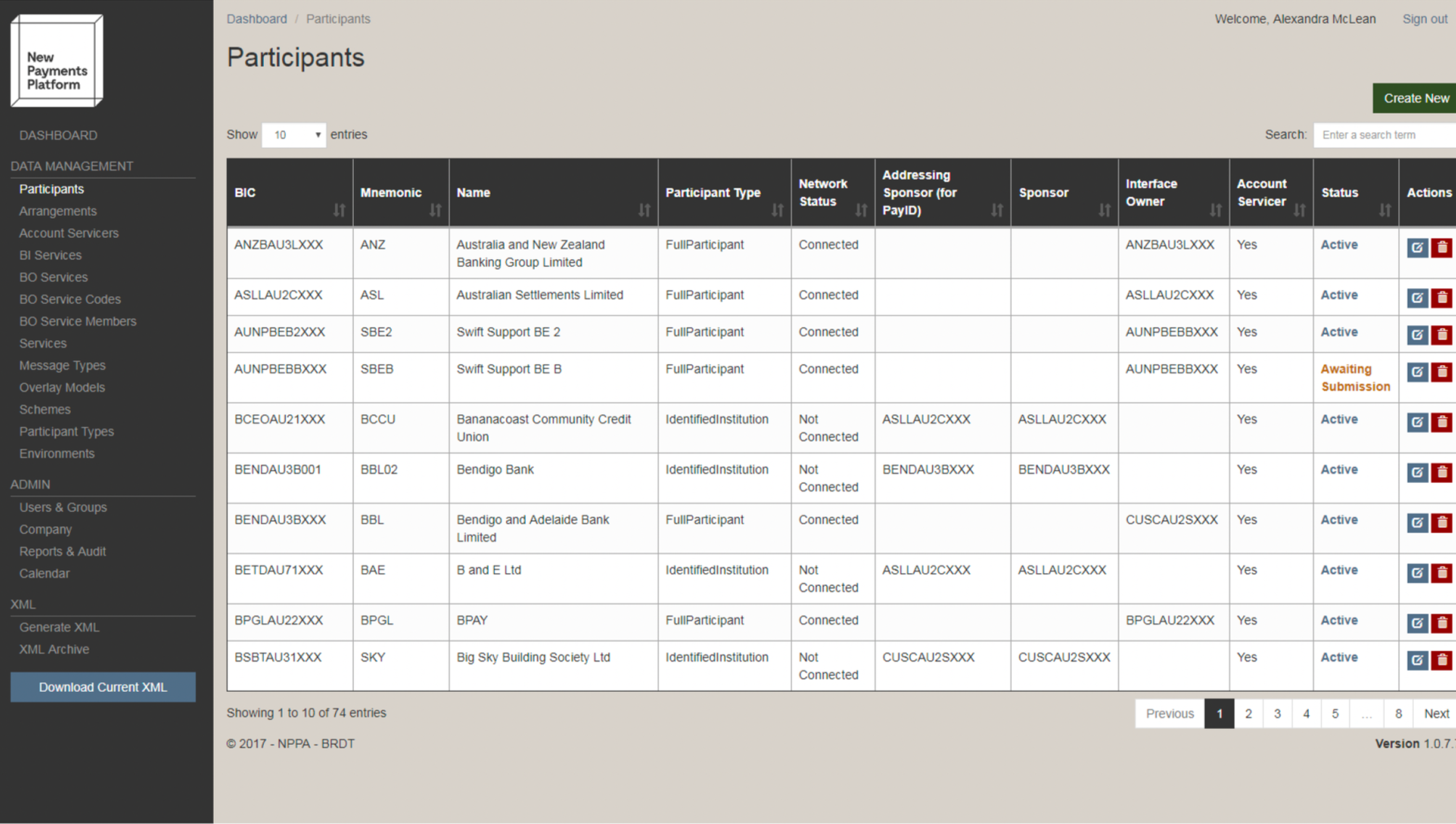
The system was created by an external party
Challenge
As the invite came two days before the Amazon hosted hackathon , there was no formal UX brief or research time. The project would be pushed into motion. Documentations were ample but fragmented, scattered across slide decks, meeting videos, transcripts, and technical user guides.
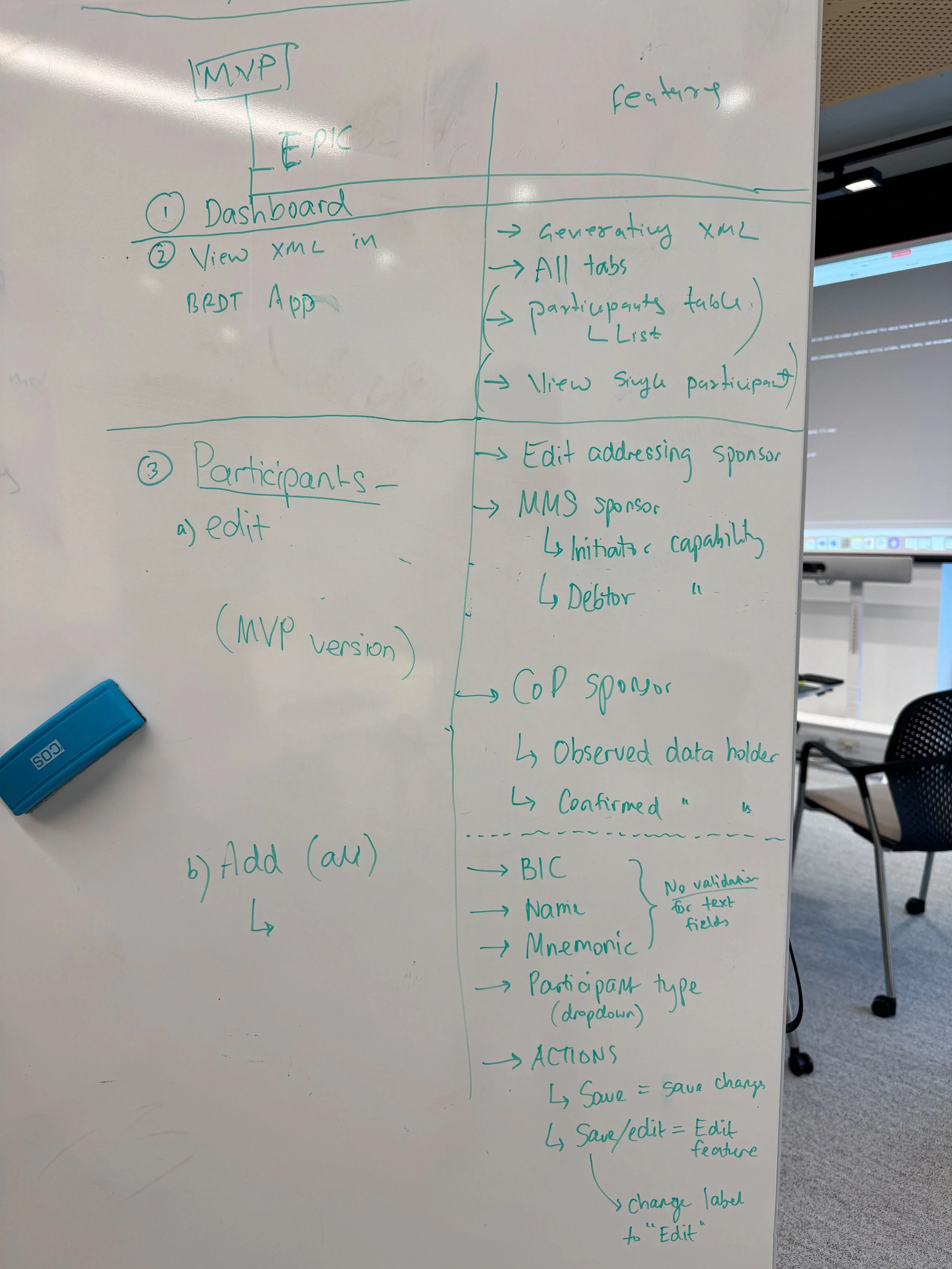
We were looking to deliver a working MVP of the BRDT portal for NPP admins and retire the old one:
Implement participant CRUD operations and XML generation
Demonstrate how Kiro could compress sprint cycles into hours
With so little time, I knew that if we didn’t understand how BRDT was actually used, our design and build would lack grounding.
Research and synthesis
Although research wasn’t part of my assigned tasks, I knew that clarity around the user journey would make our collaboration more effective.
With just a weekend before the event, I went through:
PowerPoint decks and system walkthroughs
Previous meeting recordings and transcripts
BRDT user guides and admin documentation
To speed up my understanding, I created a custom OpenAI ChatGPT agent as a research assistant, using it to analyse artefacts.
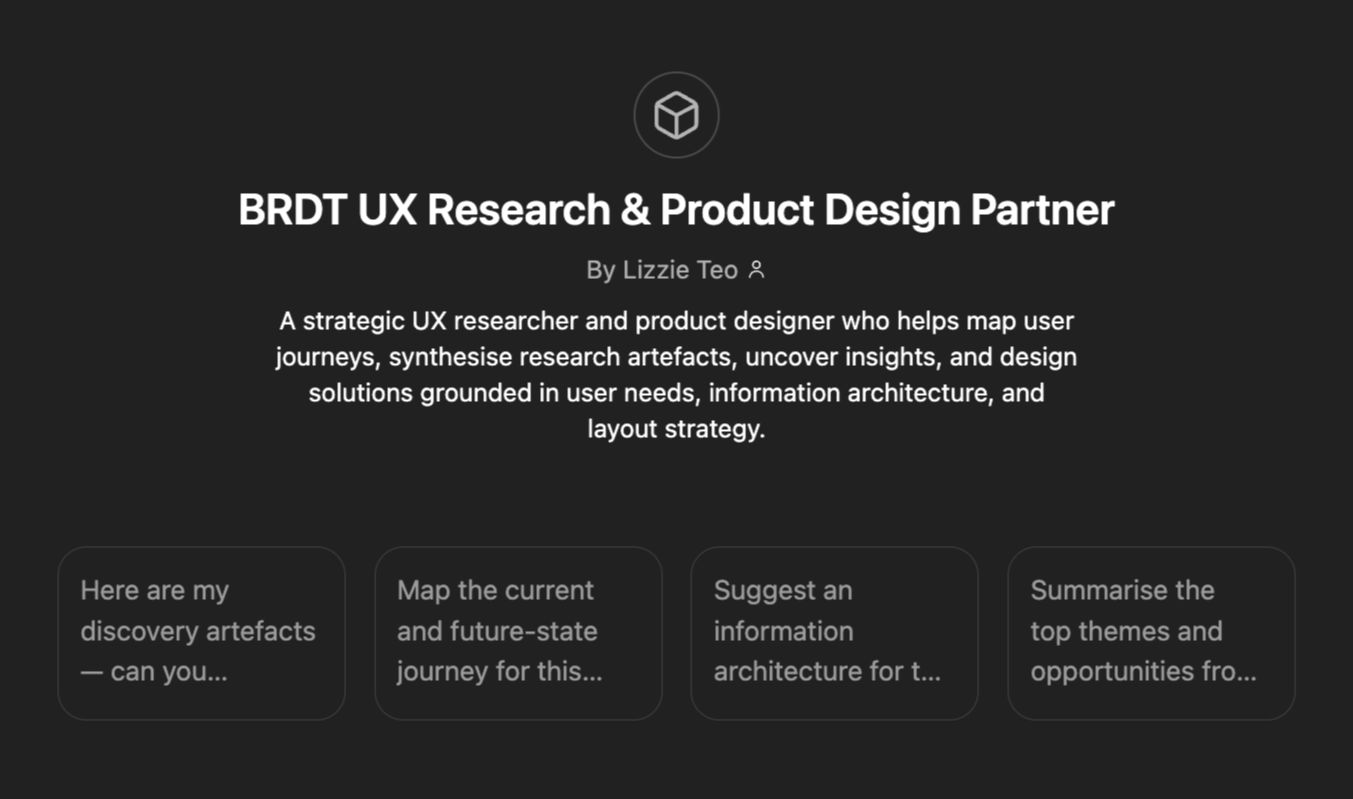
Utilising a customised agent
Synthesis
By asking targeted research questions through my interaction with the custom OpenAI ChatGPT agent and verifying its responses by checking where the information came from, I was able to quickly draft key artefacts.
I also enforced clear rules for the agent: it should not make assumptions or retrieve information beyond the configured knowledge base.
This process helped me produce:
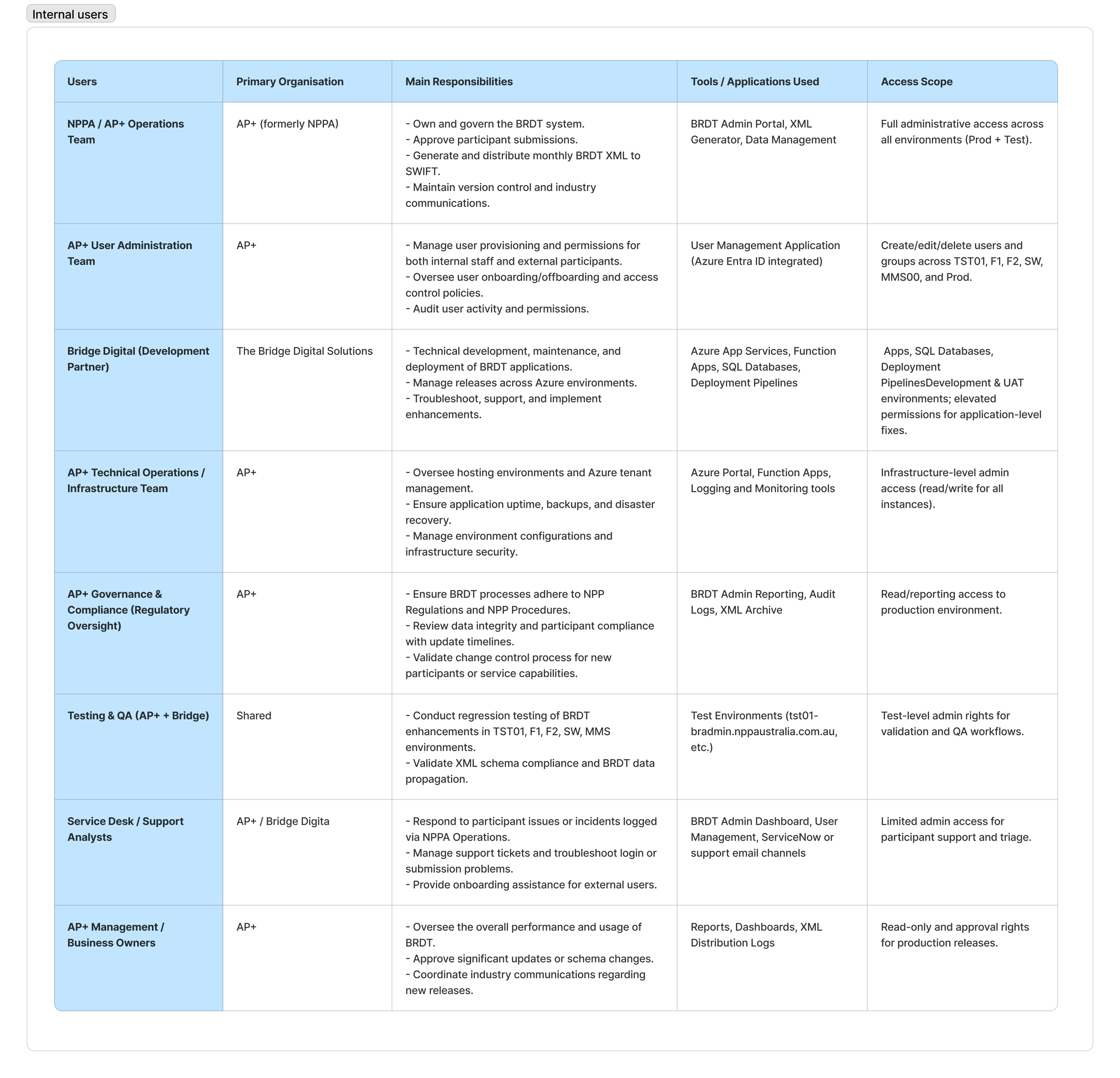
Detailed definitions of external and internal user types and their use cases
A user journey map for NPP admins and participants
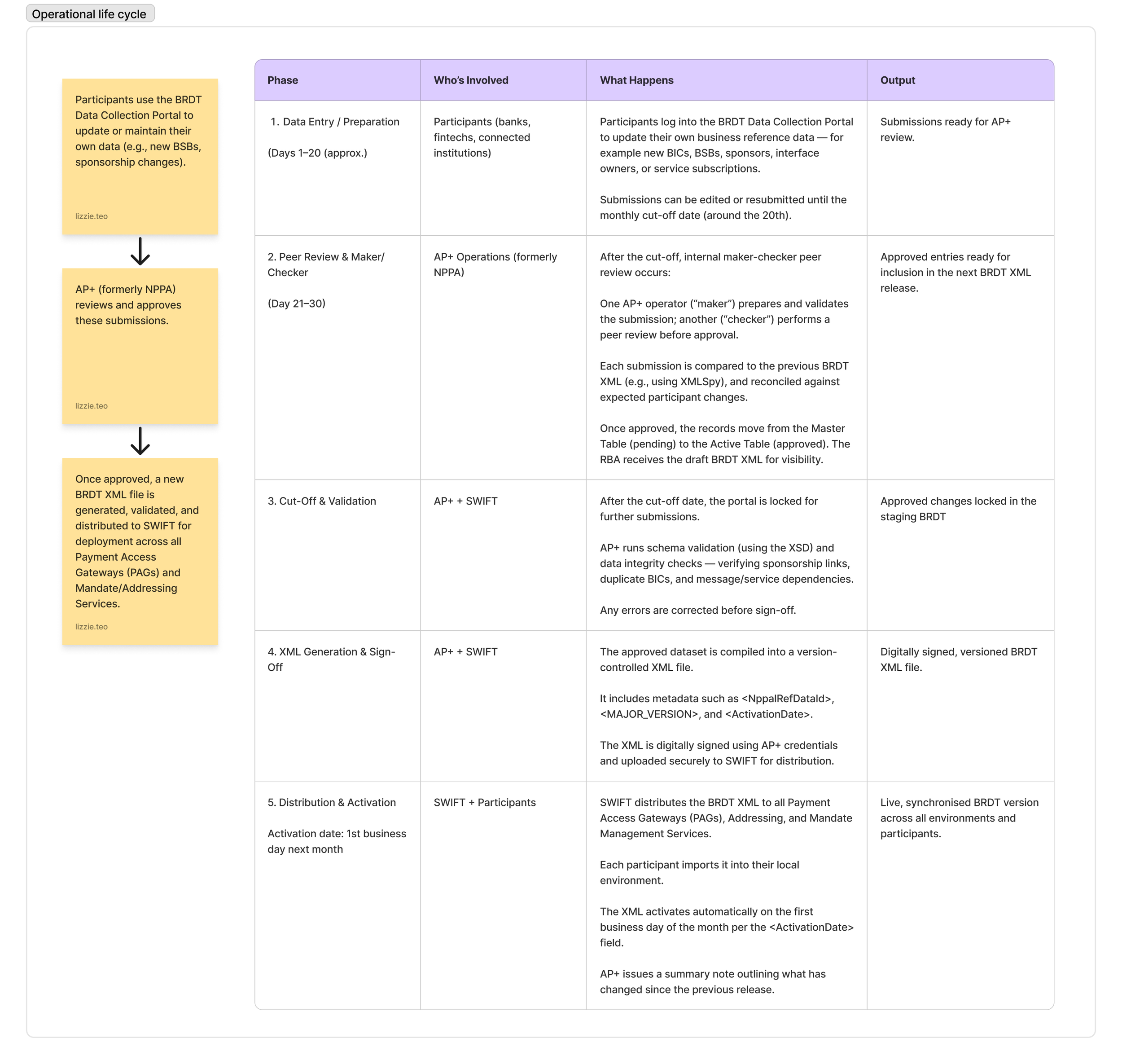
An operational life cycle overview
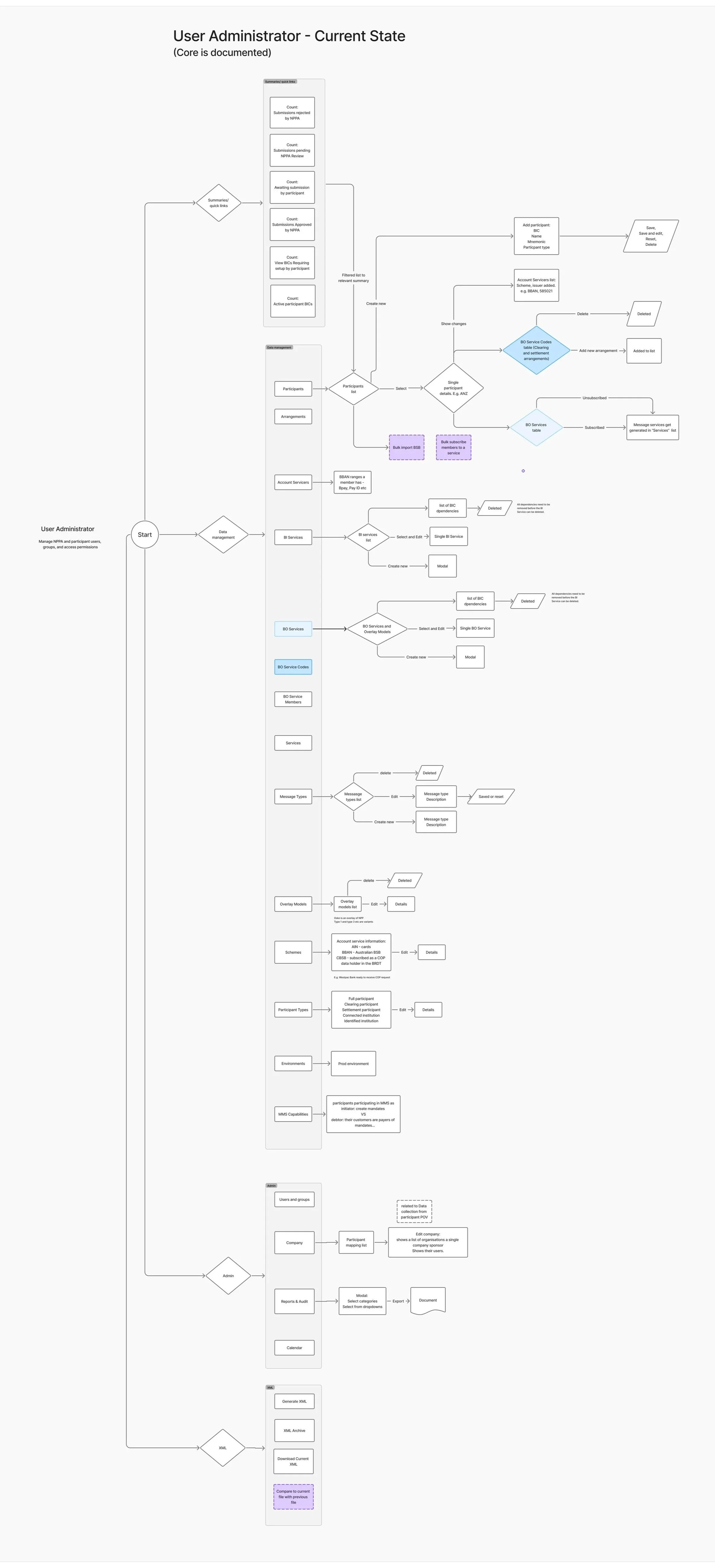
An information architecture (IA) for the MVP scope
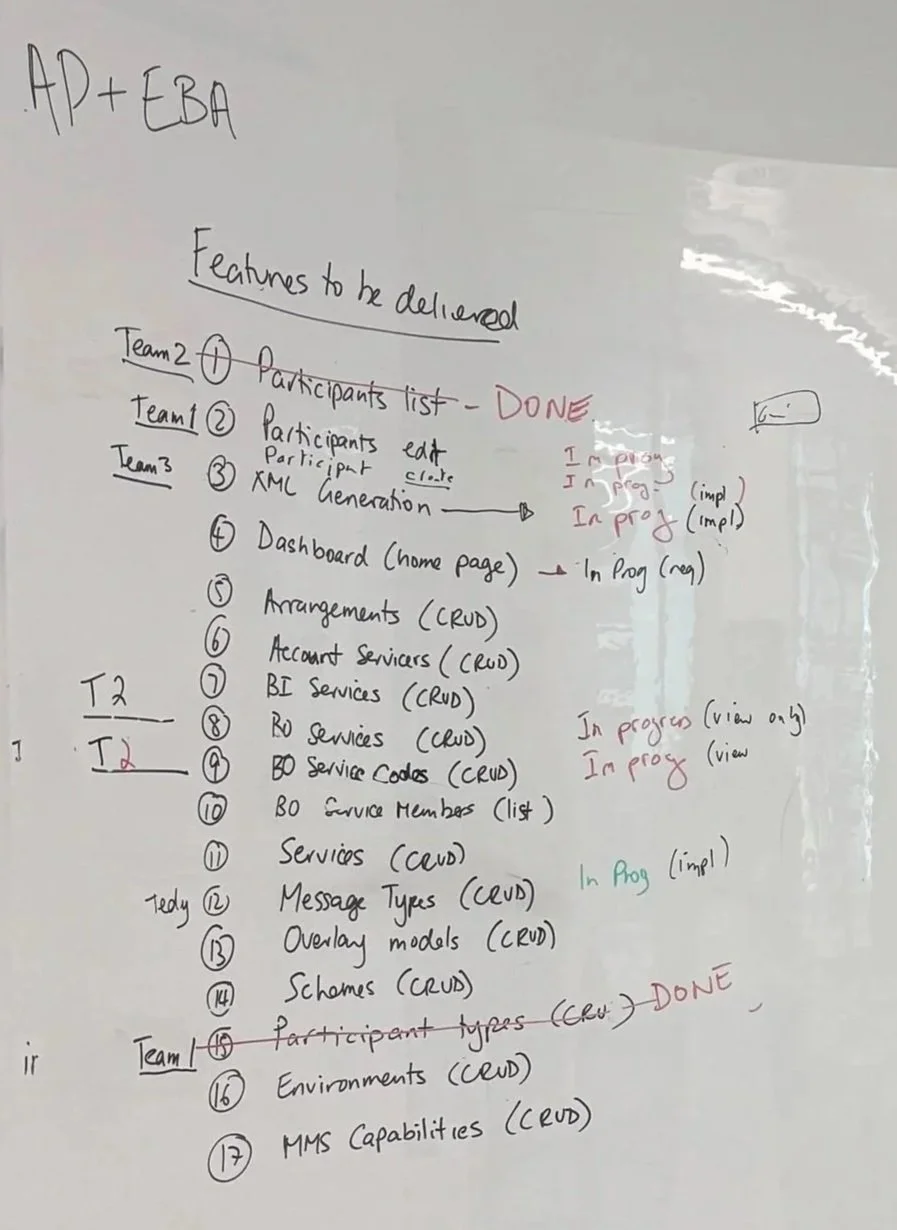
Analysed stakeholder input to uncover unaddressed user pain points. Mapped these gaps against existing data to refine research objectives and guide design decisions.
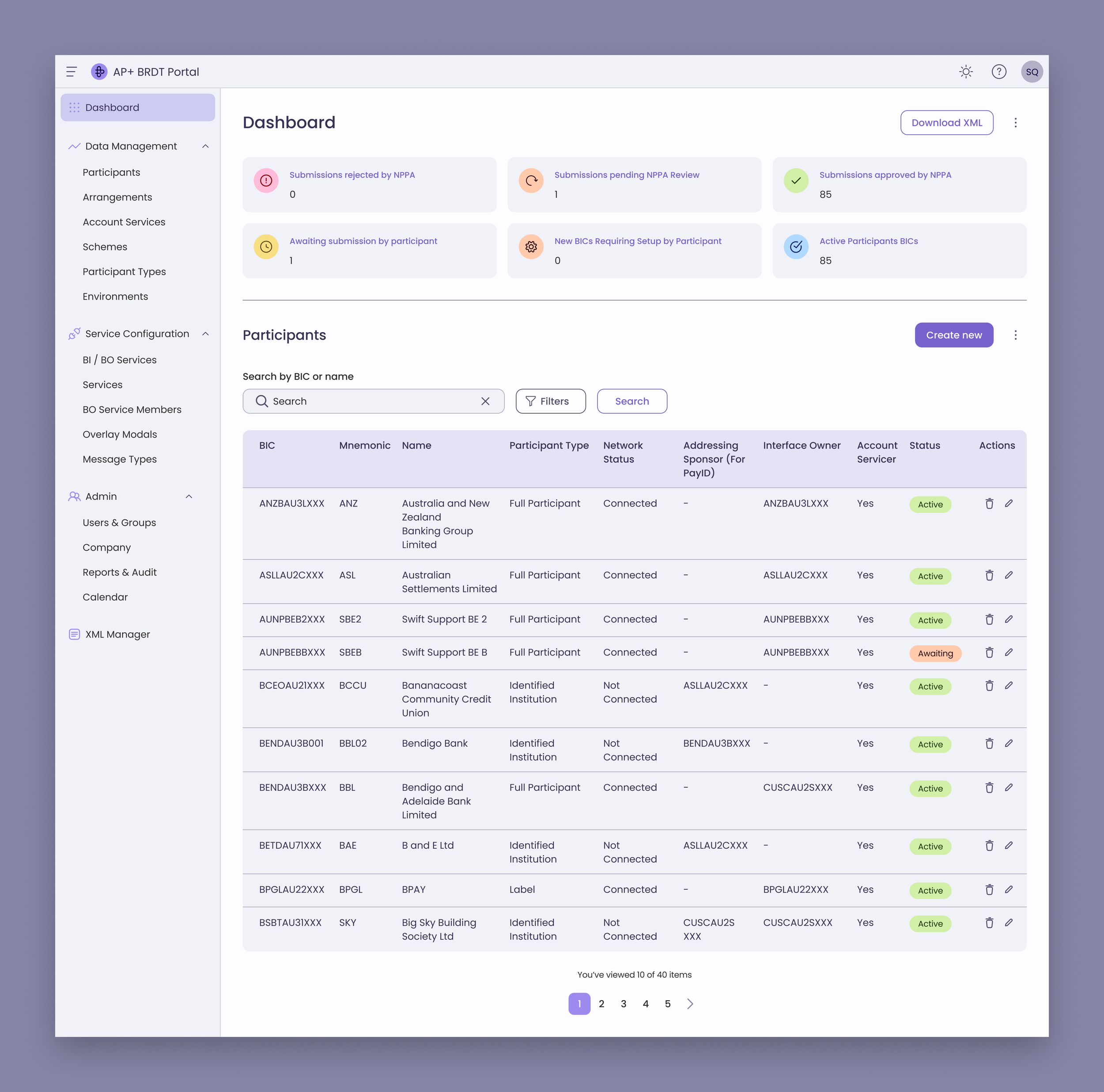
Rapid prototyping using an existing Figma Design System I had created for another project called “Testing Portal”
Note: If you'd like to learn more, examples of the synthesis are documented toward the end of this case study.
Our Process
We structured our work around Kiro’s spec-driven development cycle:
Spec – Capture user needs in natural language.
Requirements – Convert them into user stories and acceptance criteria.
Design – Generate and refine technical design documentation.
Tasks – Create FE/BE components and test cases.
Review – Test, refine, and deploy working software.
Using this workflow, we split into teams to work on the end-to-end features.
My role in detail
I partnered closely with a backend engineer to bring our concept to life. While he focused on backend logic, I refined the frontend UI and user flows, using prompting and Figma MCP Server to create new components whilst applying tips from an AWS specialist to improve efficiency.
I ensured we used a Figma design system I had previously built for another project, Testing Portal. The variables in that system matched the global.css in our repository, which helped speed up frontend development and maintain visual consistency.
Throughout the process, we reviewed progress continuously, identifying what worked and what needed adjustment. I also collaborated with architect engineers to enhance the Figma designs and prepare them for the next phase, ensuring the information architecture was ready for deeper refinement in future iterations.
By validating changes in real time and merging branches as we went, we ensured every update stayed aligned with both design intent and production-ready code.
Key contributions
Translated design intent into actionable specs for implementation.
Built rapid prototypes in Figma aligned with the component library.
Used Kiro to refine UI components, fix styling issues, and improve accessibility.
Facilitated cross-team alignment through quick visual prototypes.
An example of how Kiro works
Source: https://kiro.dev/docs/
Outcomes
By the end of the three-day EBA, we had a working MVP that replaced key parts of the old BRDT system.
What began as a legacy tool tied to SharePoint was rebuilt as a modern web application running on AWS Aurora PostgreSQL — faster, reliable, and ready to scale.
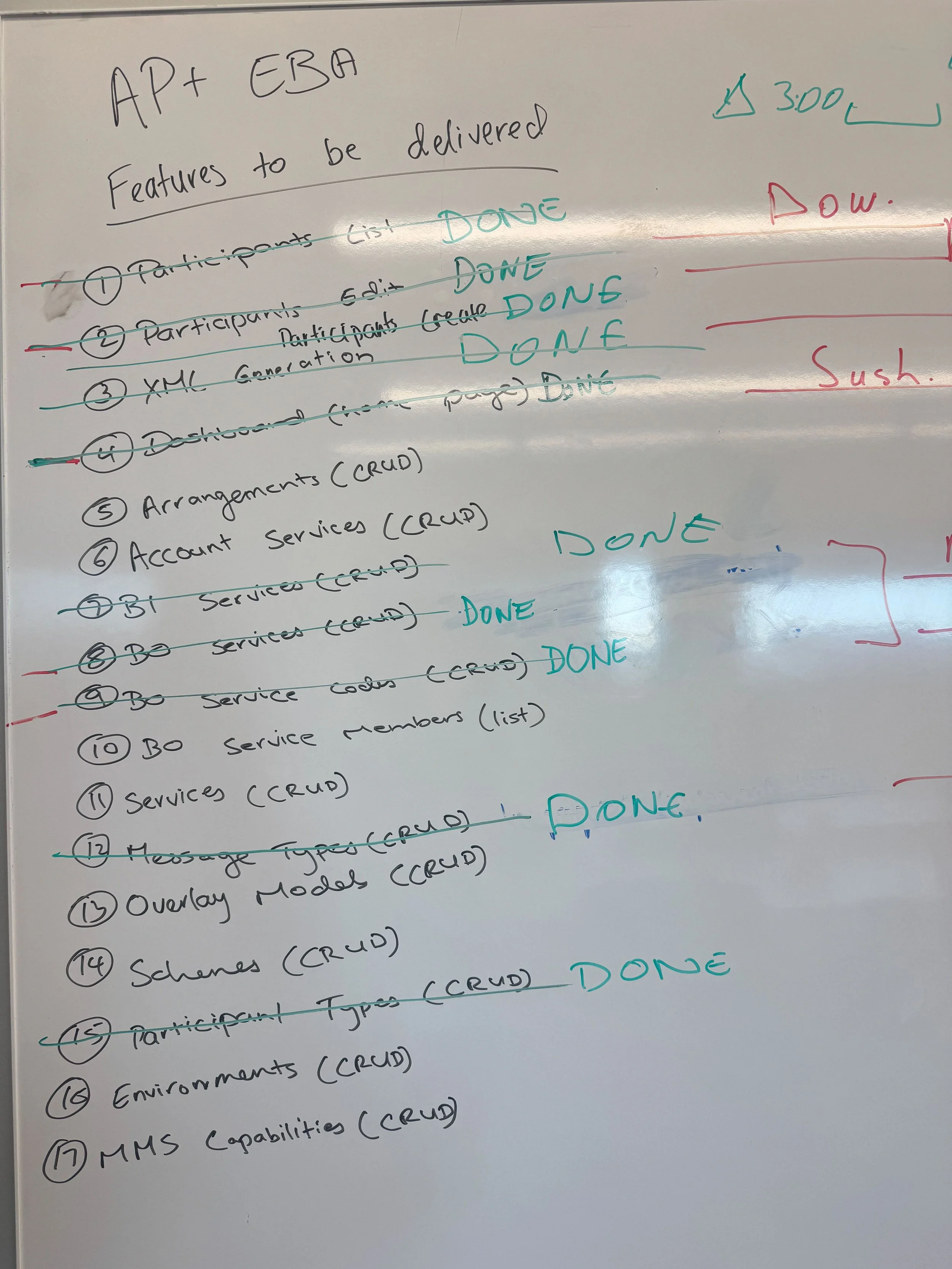
What we delivered
Completed full CRUD operations for Participants and Participant Types
Built and tested Arrangements, Account Services, and BO Services modules
Implemented XML generation that matched outputs from the legacy system
Created a modern dashboard with live refresh and optimistic updates
Integrated APIs and automation tests using Kiro’s spec driven workflow
Connected front end and back end through real-time pairing with engineers
Delivered a user experience aligned with the AP Plus design system
Deployed the working prototype on AWS infrastructure, connected to Aurora PostgreSQL
What this meant
Replaced manual steps with smooth, automated flows that teams can trust
Retired parts of the old SharePoint system and moved core functionality onto AWS
Built a modern foundation ready for continuous updates and faster releases
Unified design and engineering, working together instead of in sequence
Showed how curiosity and collaboration, powered by AI, can turn ideas into results in days
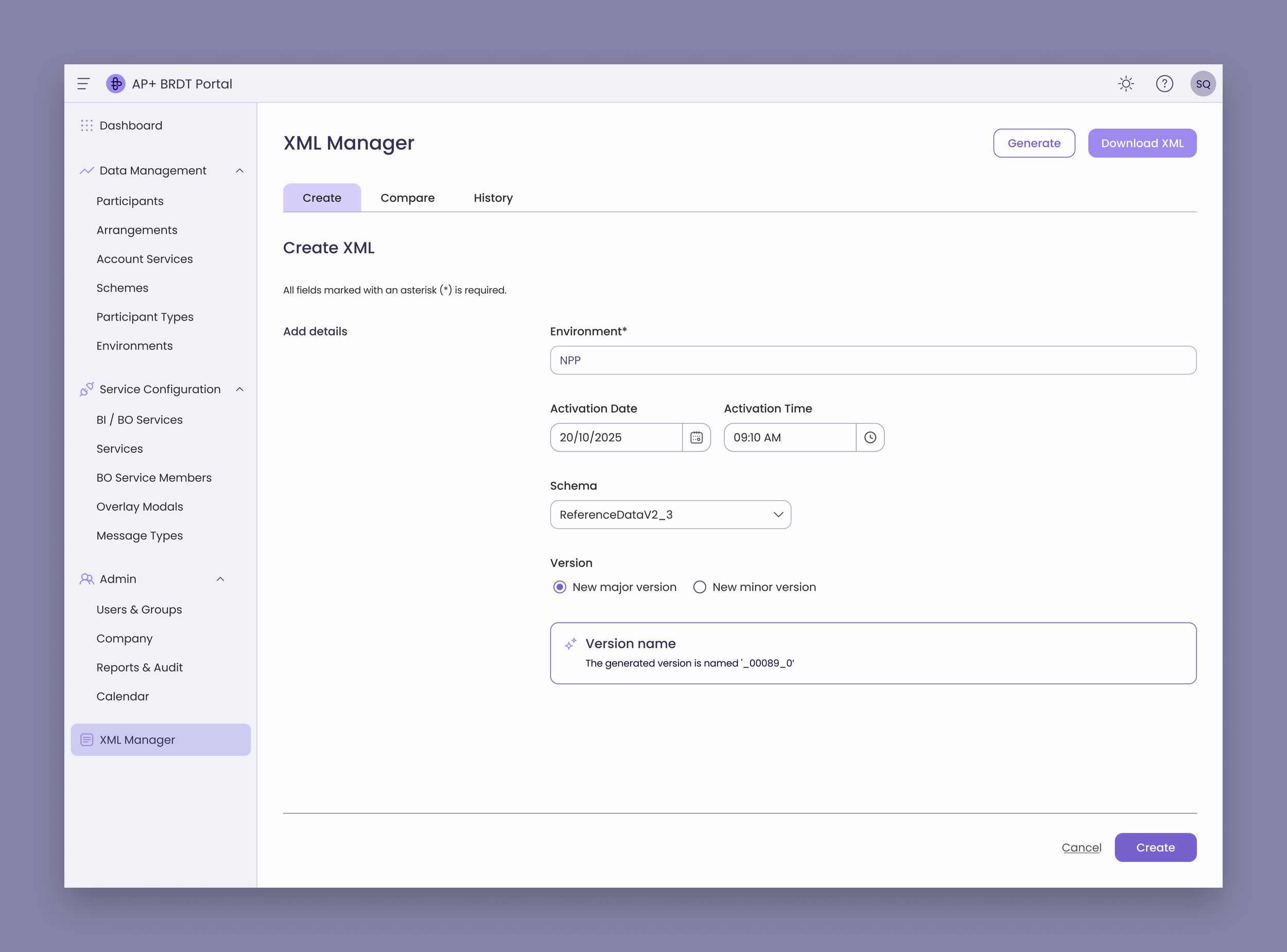
Creating XML
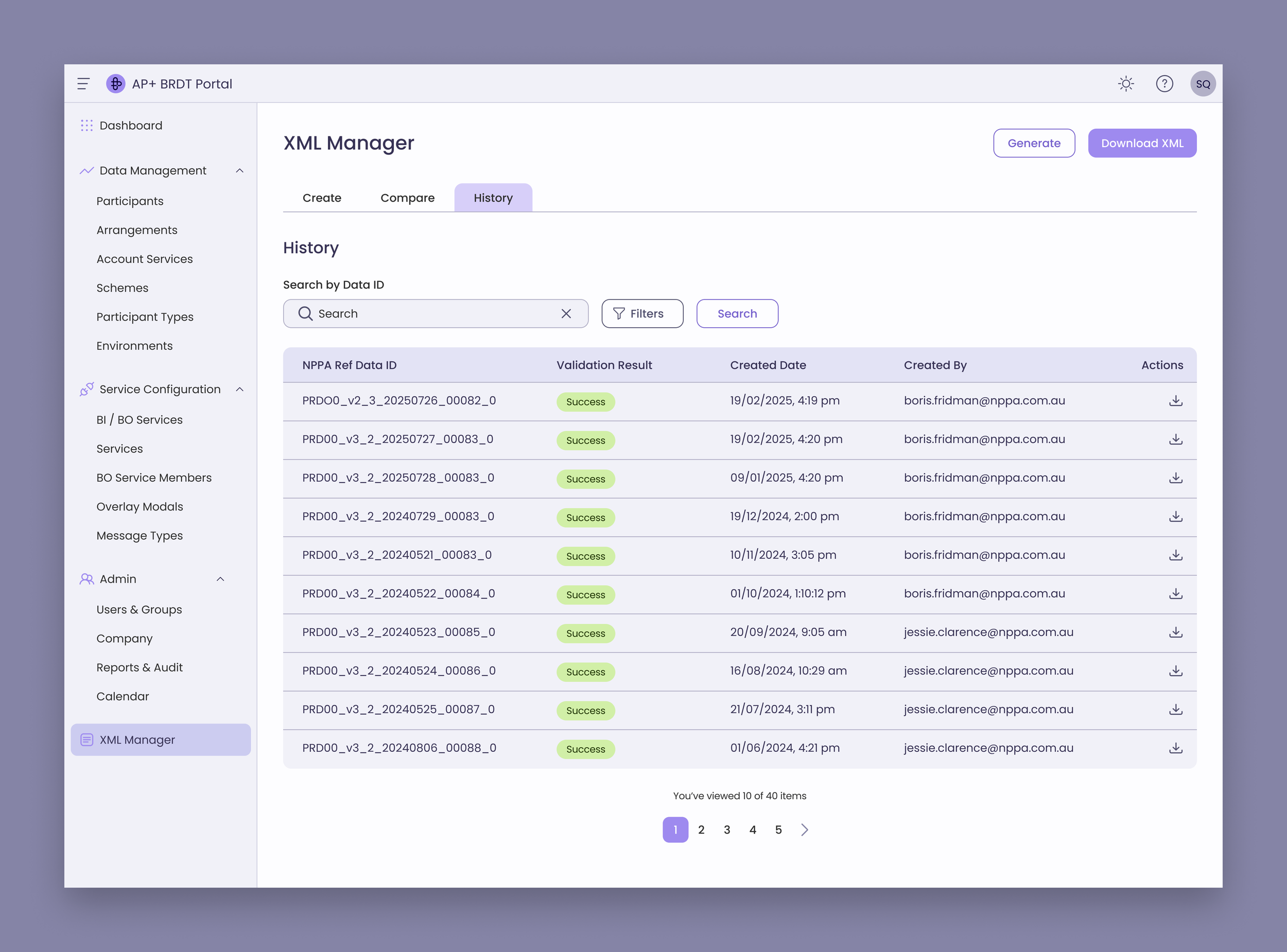
Viewing history of XML that were created
How I Shipped Production Code as a Designer Using Kiro
Thank you for reading this case study.
Over several months, I taught myself to work with AI coding agents—mastering prompting, debugging, and collaboration with tools like Kiro. This learning journey culminated in me shipping production frontend code at work as a designer.
I wrote about the experience in a two-part series:
A Designer's First Time Shipping Production Code with Kiro (I) — The day everything came together: the mob session, the prompting, and finally shipping code
A Designer's First Time Shipping Production Code with Kiro (II) — What this means for designers, engineers, and the future of work
Examples of the synthesis
These findings helped informed the design and facilitate discussions at the event.
Information architecture
New features addressing user pain points were incorporated into the information architecture in purple.