
AP+ Testing Portal
Streamlining regulatory certification for Australia's payment ecosystem
Impact area
Payments and financial infrastructure
My role
End-to-end UX design from rapid discovery through delivery
Stakeholder alignment across design, engineering, and product
Information architecture and content strategy
Design system and Figma-to-code workflow
QA and usability testing oversight
Overview
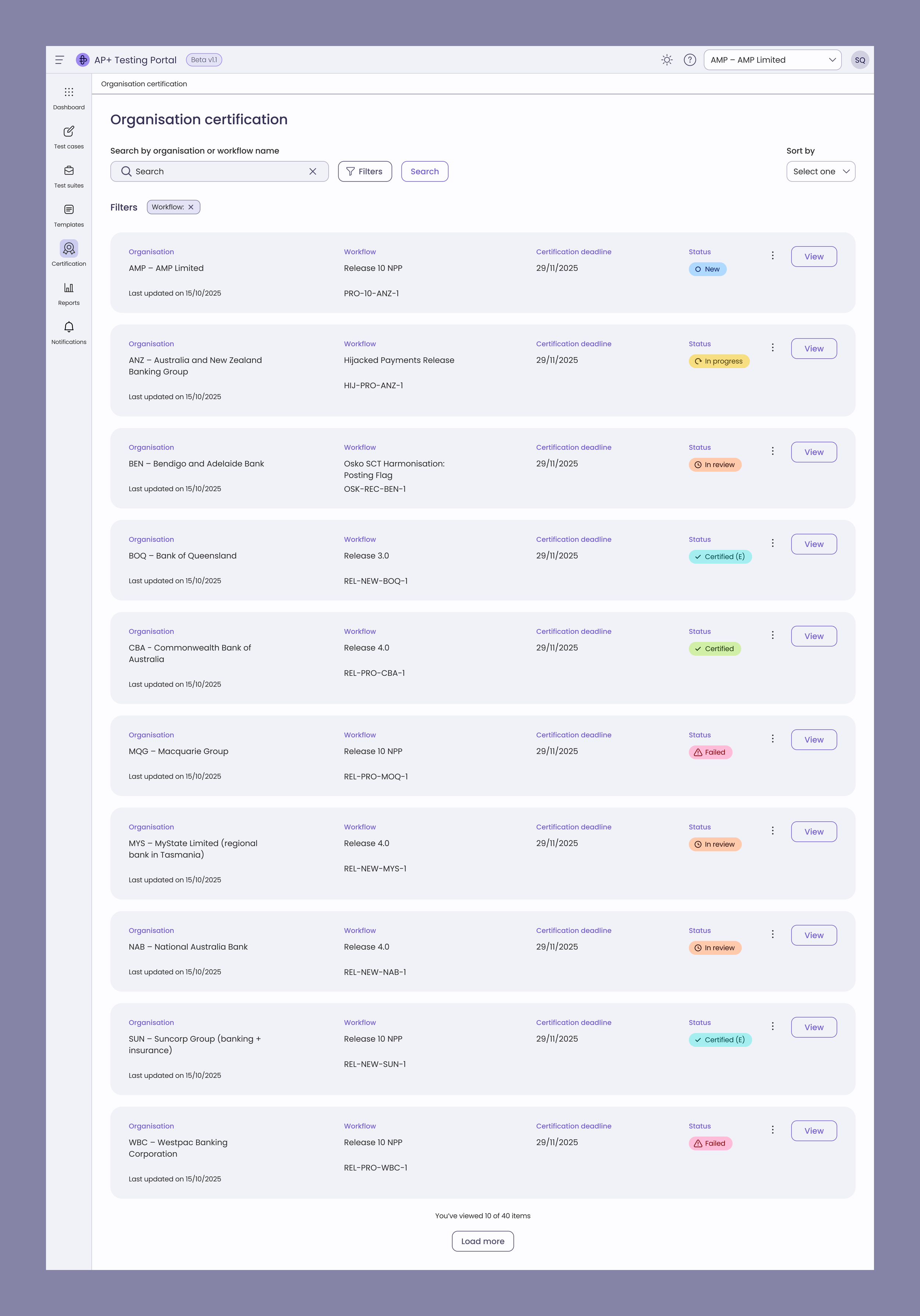
The AP+ Testing Portal is a self-service platform where Australian Payments Plus manages large-scale payment product certification.
Internal testers use it to set up and assign test cases across multiple banks and merchants.
Those organisations then work through the test cases to certify against AP+ payment product APIs — submitting attestations as they go and raising exceptions when a step can't be completed.
The portal replaced a manual, spreadsheet-driven process, reducing certification effort by 20–30% and accelerating onboarding across the ecosystem.
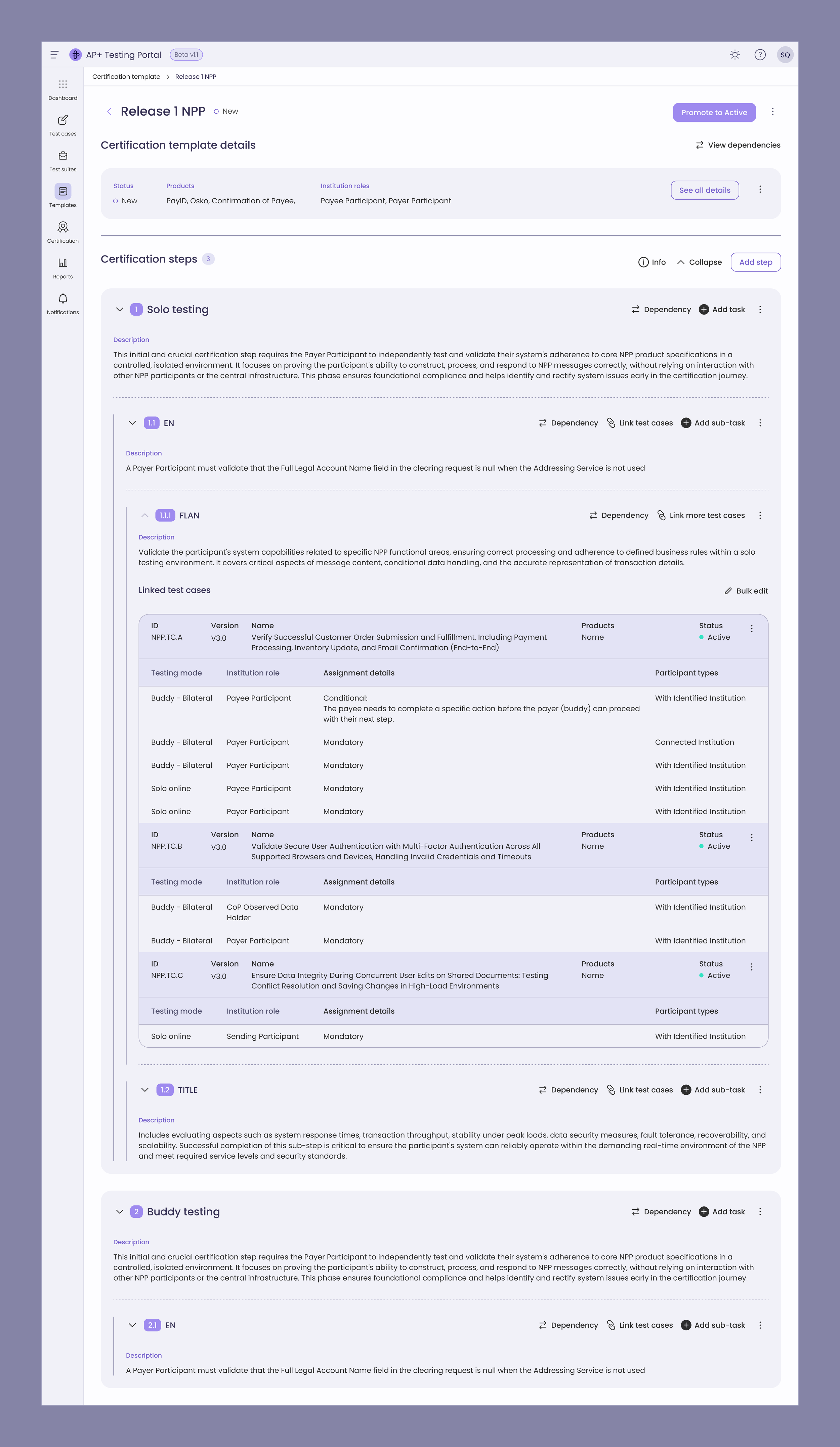
AP+ Testers can create, edit, and manage templates with steps, tasks, test case linkages, dependencies, and reports.
The challenge
Certification across the AP+ ecosystem ran on spreadsheets and manual coordination — leaving participants with no visibility into progress and internal testers with no structured way to track attestations, exceptions, or feedback. This created integration delays and rising operational costs.
Phase 2 required scaling this into a self-service platform capable of handling complex, multi-step certification workflows while meeting Reserve Bank of Australia compliance standards.
Success metrics
Certification efficiency — reduce manual effort for internal testers by 20–30%
Task completion — users complete attestations, exceptions, and reviews without friction points or needing to contact AP+ for help, targeting 78%+
Template accuracy — internal testers configure templates with correct business logic without misconfigurations reaching participants
Workflow clarity — users understand their status, next steps, and dependencies at every stage
Drop-off rate — no single workflow step loses more than 20% of users
Compliance readiness — workflows meet Reserve Bank of Australia certification standards before go-live
Approach
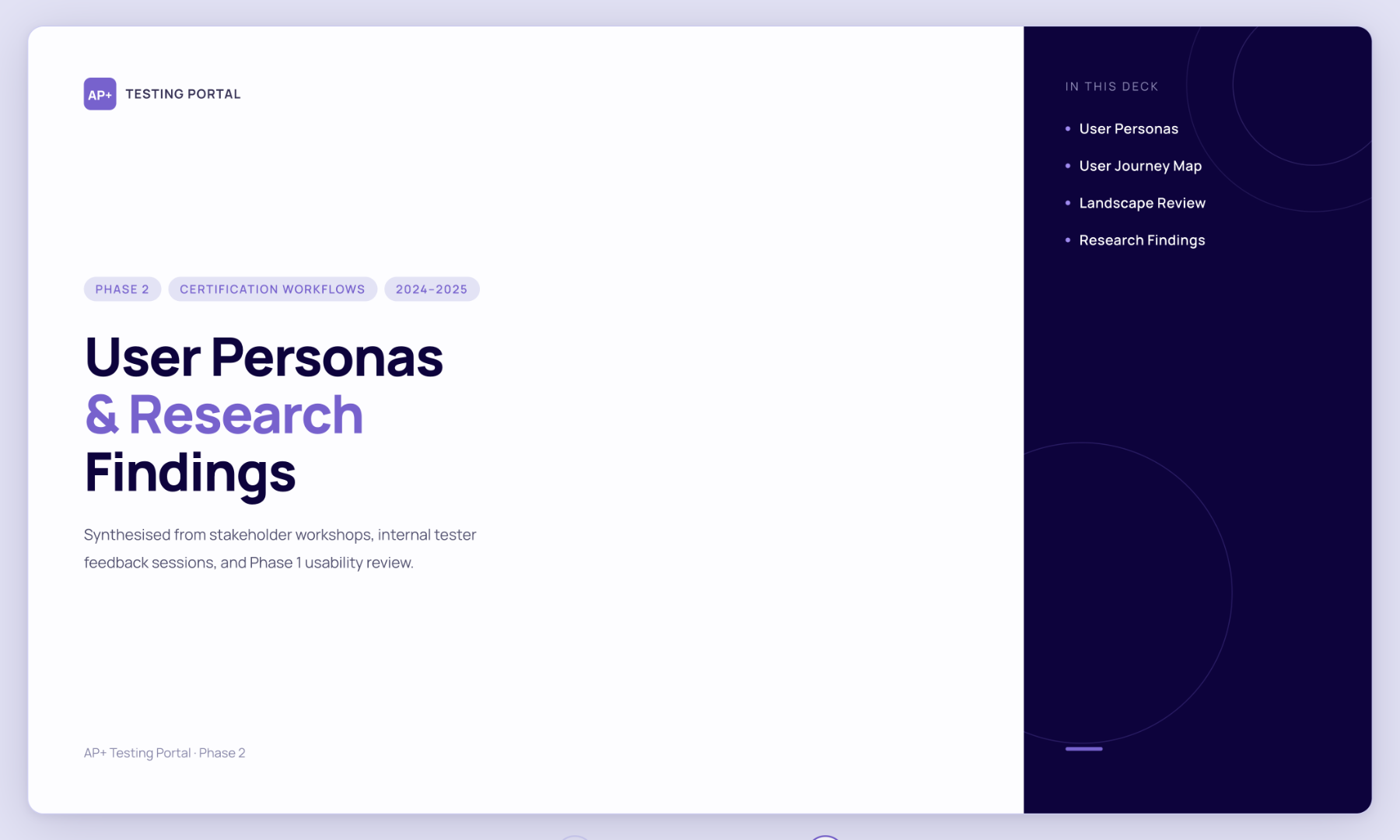
Audit previous features built to identify gaps and usability issues
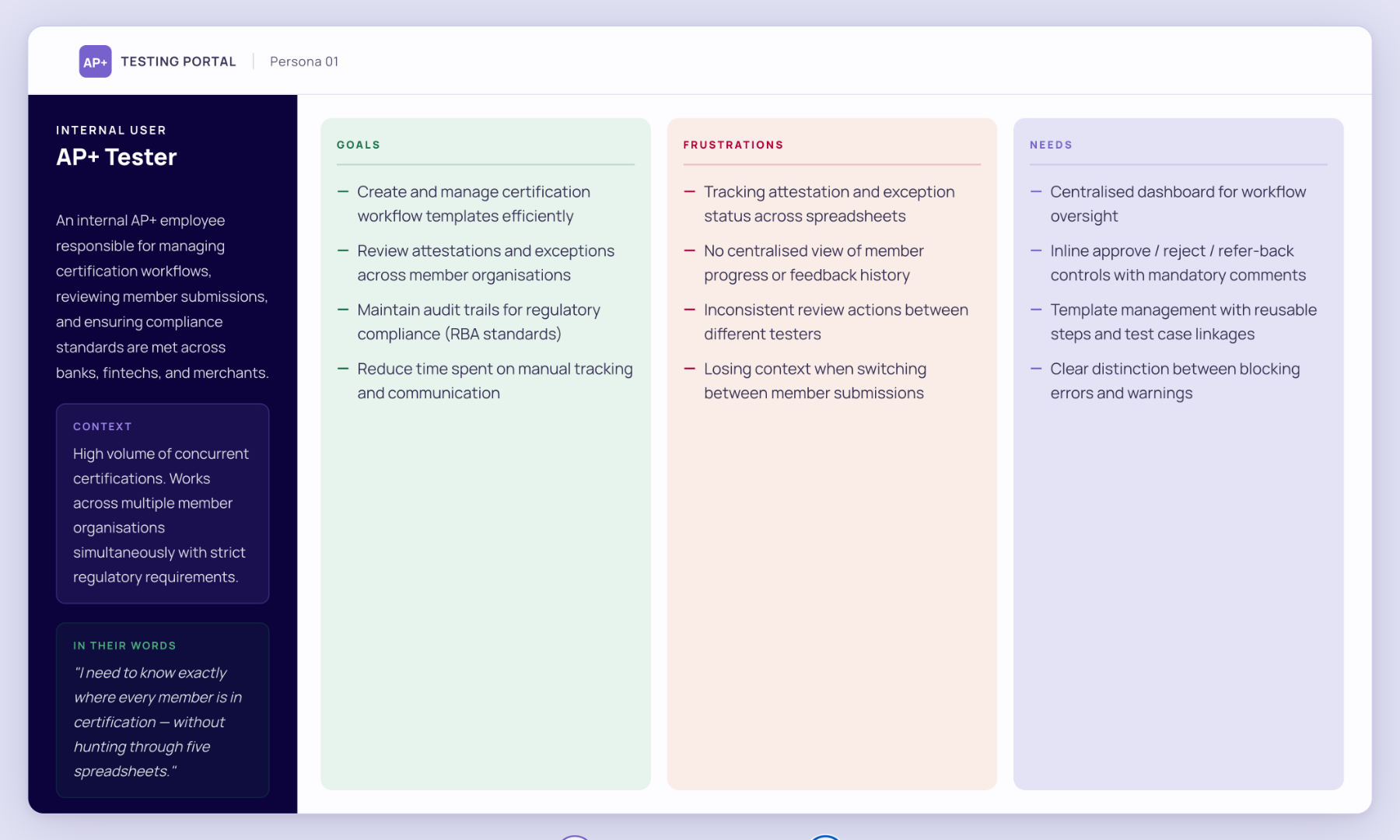
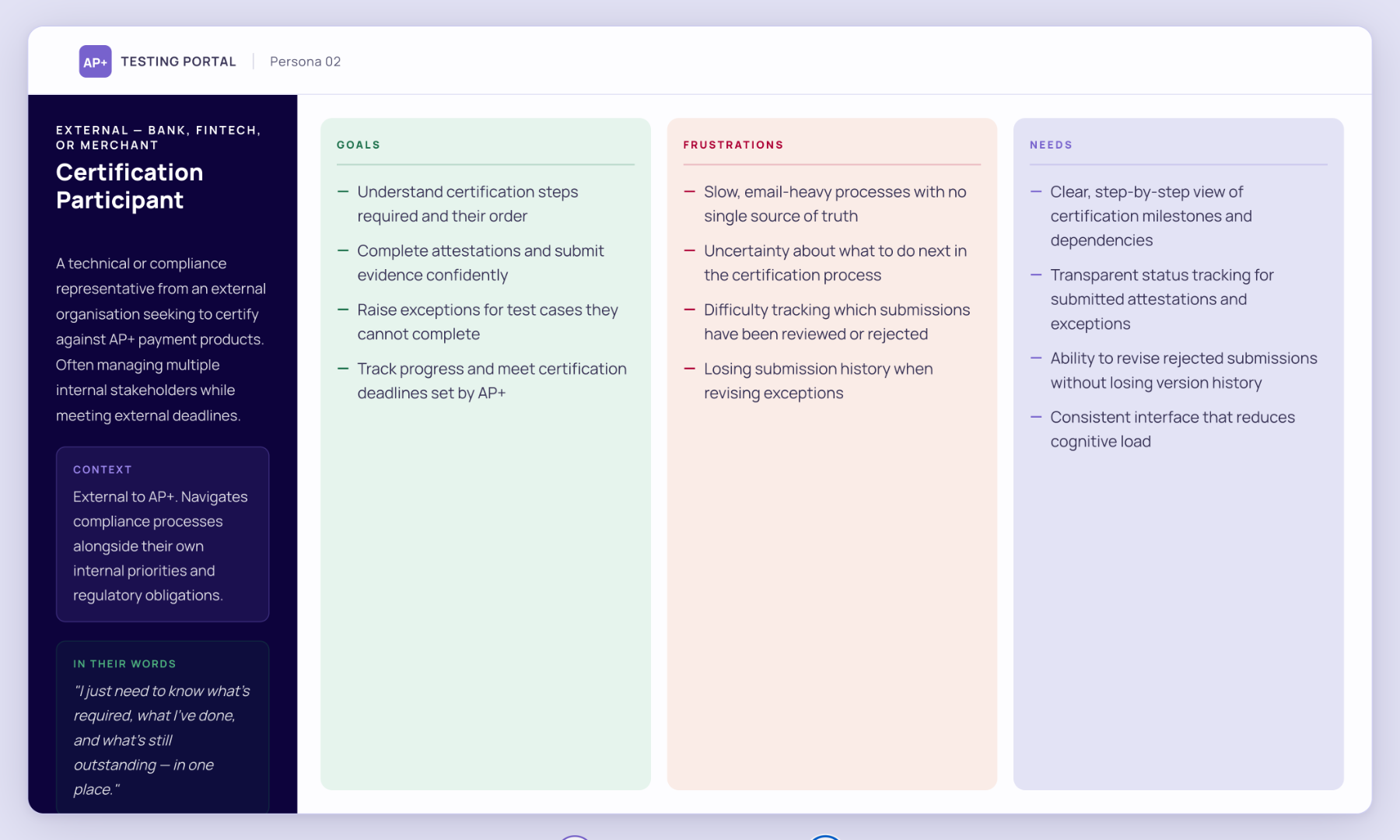
Personas and task analysis to define distinct user needs and pain points
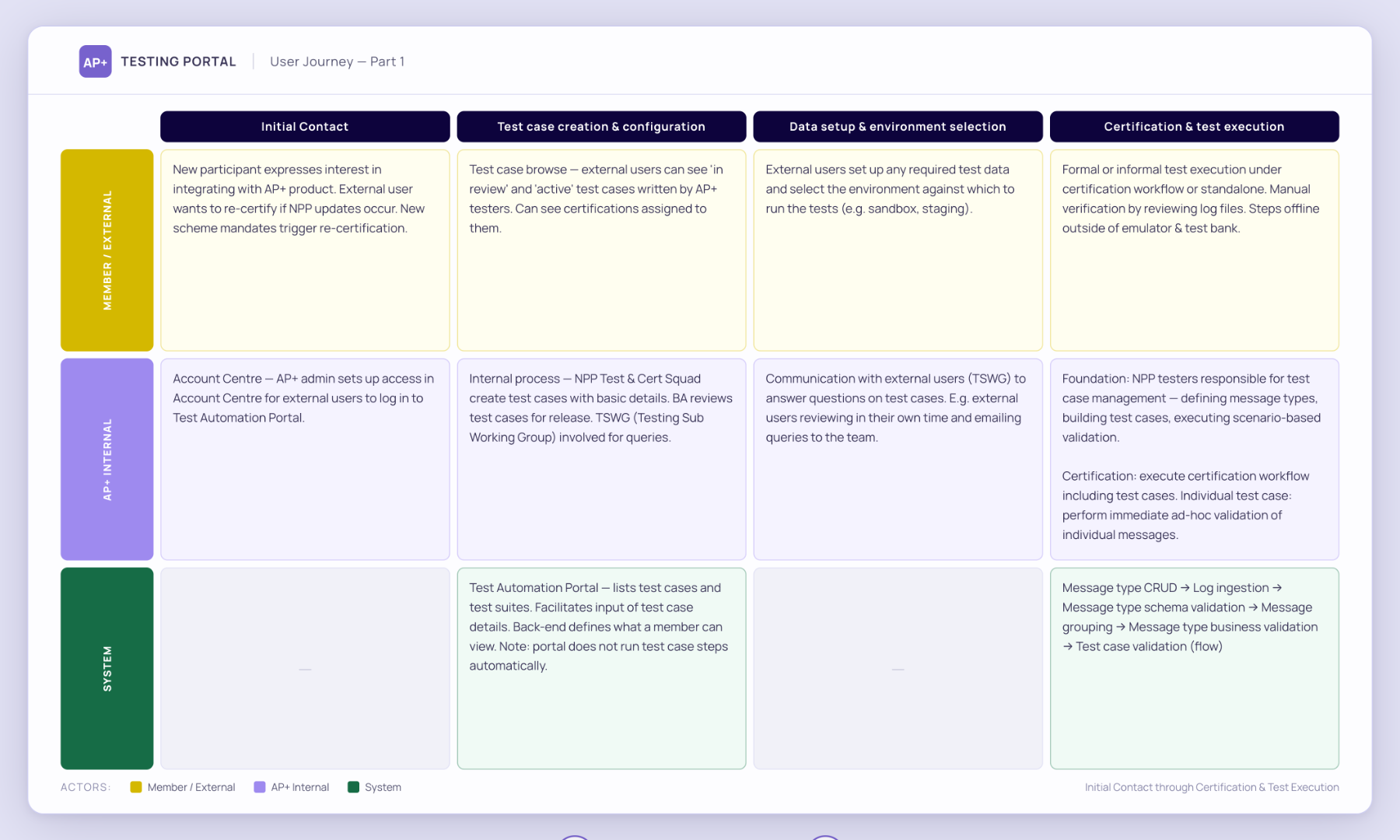
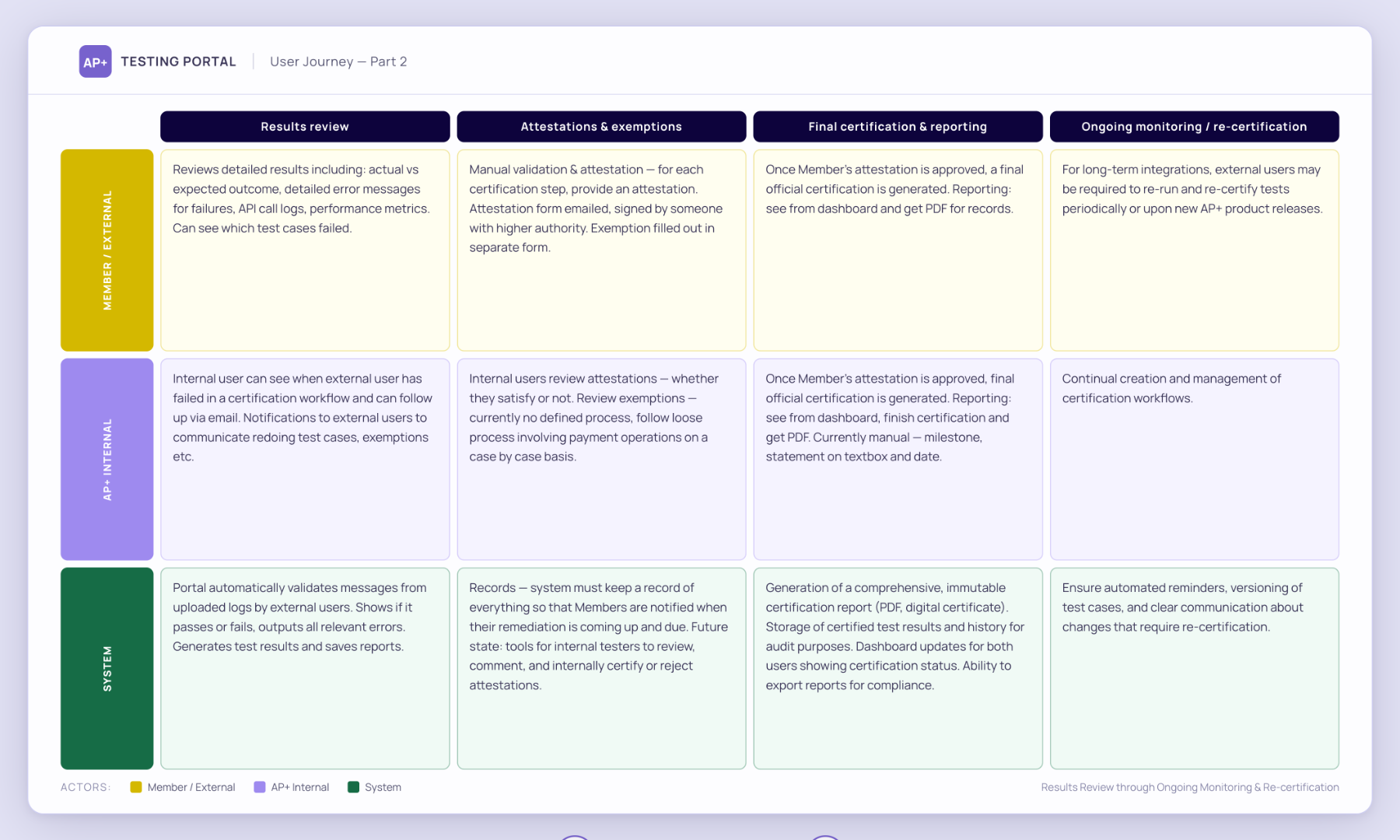
User journey and information architecture to identify gaps and gather feedback from cross-function team
Design reviews to gather early feedback and align with engineering
User feedback to validate and iterate
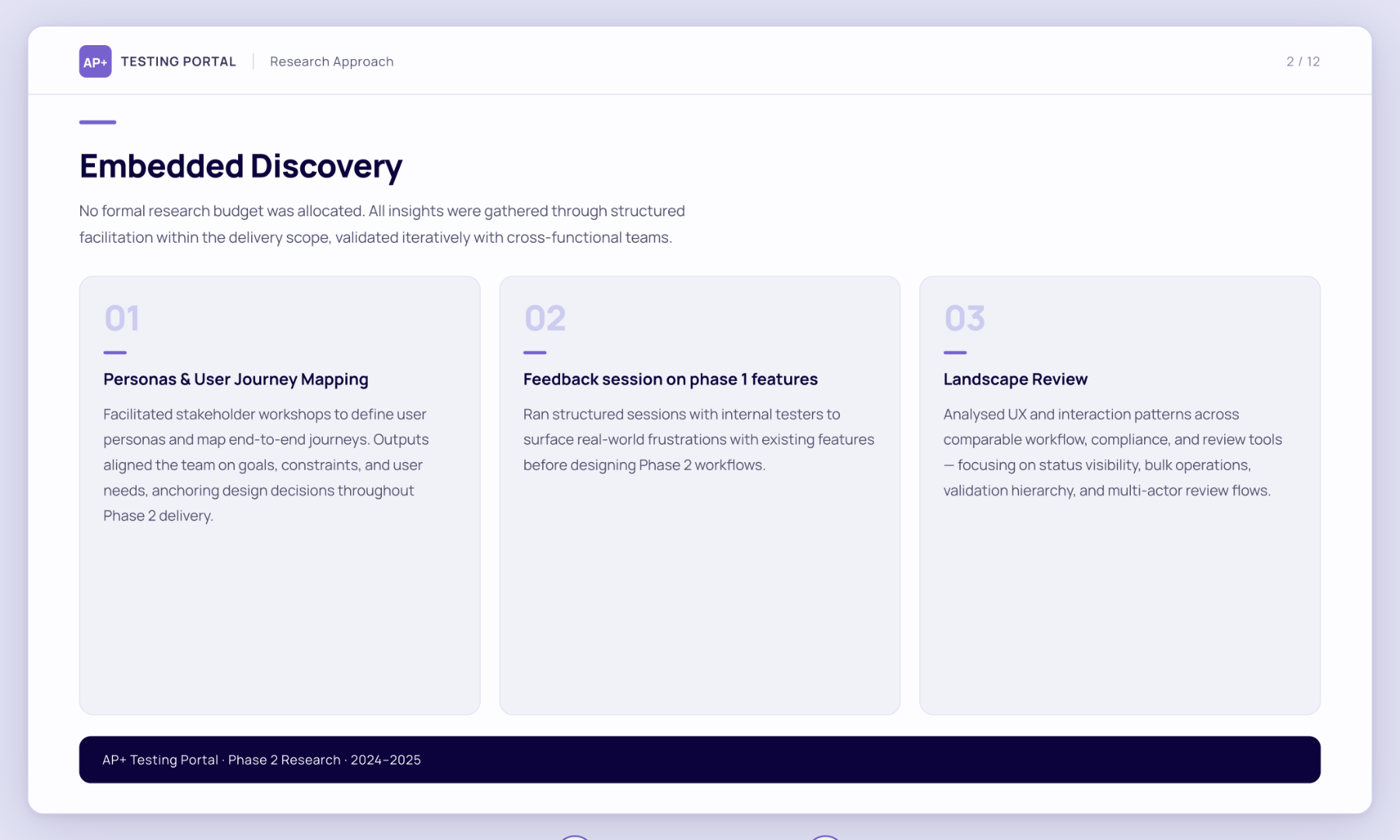
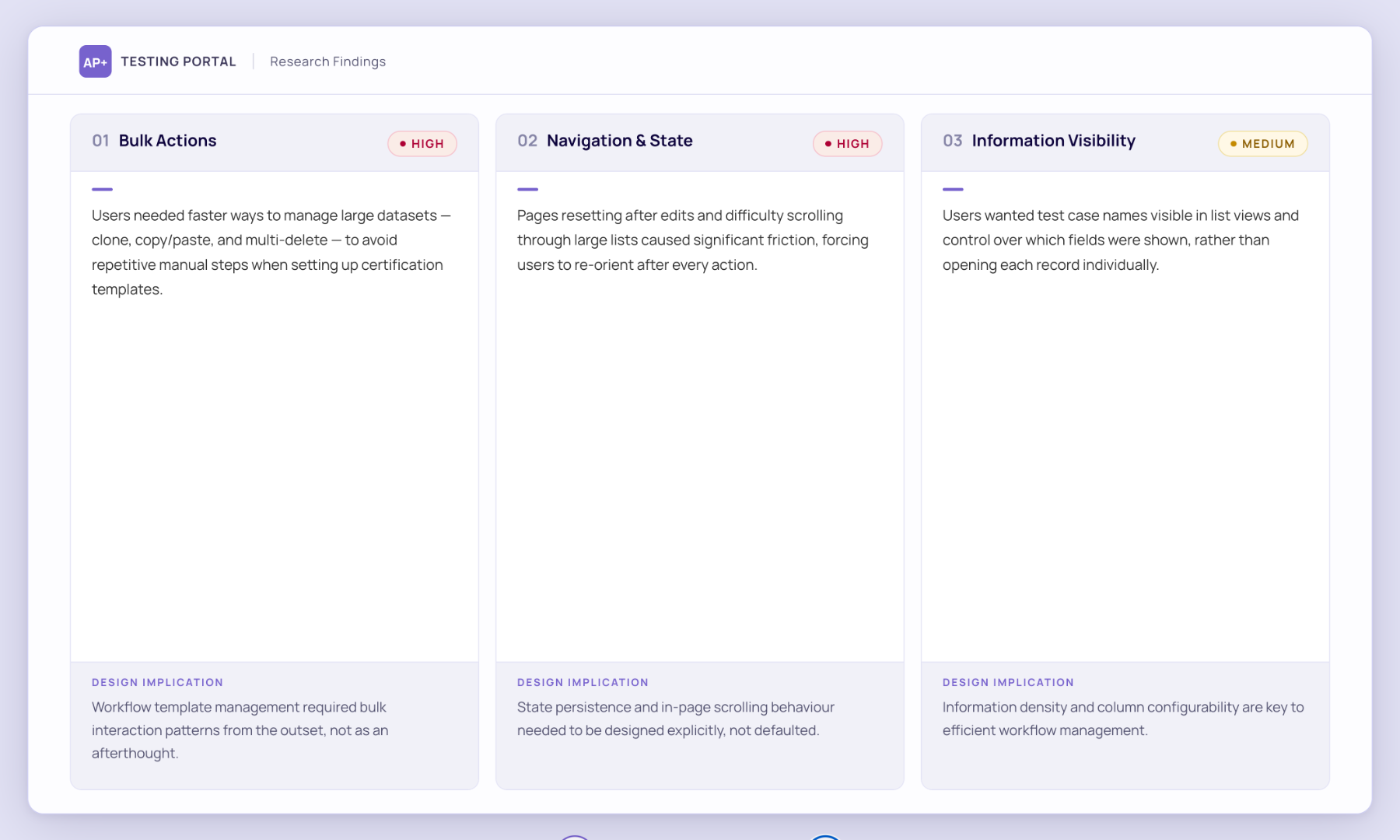
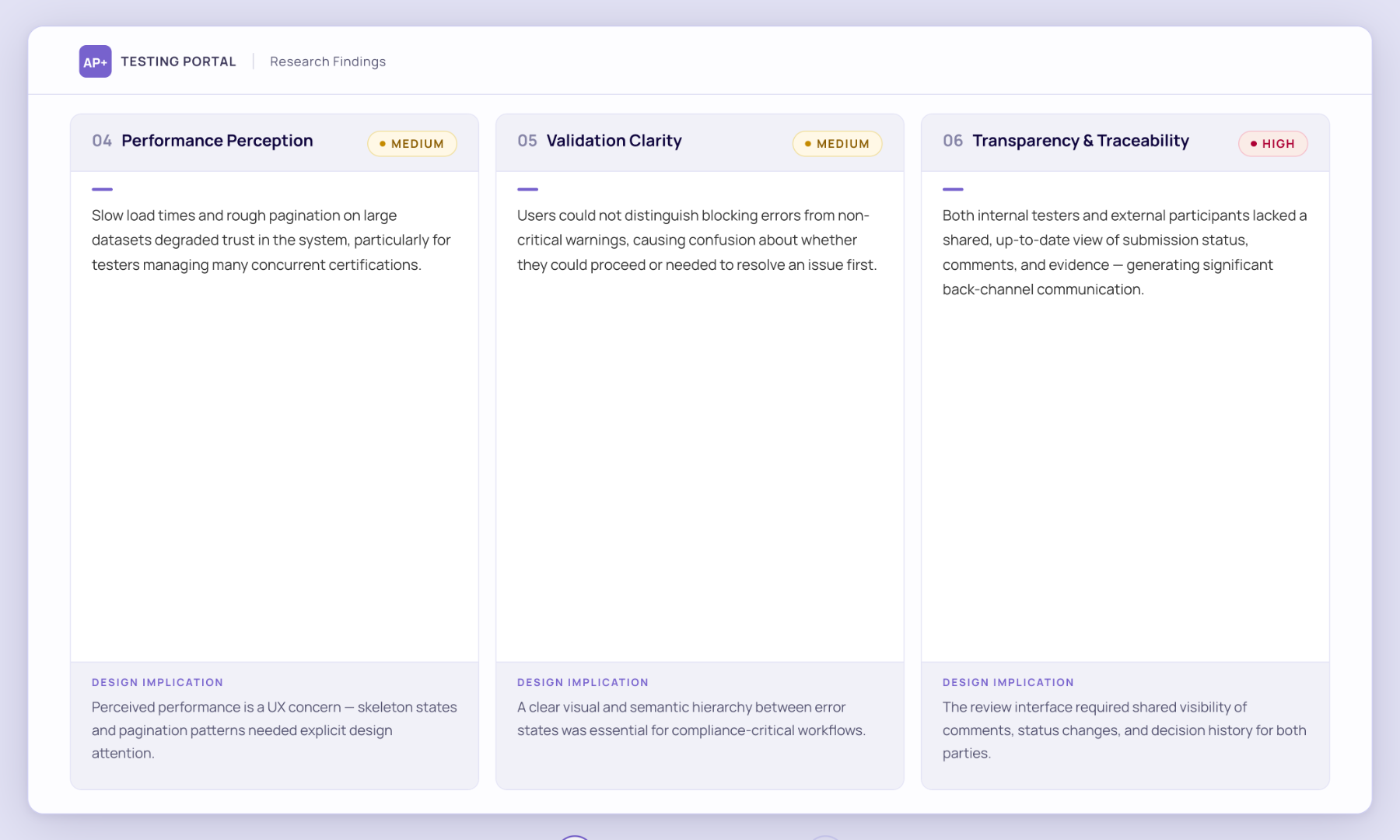
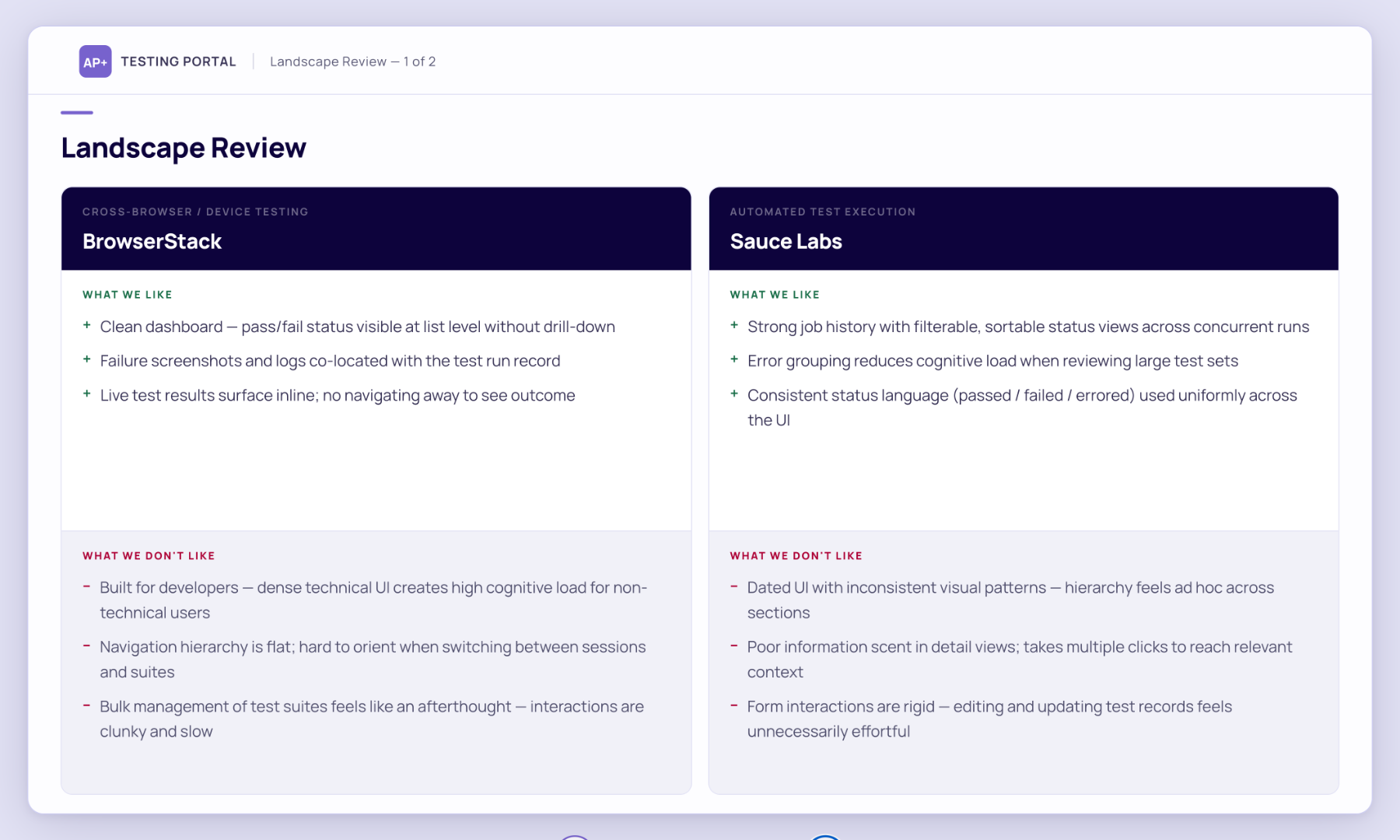
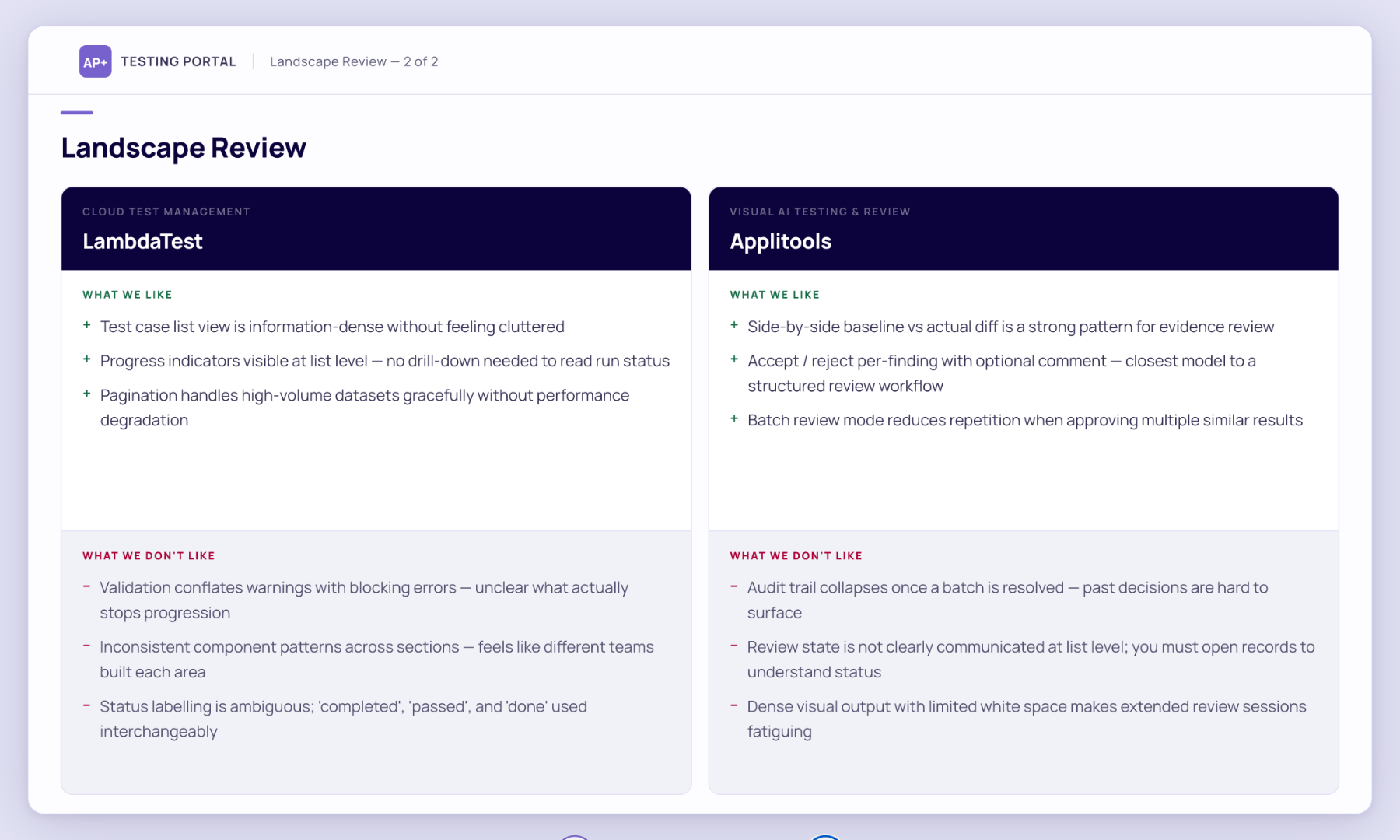
User Feedback
Key insights included:
Bulk action gaps: need for faster clone, copy/paste, and multi-delete.
Navigation issues: the page resetting after edits and difficulty scrolling large lists.
Visibility needs: showing test names in list view and toggling field visibility.
Performance expectations: smoother pagination and load times for large datasets.
Validation clarity: clearer distinction between blocking errors and warnings.
Information Architecture
Based on the findings, mapped out how content and functions are organised before deciding how they look. The purpose was to prevent design from being driven by visuals instead of logic. This also ensure new features can fit into the system logically without breaking hierarchy
Identifies navigation gaps and redundancies early by gathering feedback from the cross-function team especially engineers.
Gives engineers a clear structural map of the product, so design and development decisions stem from the same logic.

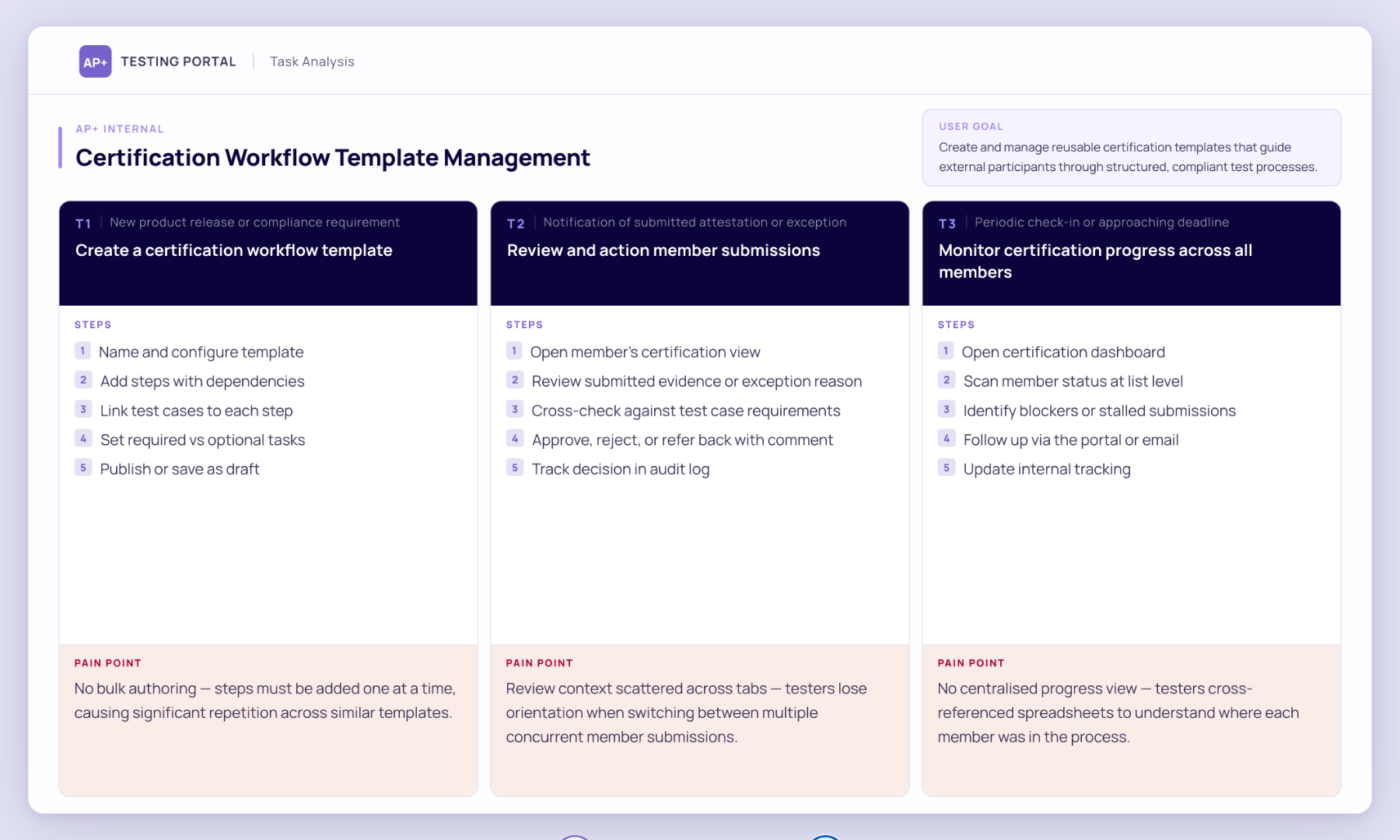
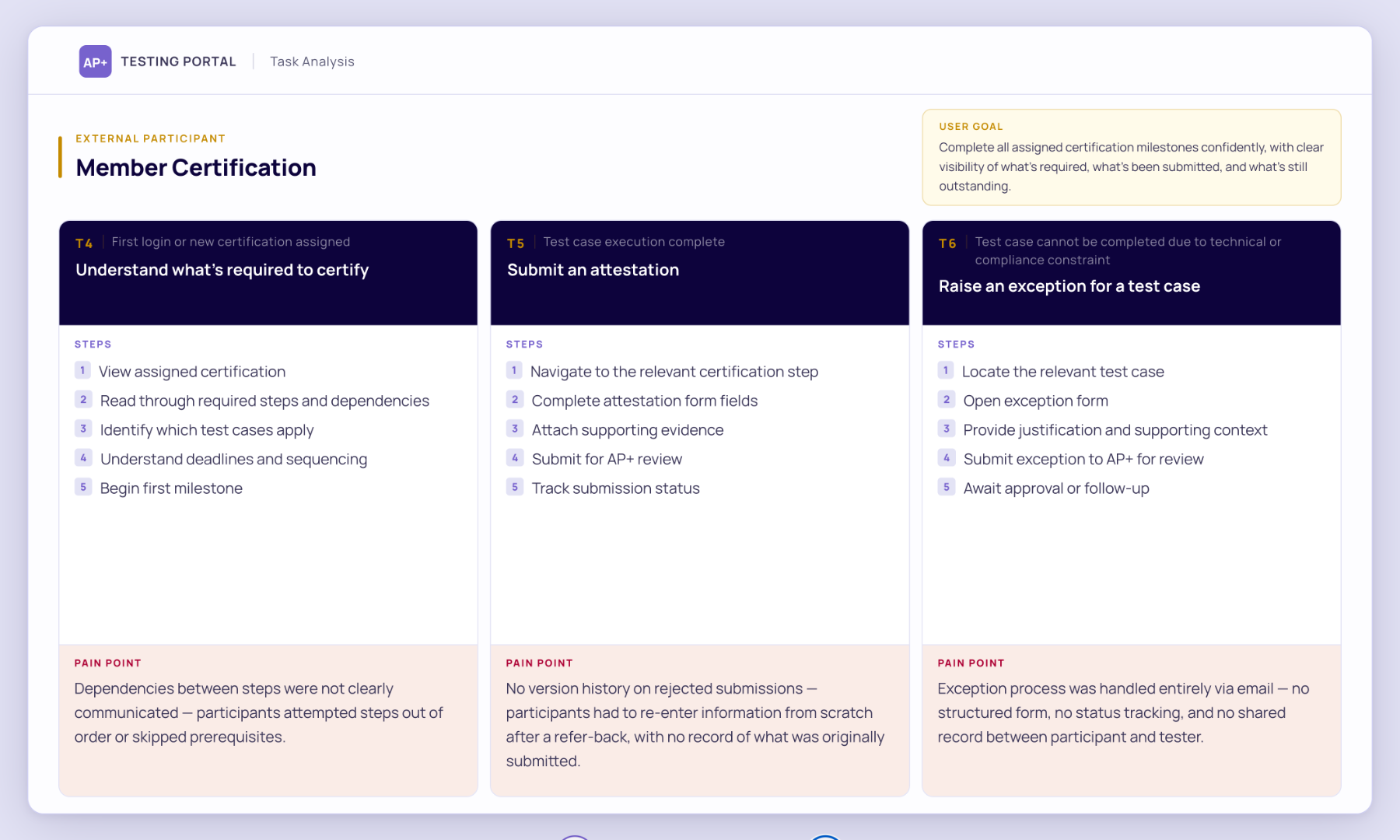
From scattered spreadsheets to a single source of truth
Problems
No single view of milestones, evidence, or exceptions
Inconsistent review actions and comment tracking
Limited visibility on member progress and history
Solutions
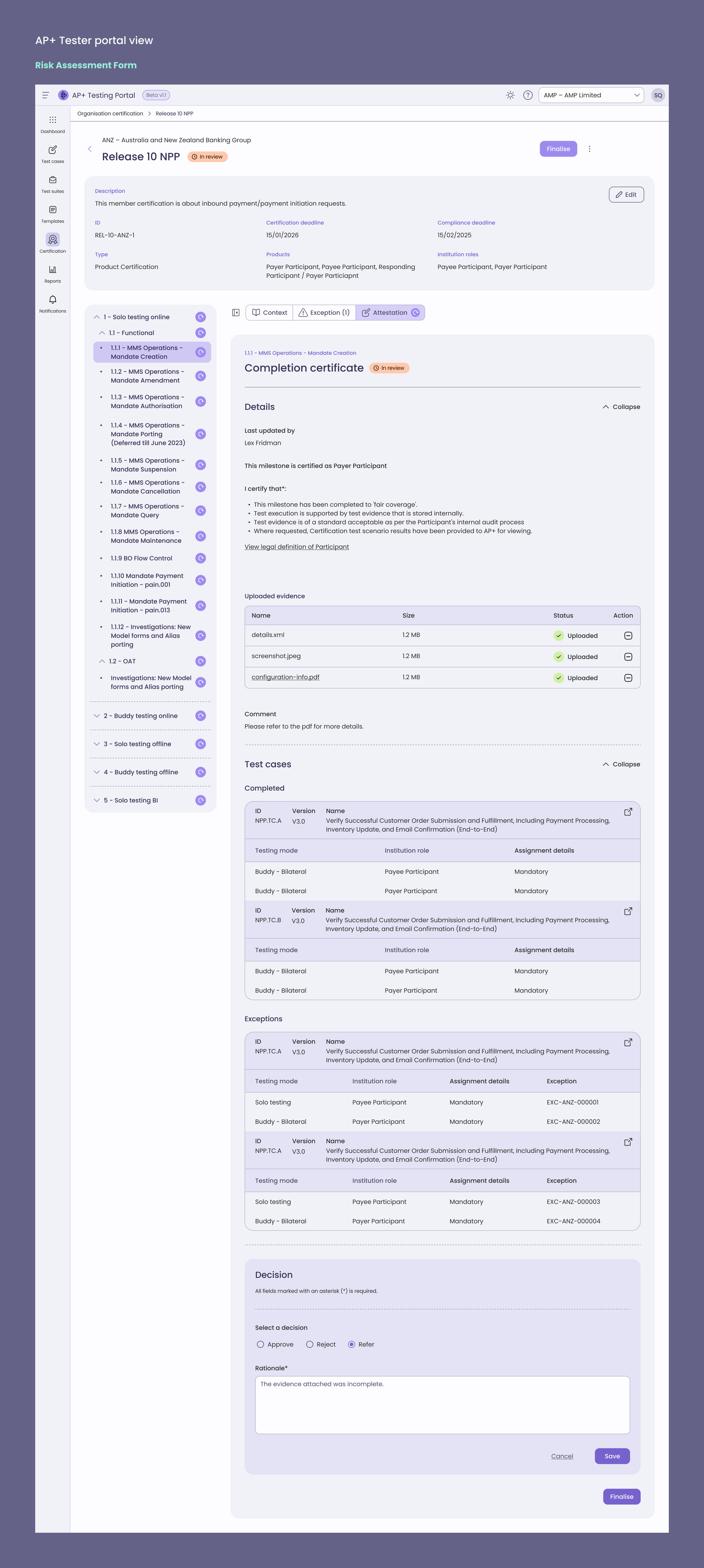
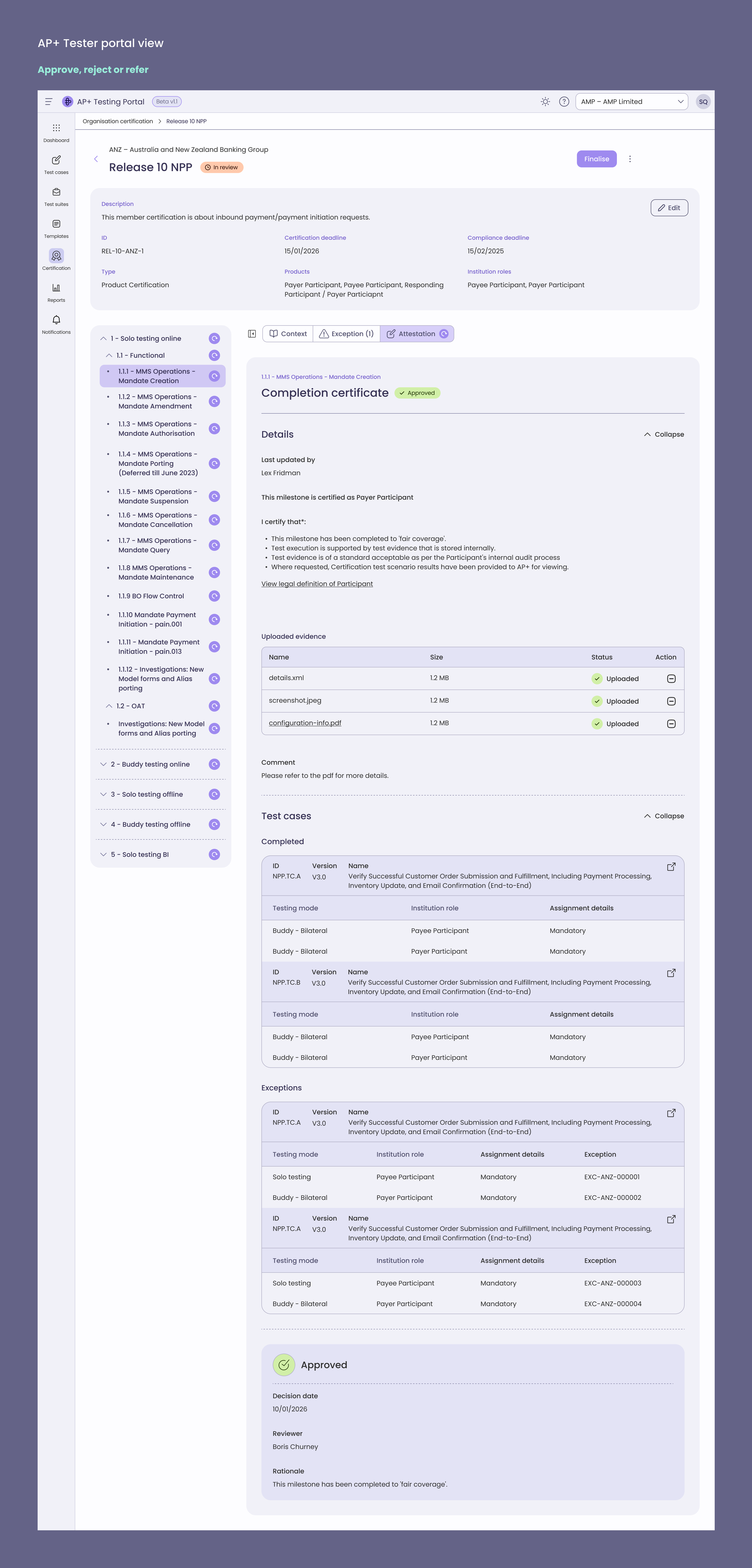
Centralised review interface with attestations, exceptions, and evidence in one view
Inline decision controls — Approve, Reject, Refer Back — with mandatory comments for traceability
Refer-back workflow so members can revise submissions without losing version history
UI Principles
Efficiency — key actions surfaced inline to reduce navigation
Transparency — shared visibility of comments, status, and evidence
Consistency — unified layout across attestation and review flows
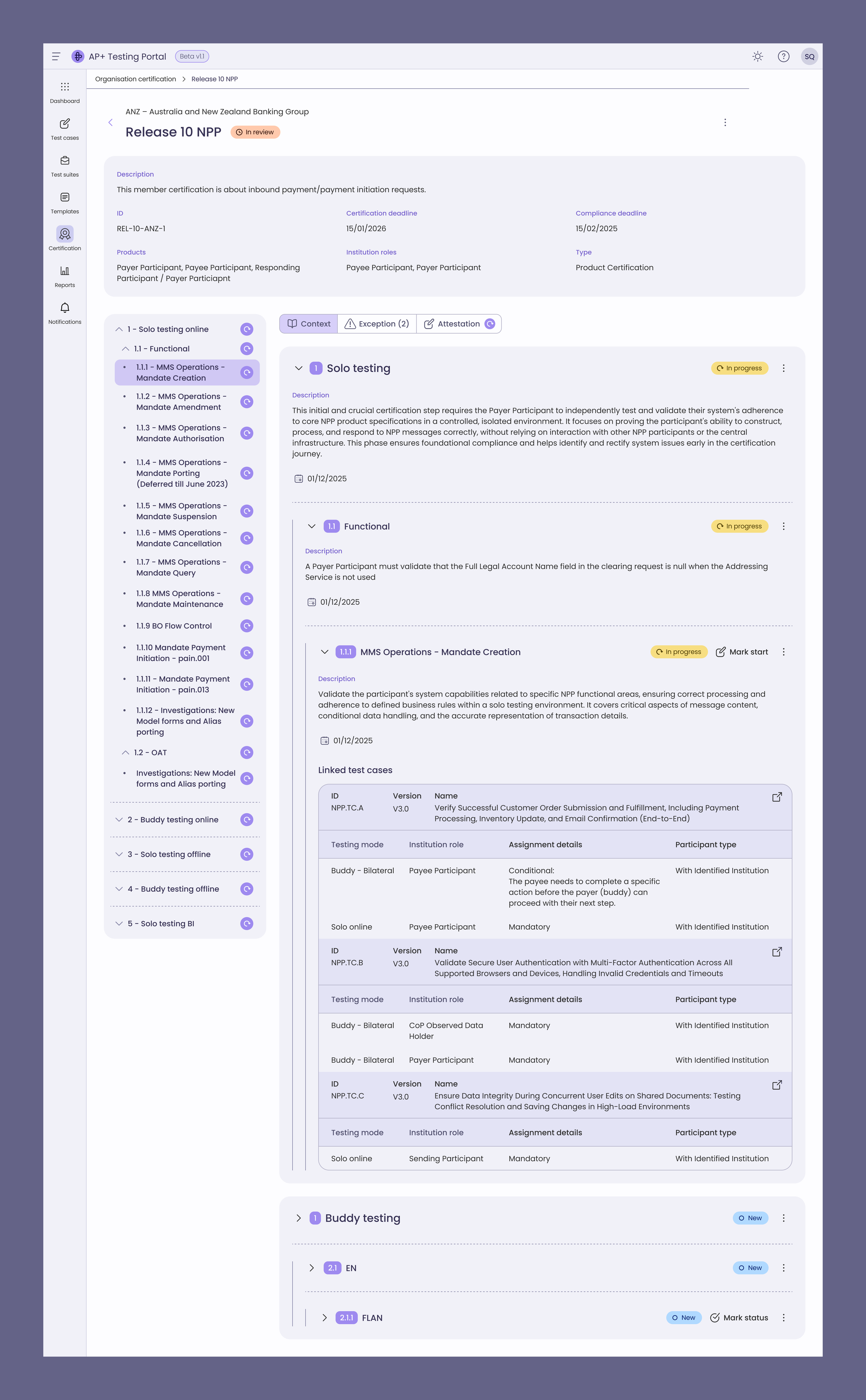
Certification milestone
Banks and merchants need to know exactly where they are in the certification process and what to do next.
I designed a scalable milestone view that brings required steps, test cases, statuses, and dependencies into one place.
It was built to handle complex business logic across both external and internal views.
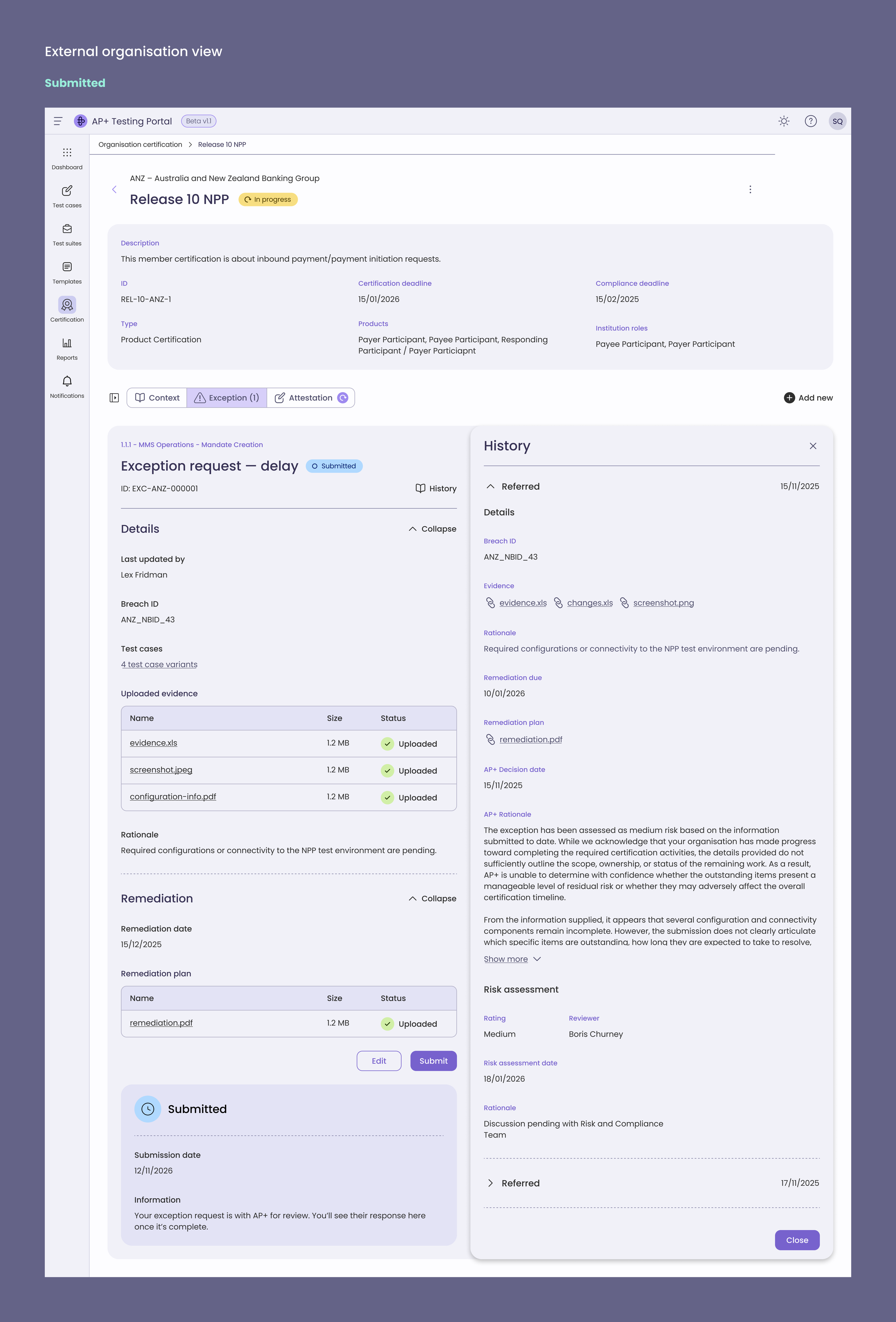
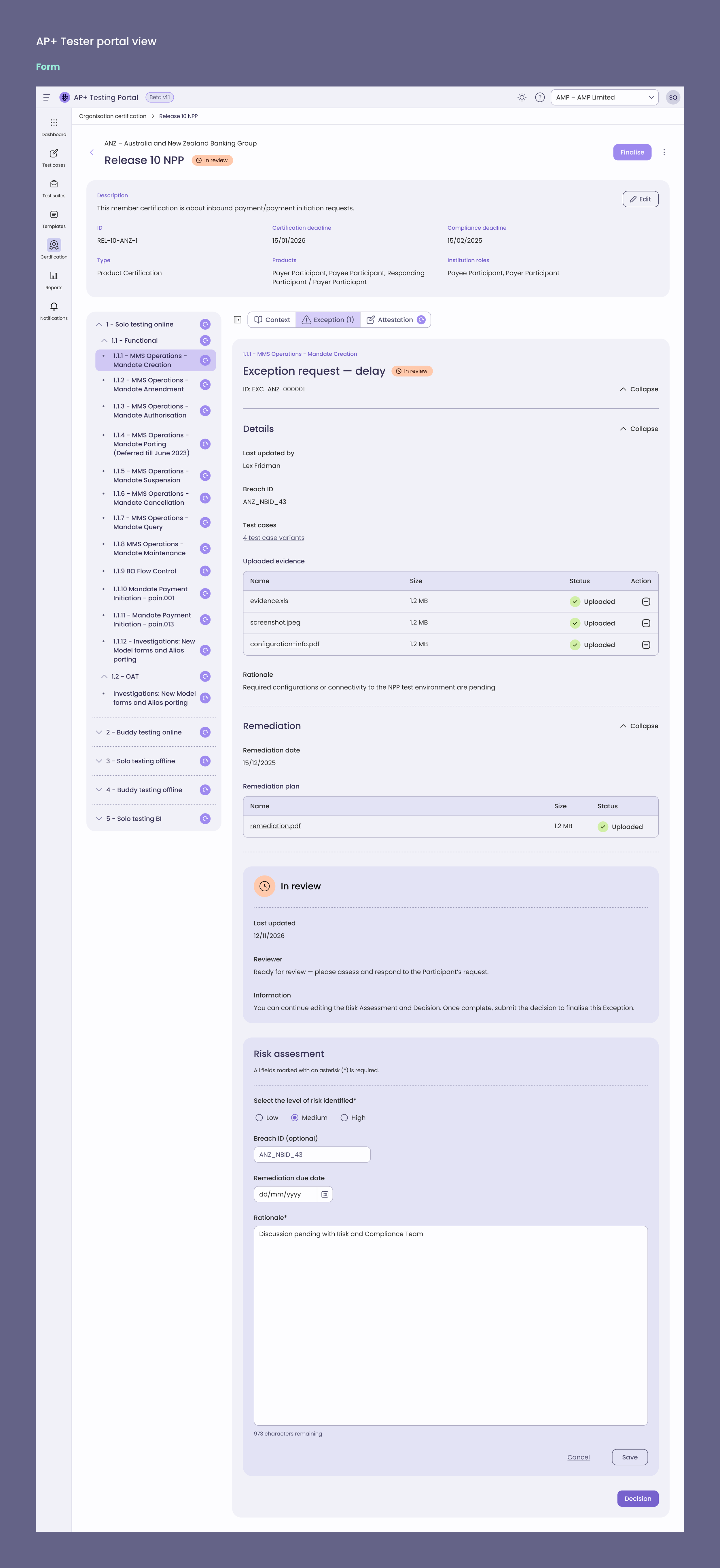
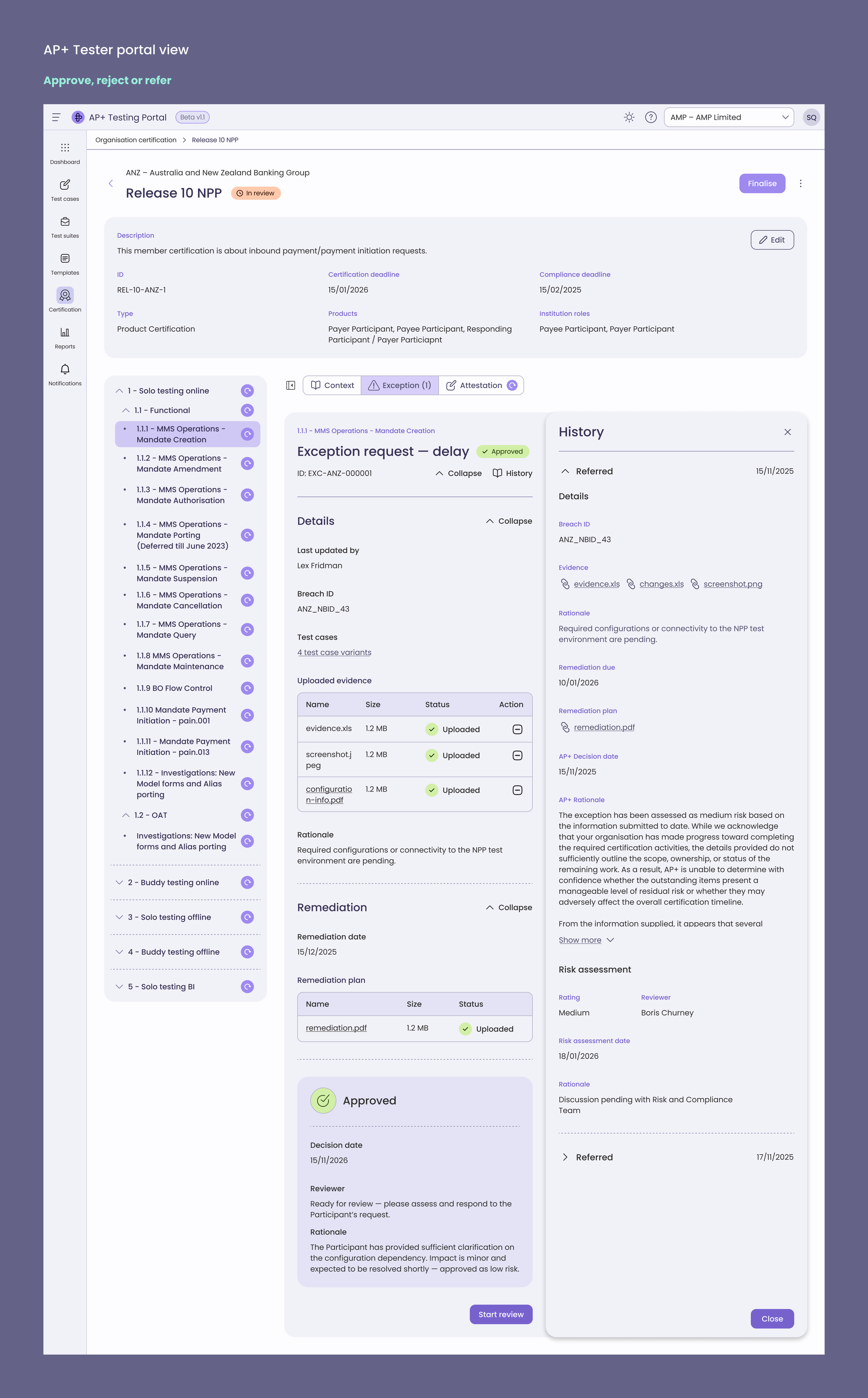
Exceptions
Banks or merchants raising exceptions to test steps that they cannot complete
AP+ Testers approving the exception
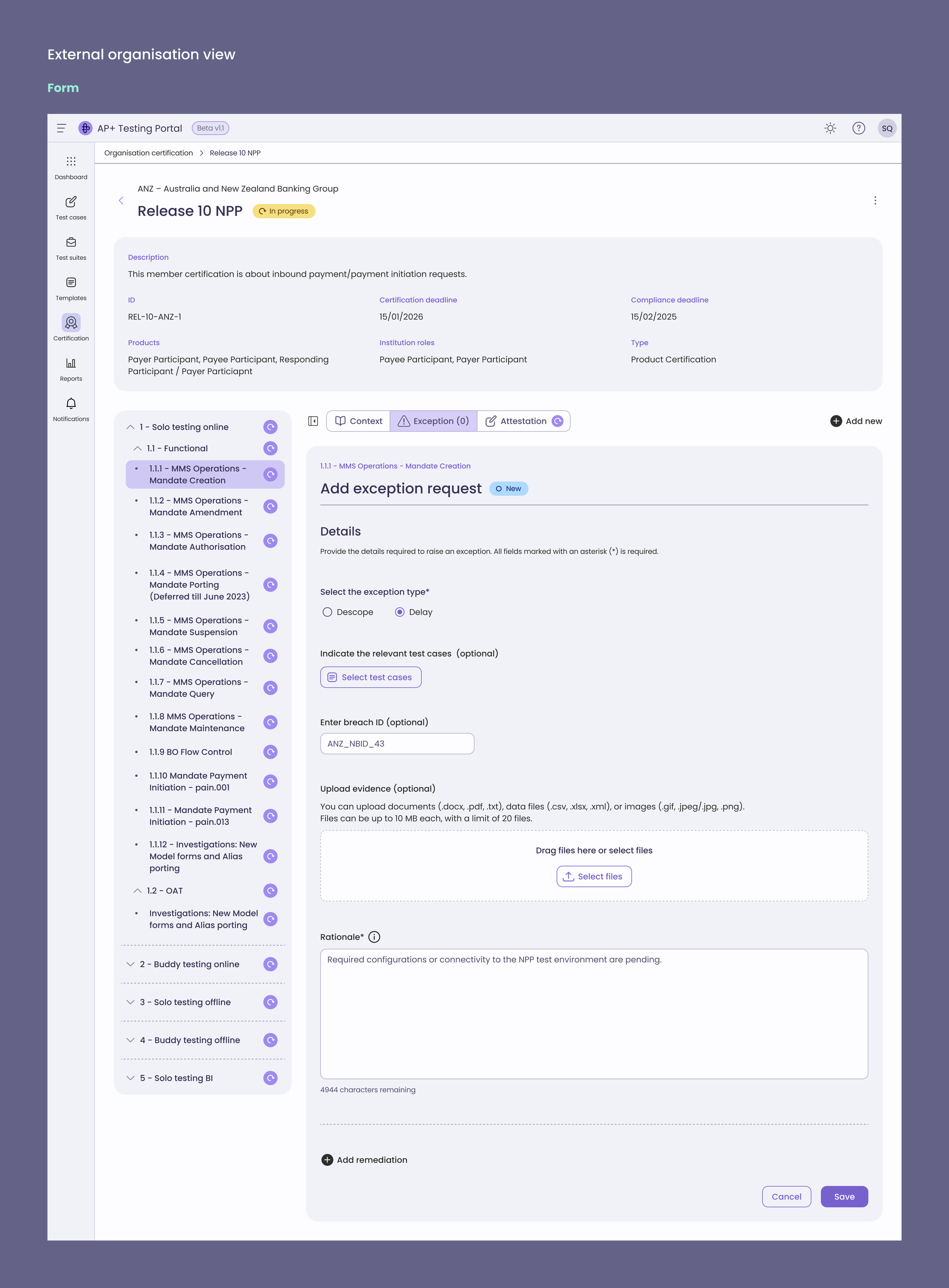
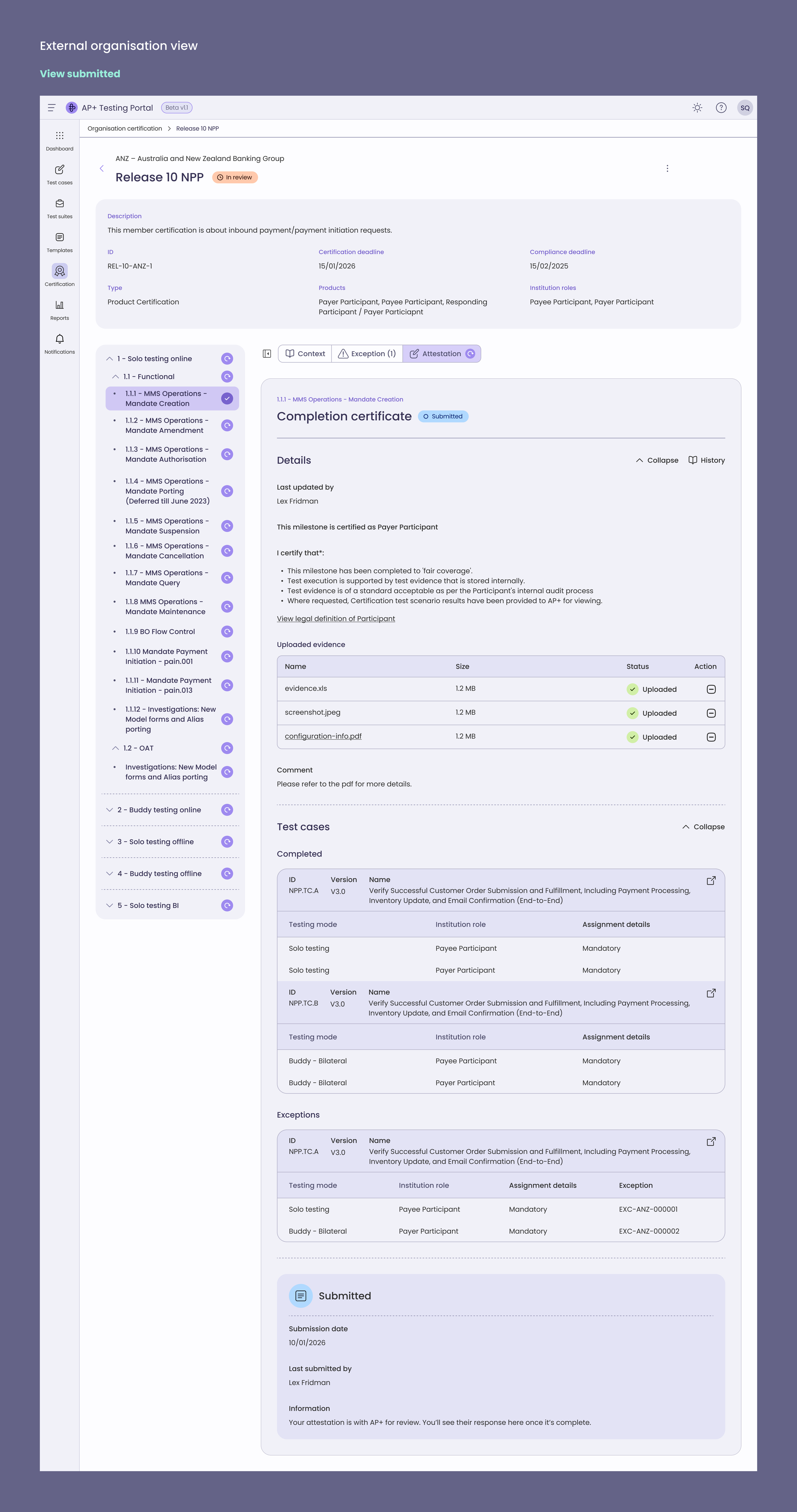
Attestation
Banks or merchants attesting to test case completion to compliance standards
AP+ Testers approving the attestation
Impact
20–30% reduction in manual effort for internal testers by replacing spreadsheets with structured workflows.
Enabled self-service certification for banks, fintechs, and merchants, reducing onboarding friction.
Improved cross-functional collaboration by aligning design outcomes with team OKRs.
Designed end-to-end certification workflows supporting regulatory compliance.
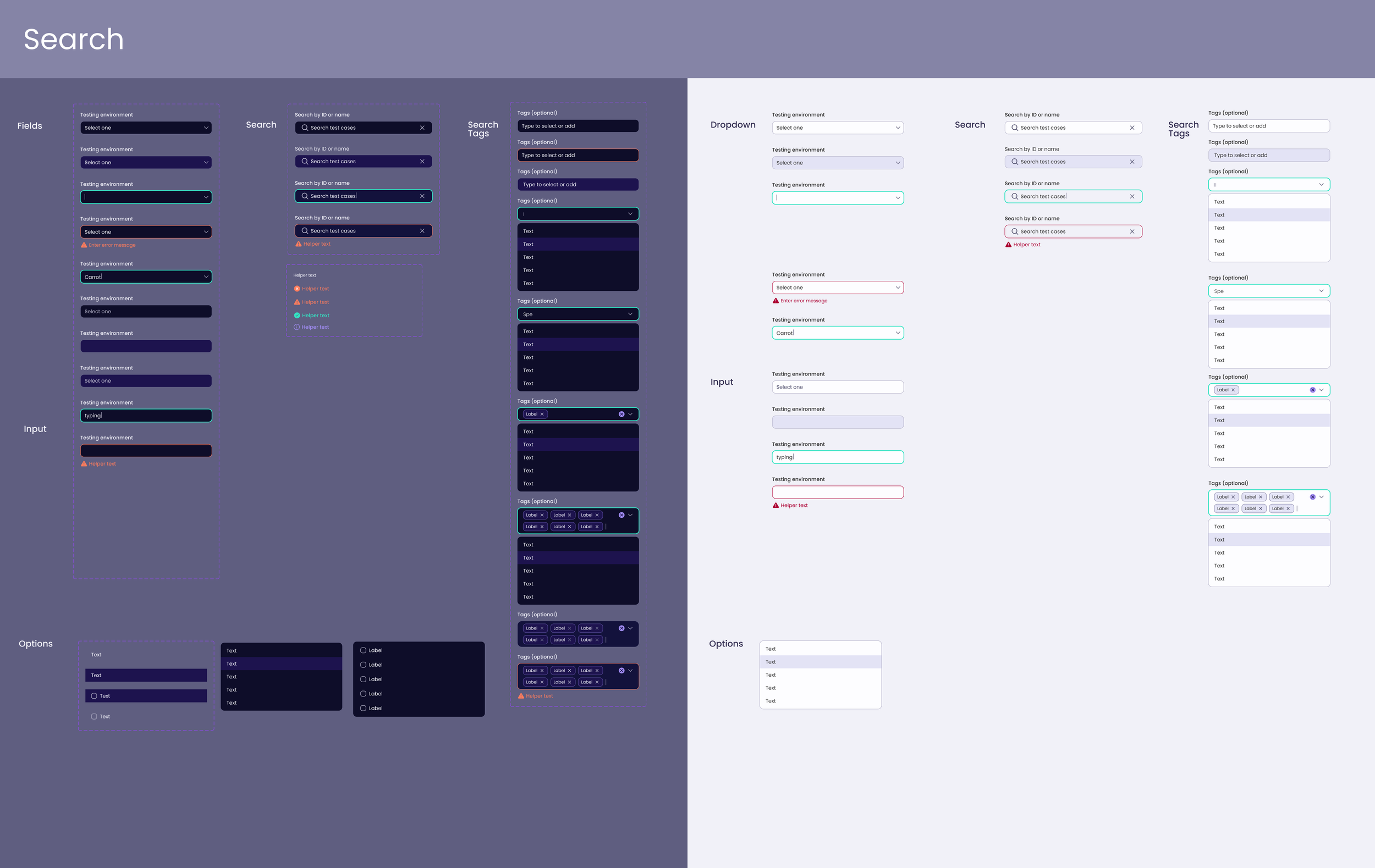
Design System and design to code
Refined and improved a figma-to-code process using Figma MCP server (Learn more on my substack)
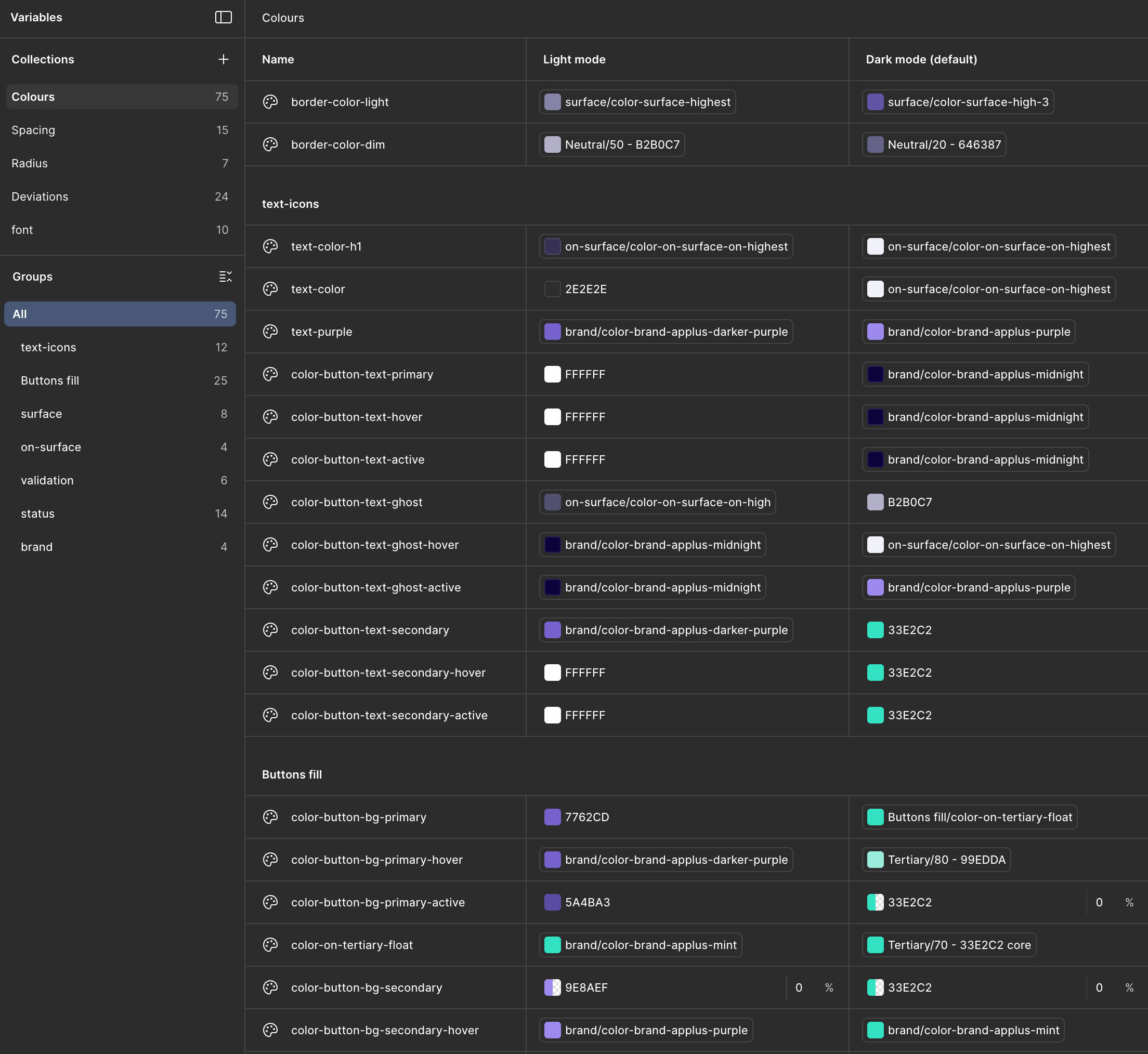
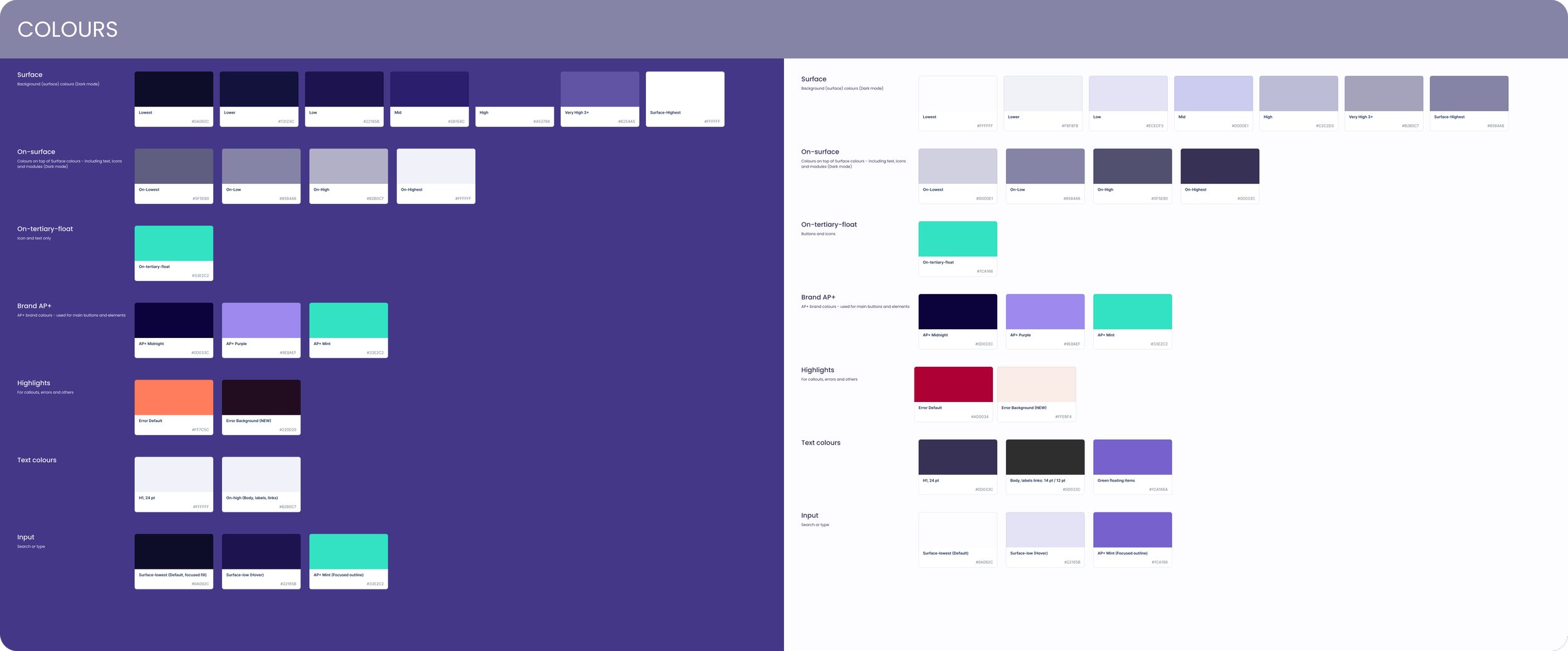
Standardised tokens and design system best practices, reference component and UI patterns in React Aria to enable smooth handover
Collaborated with Frontend Engineer to establish design token naming conventions between Figma tokens and CSS custom properties, making AI-assisted development more reliable and reducing technical debt.
Worked with FE Engineer to develop instructional files and prompt libraries that encoded design system principles for AI code generation
Achievements
Recognised with the Portal Squad at the internal Game Changer Awards for shipping two major releases — the AP+ Testing Portal and the first AP+ Member Portal which were celebrated with cross-functional collaborators across design, engineering, and product.
Refined and improved a figma-to-code process using Figma MCP server (Learn more about the best practices and my learnings)
Delivered production-ready Figma files, ensuring smooth handover to front-end engineers.
Demo best practices and systems thinking to designers and Frontend engineers to improve the above workflows (Dev mode, instructing ai model)
AI-enabled workflows:
OpenAI Custom agent - UX QA agent to produce reports of manual testing
Employ the use of Playwright in the code base to test acceptance criteria.
AI-optimised specifications and context driven coding workflow